
UniFab Video Stabilizer AI
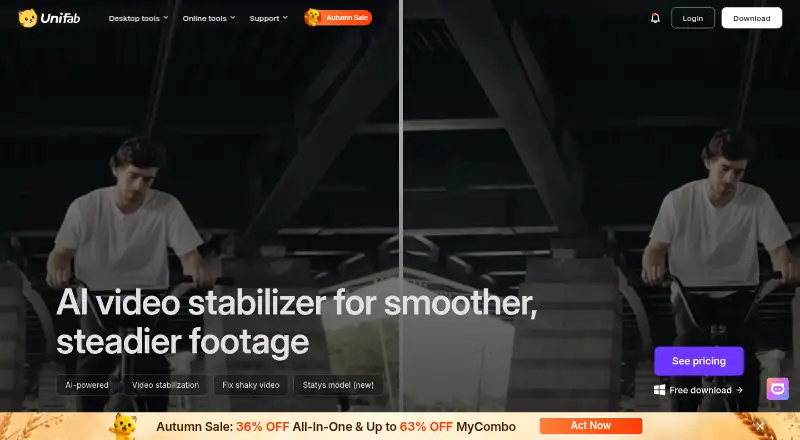
UniFab Video Stabilizer AI: A capable desktop stabilizer with local processing, batch work, and 4K output. Ranked #5 of 33 in AI Video Stabilization Software by our editors (8.7/10); pricing: 30-day trial; best for desktop users wanting AI stabilization with a trial.
At a glance
- Editor score8.7 / 10
- Pricing30-day trial
- Best forDesktop users wanting AI stabilization with a trial
- Free planNo
- Paid from$89.99/yr
- Facts checked22 Sep 2026
Where it wins
- Two AI stabilization models for different motion conditions
- Batch processing with GPU acceleration
- Output up to 4K in MP4 or MKV
Where it doesn't
- Paid product with no free plan
- Available only for Windows and macOS desktops
- Trial is limited to three uses per module
Our verdict on UniFab Video Stabilizer AI
UniFab Video Stabilizer AI is desktop software for reducing camera shake in handheld, action-camera, drone, phone, telephoto, and other dynamic footage. It is aimed at Windows and macOS users who want local AI processing rather than a browser-based workflow. Automatic stabilization is available through Mild, Moderate, and Strong modes, while the Motis and Statys models provide different approaches for motion conditions. Output supports MP4 and MKV files at resolutions up to 4K.
The published plans keep the purchasing choice straightforward. The 1-Year License costs $89.99 per year and includes Video stabilization AI. The Lifetime License costs $109.99 as a one-time payment and includes the same listed feature. UniFab also offers a 30-day trial with full features and no watermark before purchase, although the product notes specify three trial uses per module. That structure suits buyers who want to evaluate the workflow before committing, while the lifetime option is more relevant to users who expect to keep the software for longer than one year. Regional pricing may differ.
Its strongest fit is for desktop video work that benefits from batch processing and GPU acceleration, especially when footage comes from several camera types or contains varying levels of shake. Local processing, two stabilization models, selectable strength modes, and 4K output give users several ways to shape the result. The trade-off is its narrow platform scope: it is designed for Windows and macOS desktops, not a broader device ecosystem. Choose UniFab Video Stabilizer AI if local desktop processing, batch work, and a trial are priorities. Consider an alternative if you need a free plan or a platform outside Windows and macOS.
Your product? Our editors can test UniFab Video Stabilizer AI in depth and publish a review, labelled as paid · from $149/mo →
UniFab Video Stabilizer AI pricing
All 2 UniFab Video Stabilizer AI plans and prices →
UniFab Video Stabilizer AI fact sheet
| Free plan | No |
|---|---|
| Paid from | $89.99/yr |
| Horizon leveling | Not verified |
| Rolling-shutter correction | Not verified |
| Batch processing | Yes |
| Maximum output resolution | 4k |
| Processing mode | Local |
| Supported platforms | Windows and macOS |
| Free trial | 30 days |
| Money-back guarantee | 14 days |
| Deployment | Desktop |
| Platforms | Windows, macOS |
| Support | Community, Docs |
| Built for | Solo, Small business, Mid-market (editorial estimate) |
| Pricing | 30-day trial (source) |
| Website | unifab.ai |
| Facts checked | 22 Sep 2026 |
Alternatives to UniFab Video Stabilizer AI
- GyroflowA free, open-source stabilizer with deep correction controls and broad editor support.9.4
- EmulsioA focused Apple app for adjustable stabilization, correction, slow motion, and 4K upscaling.9.1
- proDAD Mercalli V6 SALA focused Windows tool for correcting shake, rolling shutter, and wide-angle footage.8.9

See all UniFab Video Stabilizer AI alternatives →
UniFab Video Stabilizer AI vs the competition
- UniFab Video Stabilizer AI vs Gyroflow
- UniFab Video Stabilizer AI vs Emulsio
- UniFab Video Stabilizer AI vs proDAD Mercalli V6 SAL
- UniFab Video Stabilizer AI vs Vidhance Video Stabilization
- UniFab Video Stabilizer AI vs VidHex AI Video Stabilizer
- UniFab Video Stabilizer AI vs Morpho SOFTGYRO



Compare UniFab Video Stabilizer AI with any tool side by side →
Used UniFab Video Stabilizer AI? Be the first to review it
The editor score above is our own research. What this page doesn't have yet is a reader's view — what you used UniFab Video Stabilizer AI for, what worked and what didn't. No stars are seeded and no review is paid for; an editor reads every one before it appears.
Write a reviewTwo minutes · verified accounts only · read by an editor before it appears
Featured on iTechGuides

UniFab Video Stabilizer AI is listed in our AI Video Stabilization Software directory. Add the badge to your site — it links back to this page.
<a href="https://www.itechguides.com/products/unifab-video-stabilizer-ai/"><img src="https://www.itechguides.com/best/badge/unifab-video-stabilizer-ai.svg" alt="Featured on iTechGuides" width="230" height="46"></a>
Reviewed by iTechGuides Editors · Editorial team · Updated Oct 2026
Advertiser disclosure: iTechGuides is reader-supported. Vendors can pay for top positions in our rankings and for a place on other products' pages, and we may earn a commission when you click some links. Bought places stand at the number bought; this page and our disclosure say so. Paying vendors may get a fuller, more detailed review from our editors, and that review can change their score. How we rank.
Last updated · How we research and update