UltraMon
UltraMon: A focused Windows utility for organizing applications across multiple monitors. Ranked #30 of 34 in Taskbar Customization Software by our editors (5.5/10); pricing: 30-day trial; best for professional multi-monitor taskbar extensions.
At a glance
- Editor score5.5 / 10
- Pricing30-day trial
- Best forProfessional multi-monitor taskbar extensions
- Free planNo
- Paid from$22.95/device one-time
- PlatformWindows
- Facts checked20 Sep 2026
Where it wins
- Per-monitor taskbars show local applications on each display.
- Supports profiles, positioning, mirroring, and more than 10 monitors.
- Window movement and maximization commands span multiple monitors.
Where it doesn't
- Windows-only, with documented support through Windows 10 and earlier.
- No free plan; the single-license price is $39.95 one time.
- The listed version 3.4.1 was released on October 4, 2018.
Our verdict on UltraMon
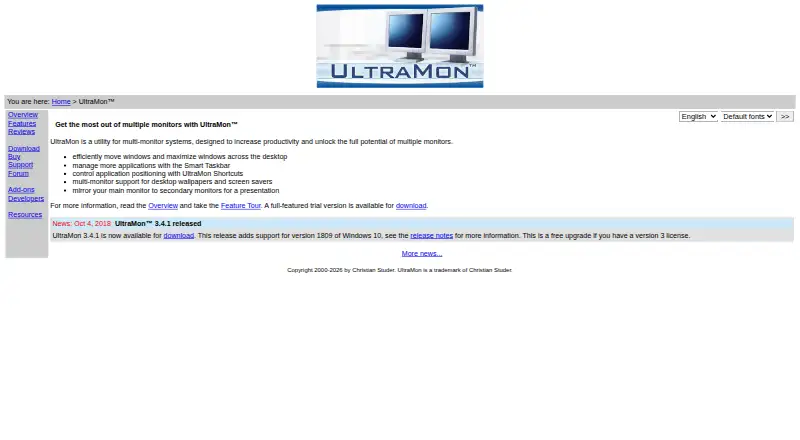
UltraMon is a Windows utility for people who work across multiple monitors and want more control over taskbars, windows, and display layouts. It adds per-monitor taskbars, Smart Taskbar modes, window movement and maximization commands, application-positioning shortcuts, display profiles, wallpaper and screen-saver management, and monitor or application mirroring. Support for configuring more than 10 monitors makes it suited to professional multi-display desktop setups rather than single-screen users.
UltraMon uses paid, one-time licensing and includes a 30-day fully functional trial. A single license costs $39.95 and includes a Version 3 license plus minor upgrades. Volume pricing reduces the per-license cost to $36.95 for 2-4 licenses, $32.95 for 5-10, $29.95 for 11-25, $25.95 for 26-49, $22.95 for 50-99, and $19.95 for 100 or more. This structure fits teams or organizations buying multiple licenses, while the lack of a free plan makes it less suitable for casual experimentation after the trial.
Its strongest case is the combination of per-monitor taskbars, Smart Taskbar modes, display profiles, custom monitor positioning, and shortcuts for moving applications between screens. Those features give multi-monitor users several ways to keep windows and displays organized. UltraMon is a practical choice for Windows users who need taskbar extensions and multi-display window controls; users seeking a free option, a non-Windows platform, or a broader modern desktop utility should look elsewhere. The documented coverage includes Windows 10, 8, 7, Vista, and XP, and the listed version is 3.4.1, released October 4, 2018.
Your product? Our editors can test UltraMon in depth and publish a review, labelled as paid · from $149/mo →
UltraMon pricing
All 7 UltraMon plans and prices →
UltraMon fact sheet
| Free plan | No |
|---|---|
| Paid from | $22.95/device one-time |
| Platform | Windows |
| Taskbar positioning | Yes |
| Transparency controls | Not verified |
| App grouping controls | Yes |
| Multi-monitor support | Yes |
| Taskbar sizing | Yes |
| Portable version | Not verified |
| Free trial | 30 days |
| Deployment | Desktop |
| Platforms | Windows |
| Support | Email, Docs |
| Built for | Solo, Small business, Mid-market, Enterprise (editorial estimate) |
| Pricing | 30-day trial (source) |
| Website | realtimesoft.com |
| Facts checked | 20 Sep 2026 |
Alternatives to UltraMon
- ObjectDockA feature-rich Windows dock replacement with strong customization and multi-monitor support.9.2
- TaskbarXA free, portable Windows 10 taskbar customizer with limited modern Windows 11 support.8.8
- YASB RebornA flexible Windows taskbar replacement for users comfortable with deep customization.8.6


See all UltraMon alternatives →
Used UltraMon? Be the first to review it
The editor score above is our own research. What this page doesn't have yet is a reader's view — what you used UltraMon for, what worked and what didn't. No stars are seeded and no review is paid for; an editor reads every one before it appears.
Write a reviewTwo minutes · verified accounts only · read by an editor before it appears
Featured on iTechGuides

UltraMon is listed in our Taskbar Customization Software directory. Add the badge to your site — it links back to this page.
<a href="https://www.itechguides.com/products/ultramon/"><img src="https://www.itechguides.com/best/badge/ultramon.svg" alt="Featured on iTechGuides" width="230" height="46"></a>
Reviewed by iTechGuides Editors · Editorial team · Updated Oct 2026
Advertiser disclosure: iTechGuides is reader-supported. Vendors can pay for top positions in our rankings and for a place on other products' pages, and we may earn a commission when you click some links. Bought places stand at the number bought; this page and our disclosure say so. Paying vendors may get a fuller, more detailed review from our editors, and that review can change their score. How we rank.
Last updated · How we research and update