
UltimateDefrag 6
UltimateDefrag 6: A focused Windows optimizer for FAT32, NTFS, HDD, and SSD maintenance. Ranked #6 of 20 in Disk Defragmentation Software by our editors (8.2/10); pricing: Paid; best for strategic FAT32 and NTFS optimization.
At a glance
- Editor score8.2 / 10
- PricingPaid
- Best forStrategic FAT32 and NTFS optimization
- Free planNo
- Paid from$29.95 one-time
- Drive typesBoth
- Facts checked20 Sep 2026
Where it wins
- Supports FAT32, NTFS, HDD, SSD, external, and RAID configurations
- Combines scheduling, automation, boot-time placement, and file-level jobs
- Includes simulation mode, command-line directory defragmentation, and three-PC licensing
Where it doesn't
- Windows-only software with no listed support for other platforms
- The regular license price is a $29.95 one-time purchase
- The trial operates only in simulation mode and makes no drive changes
Our verdict on UltimateDefrag 6
UltimateDefrag 6 is Windows desktop software for defragmenting and optimizing hard drives and SSDs. It is aimed at users who want more control than a basic drive-maintenance utility, particularly when working with FAT32 or NTFS volumes and strategic file placement. The software supports Windows Vista through Windows 11, Windows Server editions, external drives, and RAID configurations. Its feature set covers both routine optimization and targeted jobs, including individual file and folder defragmentation.
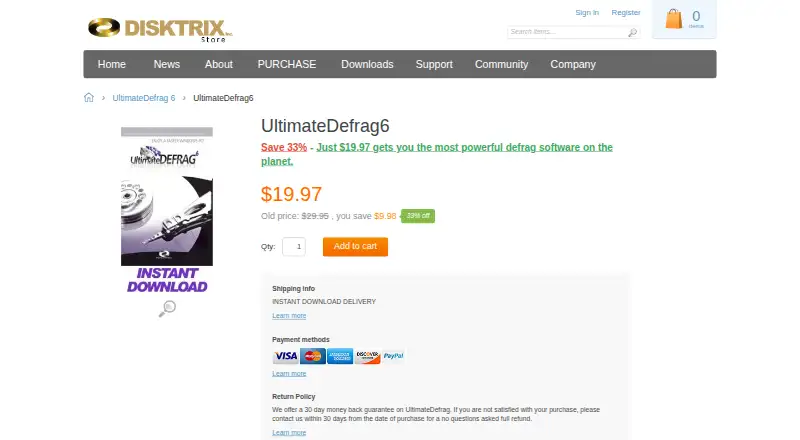
The published plan is straightforward: UltimateDefrag 6 costs $29.95 as a one-time purchase, and one license supports three PCs. The plan includes instant download delivery and a 30-day money-back guarantee. Scheduled defragmentation and one-click automatic defragmentation support recurring maintenance, while simulation mode provides a way to review an operation without applying drive changes. The trial is limited to simulation mode, so buyers looking to make actual changes need the paid license.
Its main distinction is the level of placement and boot-time control. Users can optimize the location of files strategically, defragment NTFS system files at boot time, and target system components such as the MFT and page file. SSD-specific defragmentation algorithms are included alongside support for traditional FAT32 and NTFS volumes. Command-line directory defragmentation adds an option for users who prefer scripted or administrative workflows. Choose UltimateDefrag 6 if you need multi-filesystem support, scheduled or automatic optimization, and detailed file-placement controls on Windows. It is less suitable for users seeking a free plan or software for non-Windows platforms.
Your product? Our editors can test UltimateDefrag 6 in depth and publish a review, labelled as paid · from $149/mo →
UltimateDefrag 6 pricing
All 1 UltimateDefrag 6 plans and prices →
UltimateDefrag 6 fact sheet
| Free plan | No |
|---|---|
| Paid from | $29.95 one-time |
| Drive types | Both |
| Scheduled optimization | Yes |
| Automatic optimization | Yes |
| Boot-time optimization | Yes |
| Filesystem support | Multi-filesystem |
| Maximum drive count | Not verified |
| Money-back guarantee | 30 days |
| Deployment | Desktop |
| Platforms | Windows |
| Built for | Solo, Small business (editorial estimate) |
| Pricing | Paid (source) |
| Website | disktrix.com |
| Facts checked | 20 Sep 2026 |
Alternatives to UltimateDefrag 6
- IObit Smart DefragA Windows-focused optimizer with free defragmentation and paid automation features.9.4
- Disk SpeedUpA free Windows tool for HDD and SSD analysis, defragmentation, and optimization.9.2
- O&O DefragA paid Windows optimizer combining drive maintenance, monitoring, and automation.8.8


See all UltimateDefrag 6 alternatives →
UltimateDefrag 6 vs the competition
- UltimateDefrag 6 vs IObit Smart Defrag
- UltimateDefrag 6 vs Disk SpeedUp
- UltimateDefrag 6 vs O&O Defrag
- UltimateDefrag 6 vs UltraDefrag
- UltimateDefrag 6 vs Auslogics Disk Defrag
- UltimateDefrag 6 vs Puran Defrag


Compare UltimateDefrag 6 with any tool side by side →
Used UltimateDefrag 6? Be the first to review it
The editor score above is our own research. What this page doesn't have yet is a reader's view — what you used UltimateDefrag 6 for, what worked and what didn't. No stars are seeded and no review is paid for; an editor reads every one before it appears.
Write a reviewTwo minutes · verified accounts only · read by an editor before it appears
Featured on iTechGuides

UltimateDefrag 6 is listed in our Disk Defragmentation Software directory. Add the badge to your site — it links back to this page.
<a href="https://www.itechguides.com/products/ultimatedefrag-6/"><img src="https://www.itechguides.com/best/badge/ultimatedefrag-6.svg" alt="Featured on iTechGuides" width="230" height="46"></a>
Reviewed by iTechGuides Editors · Editorial team · Updated Oct 2026
Advertiser disclosure: iTechGuides is reader-supported. Vendors can pay for top positions in our rankings and for a place on other products' pages, and we may earn a commission when you click some links. Bought places stand at the number bought; this page and our disclosure say so. Paying vendors may get a fuller, more detailed review from our editors, and that review can change their score. How we rank.
Last updated · How we research and update