
UI Vault
UI Vault: A Figma-connected workspace for publishing branded, versioned design-system guides. Ranked #8 of 22 in Design System Software by our editors (7.1/10); pricing: Free plan; best for teams publishing branded style guides.
At a glance
- Editor score7.1 / 10
- PricingFree plan
- Best forTeams publishing branded style guides
- Free planYes
- Paid from$35/user/mo
- Token managementYes
- Facts checked20 Sep 2026
Where it wins
- Synchronizes Figma components, tokens, colors, logos, and frames
- Combines searchable assets with rich Markdown documentation
- Supports private links, permissions, branding, versions, and rollbacks
Where it doesn't
- Its design-tool integration is limited to Figma
- Team pricing rises to $50 per editor per month
- Enterprise features require a contact-based plan
Our verdict on UI Vault
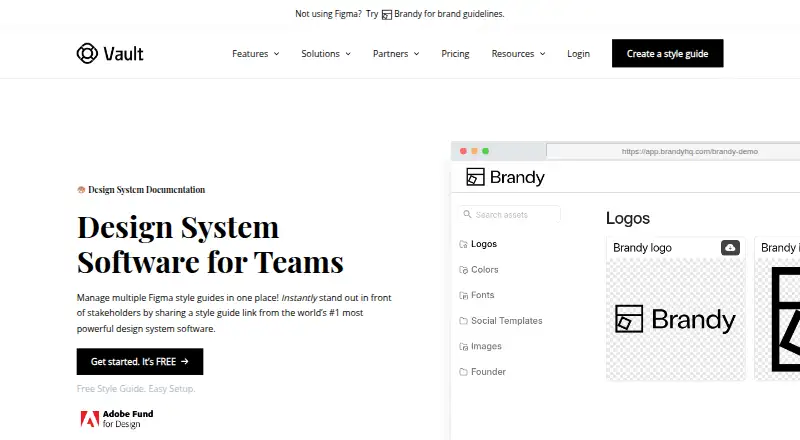
UI Vault is a web-based platform for creating, syncing, documenting, and sharing design-system style guides. It is aimed at solo designers, product and design teams, agencies, freelancers, and enterprises managing one or more Figma-based systems. Figma synchronization brings components, text styles, colors, tokens, logos, and frames into structured guides and collections. Documentation can include rich text, tables, code snippets, and links, while asset tagging, metadata, filtering, and full-text search help organize the resulting library. Public or private links support different publishing needs.
Pricing is organized across Free, Pro, Team, and Enterprise plans. Free includes 1 editor, 1 style guide, 1 Figma file, up to 3 versions, and a public style guide. Pro costs $35 per editor per month and adds unlimited Figma files, a private style guide, sub-collections, and custom logo, colors, and navigation. Team costs $50 per editor per month and adds up to 10 style guides, unlimited versions, private collections, team collaboration, Bento layouts, white labeling, and a custom URL. Enterprise adds unlimited style guides, a design-system changelog, advanced permissions, analytics, single sign-on, and API access.
The strongest fit is for teams that want a branded documentation hub closely tied to Figma, especially where version history, changelogs, comparisons, snapshots, and rollbacks matter. Real-time collaboration, role-based access, custom domains, navigation, and white labeling support broader publishing and governance needs. UI Vault is less suitable for teams centered on another design tool or looking for a tool-agnostic ecosystem, since Figma is its listed integration. Choose it when Figma synchronization and published style guides are central; consider an alternative when broader design-tool coverage is the priority.
Your product? Our editors can test UI Vault in depth and publish a review, labelled as paid · from $149/mo →
UI Vault pricing
All 4 UI Vault plans and prices →
UI Vault fact sheet
| Free plan | Yes |
|---|---|
| Paid from | $35/user/mo |
| Token management | Yes |
| Component documentation | Yes |
| Design tool sync | Yes |
| Code sync | Not verified |
| Governance workflows | Not verified |
| Hosting | Cloud |
| Versioning | Yes |
| Deployment | Cloud |
| Platforms | Web |
| Built for | Solo, Small business, Mid-market, Enterprise (editorial estimate) |
| Integrations | 1 integrations: Figma |
| Pricing | Free plan (source) |
| Website | uivault.com |
| Facts checked | 20 Sep 2026 |
UI Vault integrations
UI Vault lists 1 integrations on its own site.
- Figma
Alternatives to UI Vault
- Carbon Design SystemA free, open-source design system with coded components and multiple framework implementations.9.3
- SupernovaA broad system for connecting design assets, documentation, code, and delivery workflows.8.8
- Tokens StudioA governed token platform linking Figma, code repositories, releases, and documentation.7.8



See all UI Vault alternatives →
UI Vault vs the competition
- UI Vault vs Carbon Design System
- UI Vault vs Supernova
- UI Vault vs Tokens Studio
- UI Vault vs Knapsack
- UI Vault vs zeroheight
- UI Vault vs Particles UI



Compare UI Vault with any tool side by side →
Used UI Vault? Be the first to review it
The editor score above is our own research. What this page doesn't have yet is a reader's view — what you used UI Vault for, what worked and what didn't. No stars are seeded and no review is paid for; an editor reads every one before it appears.
Write a reviewTwo minutes · verified accounts only · read by an editor before it appears
Featured on iTechGuides

UI Vault is listed in our Design System Software directory. Add the badge to your site — it links back to this page.
<a href="https://www.itechguides.com/products/ui-vault/"><img src="https://www.itechguides.com/best/badge/ui-vault.svg" alt="Featured on iTechGuides" width="230" height="46"></a>
Reviewed by iTechGuides Editors · Editorial team · Updated Sep 2026
Advertiser disclosure: iTechGuides is reader-supported. Vendors can pay for top positions in our rankings and for a place on other products' pages, and we may earn a commission when you click some links. Bought places stand at the number bought; this page and our disclosure say so. Paying vendors may get a fuller, more detailed review from our editors, and that review can change their score. How we rank.
Last updated · How we research and update