
TrunkTransfer
TrunkTransfer: A browser-based service for sending branded files and managing client deliveries. Ranked #57 of 105 in File Transfer Services by our editors (3.4/10); pricing: Free plan · 7-day trial; best for freelancers and small teams sending branded deliveries.
At a glance
- Editor score3.4 / 10
- PricingFree plan · 7-day trial
- Best forFreelancers and small teams sending branded deliveries
- Free planYes
- Max file size200 GB
- Facts checked23 Sep 2026
Where it wins
- Branded pages and custom-domain links give deliveries a consistent look.
- Password-protected, expiring links and download notifications support controlled sharing.
- Client portals and file-request links cover sending and receiving files.
Where it doesn't
- Transfers up to 200 GB are limited to paid plans.
- The seven-day free trial requires a payment card.
- The browser-based service has no desktop app.
Our verdict on TrunkTransfer
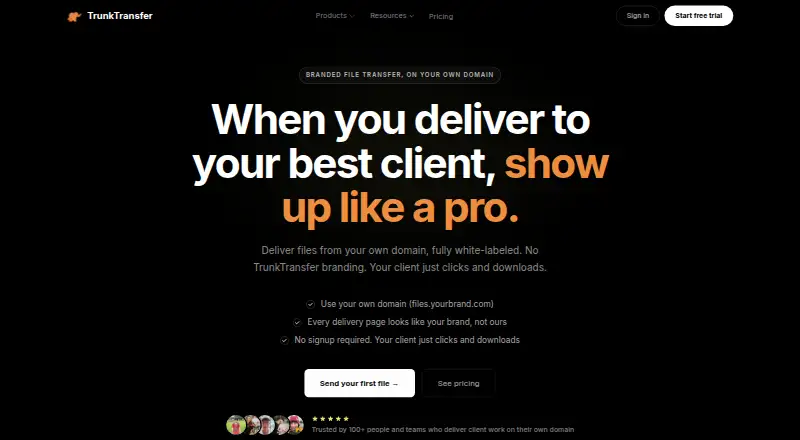
TrunkTransfer is a browser-based file transfer service for creative professionals, agencies, and studios delivering large files to clients. Its focus is the delivery workflow around a file: branded pages, custom-domain links, password protection, expiry settings, download notifications, client portals, and file-request links. Recipients can download without creating an account or installing an app, which suits client handoffs where the recipient should not need to adopt another tool. Freelancers and small teams that want a polished delivery experience are the clearest fit; people who only need a basic way to move files may not need its client-facing features.
The published Starter and Pro plans distinguish capacity and control over ongoing client work. Starter includes delivery links that expire after 30 days, up to 5 client portals, 100 GB of active client storage, custom-domain delivery, branded pages, and download notifications. Pro extends link expiry to 365 days and includes unlimited client portals and 500 GB of active client storage, alongside custom email, custom link slugs, and priority support. Paid plans support transfers up to 200 GB. A free plan is available, and the free trial lasts seven days and requires a card. These tiers make the choice depend chiefly on how long clients need access and how many portals or how much active storage a team needs.
Its feature set is strongest when presentation and delivery tracking matter together: senders can apply a logo, name, and colors, use expiring or password-protected links, and see download notifications and activity counts. File-request links also let clients send files back, so the workflow can handle incoming material as well as outgoing delivery. The service is web-based, with cloud deployment and a browser extension listed, and support is available by email. Choose TrunkTransfer for branded client deliveries and organized portals; look elsewhere if a desktop app or a simpler, unbranded transfer process is more important.
Your product? Our editors can test TrunkTransfer in depth and publish a review, labelled as paid · from $149/mo →
TrunkTransfer pricing
All 2 TrunkTransfer plans and prices →
TrunkTransfer fact sheet
| Free plan | Yes |
|---|---|
| Paid from | Not verified |
| Max file size | 200 GB |
| Link expiry | 30 days |
| Download tracking | Yes |
| API access | Not verified |
| Custom branding | Yes |
| Desktop app | No |
| Free trial | 7 days · card required |
| Deployment | Cloud, Browser extension |
| Platforms | Web |
| Support | |
| Built for | Solo, Small business, Mid-market (editorial estimate) |
| Pricing | Free plan · 7-day trial (source) |
| Website | trunktransfer.com |
| Facts checked | 23 Sep 2026 |
Alternatives to TrunkTransfer
- Progress MOVEit TransferA compliance-focused managed file transfer service for regulated organizations.9.3
- AWS Transfer FamilyA broad, usage-priced managed transfer service for teams built around AWS.9.2
- IBM Sterling Secure File TransferA multiprotocol transfer platform for organizations coordinating secure file flows across partner networks.9.1



See all TrunkTransfer alternatives →
Used TrunkTransfer? Be the first to review it
The editor score above is our own research. What this page doesn't have yet is a reader's view — what you used TrunkTransfer for, what worked and what didn't. No stars are seeded and no review is paid for; an editor reads every one before it appears.
Write a reviewTwo minutes · verified accounts only · read by an editor before it appears
Featured on iTechGuides

TrunkTransfer is listed in our File Transfer Services directory. Add the badge to your site — it links back to this page.
<a href="https://www.itechguides.com/products/trunktransfer/"><img src="https://www.itechguides.com/best/badge/trunktransfer.svg" alt="Featured on iTechGuides" width="230" height="46"></a>
Reviewed by iTechGuides Editors · Editorial team · Updated Oct 2026
Advertiser disclosure: iTechGuides is reader-supported. Vendors can pay for top positions in our rankings and for a place on other products' pages, and we may earn a commission when you click some links. Bought places stand at the number bought; this page and our disclosure say so. Paying vendors may get a fuller, more detailed review from our editors, and that review can change their score. How we rank.
Last updated · How we research and update