TrayToolbar
TrayToolbar: A focused, free utility for turning local folders into dynamic Windows shortcut menus. Ranked #27 of 34 in Taskbar Customization Software by our editors (5.8/10); pricing: Free plan; best for restoring taskbar folder shortcut menus.
At a glance
- Editor score5.8 / 10
- PricingFree plan
- Best forRestoring taskbar folder shortcut menus
- Free planYes
- Paid fromFree
- PlatformWindows
- Facts checked20 Sep 2026
Where it wins
- Creates dynamic menus from local folders and updates them automatically
- Supports links, files, applications, filters, hotkeys, and custom icons
- Free, open source, portable, and compatible with Windows 11 dark mode
Where it doesn't
- Works on Windows only
- Requires the .NET Desktop Runtime 8
- Focuses on folder menus rather than broad taskbar customization
Our verdict on TrayToolbar
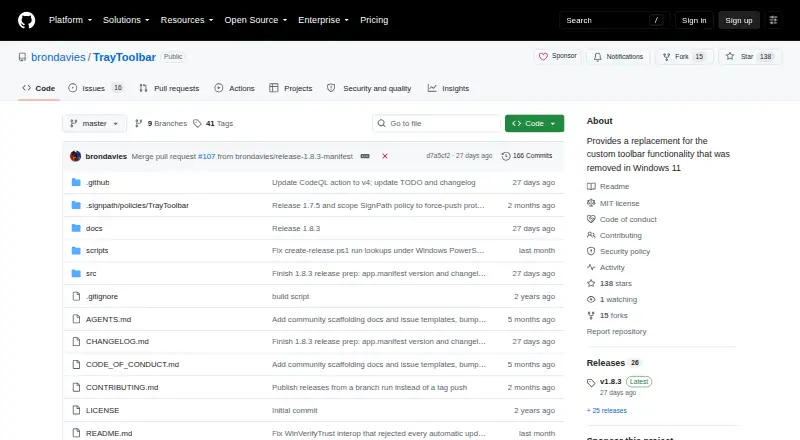
TrayToolbar is a Windows utility for creating system-tray shortcut menus from selected local folders. It is aimed at people who want a practical replacement for the custom taskbar toolbars removed from Windows 11, especially when their shortcuts are organized in folders. Menus can launch links, files, and applications, while folder contents update automatically as they change. The portable distribution also suits users who prefer an executable without a traditional installation flow.
Its strongest feature is the folder-based menu model. Configurable file filters help control what appears, and users can assign custom icons to individual folders, adjust icon and font sizes, and configure global shortcut keys. Startup behavior and language preferences are also configurable, with support for multiple interface languages. This makes TrayToolbar more than a static shortcut launcher: it connects the menu structure to local folder organization and keeps that structure current.
TrayToolbar is a focused choice rather than a full taskbar customization suite. Its scope is centered on dynamic folder menus, so users seeking broader controls such as taskbar repositioning, transparency, grouping, or multi-monitor behavior should consider a different type of utility. It runs on Windows and requires the .NET Desktop Runtime 8, although the application itself is distributed as a portable executable. For users who specifically want the removed folder-toolbar workflow restored, its free and open-source model, MIT License, configurable presentation, and narrow taskbar focus make the product easy to understand. Those wanting extensive visual or layout customization should look elsewhere.
Your product? Our editors can test TrayToolbar in depth and publish a review, labelled as paid · from $149/mo →
TrayToolbar pricing
TrayToolbar fact sheet
| Free plan | Yes |
|---|---|
| Paid from | Free |
| Platform | Windows |
| Taskbar positioning | Not verified |
| Transparency controls | Not verified |
| App grouping controls | Not verified |
| Multi-monitor support | Not verified |
| Taskbar sizing | Yes |
| Portable version | Yes |
| Deployment | Desktop |
| Platforms | Windows |
| Built for | Solo, Small business (editorial estimate) |
| Pricing | Free plan |
| Website | github.com |
| Facts checked | 20 Sep 2026 |
Alternatives to TrayToolbar
- ObjectDockA feature-rich Windows dock replacement with strong customization and multi-monitor support.9.2
- TaskbarXA free, portable Windows 10 taskbar customizer with limited modern Windows 11 support.8.8
- YASB RebornA flexible Windows taskbar replacement for users comfortable with deep customization.8.6


See all TrayToolbar alternatives →
Used TrayToolbar? Be the first to review it
The editor score above is our own research. What this page doesn't have yet is a reader's view — what you used TrayToolbar for, what worked and what didn't. No stars are seeded and no review is paid for; an editor reads every one before it appears.
Write a reviewTwo minutes · verified accounts only · read by an editor before it appears
Featured on iTechGuides

TrayToolbar is listed in our Taskbar Customization Software directory. Add the badge to your site — it links back to this page.
<a href="https://www.itechguides.com/products/traytoolbar/"><img src="https://www.itechguides.com/best/badge/traytoolbar.svg" alt="Featured on iTechGuides" width="230" height="46"></a>
Reviewed by iTechGuides Editors · Editorial team · Updated Oct 2026
Advertiser disclosure: iTechGuides is reader-supported. Vendors can pay for top positions in our rankings and for a place on other products' pages, and we may earn a commission when you click some links. Bought places stand at the number bought; this page and our disclosure say so. Paying vendors may get a fuller, more detailed review from our editors, and that review can change their score. How we rank.
Last updated · How we research and update