
tldraw
tldraw: A capable free canvas for developers who need shared visual workspaces. Ranked #32 of 56 in Online Whiteboard Tools by our editors (6.0/10); pricing: Free plan; best for free developers needing a collaborative canvas.
At a glance
- Editor score6.0 / 10
- PricingFree plan
- Best forFree developers needing a collaborative canvas
- Free planYes
- Paid fromFree
- Infinite canvasYes
- Founded2022 · London, United Kingdom
- Facts checked20 Sep 2026
Where it wins
- Free infinite canvas with drawing, diagramming, and visual planning tools
- Real-time multiplayer collaboration with live cursors and presence
- Supports images, video, GIFs, embeds, grids, rulers, and minimaps
Where it doesn't
- Web-only access limits platform flexibility
- No dedicated workshop or voting workflows
- The whiteboard is not open source
Our verdict on tldraw
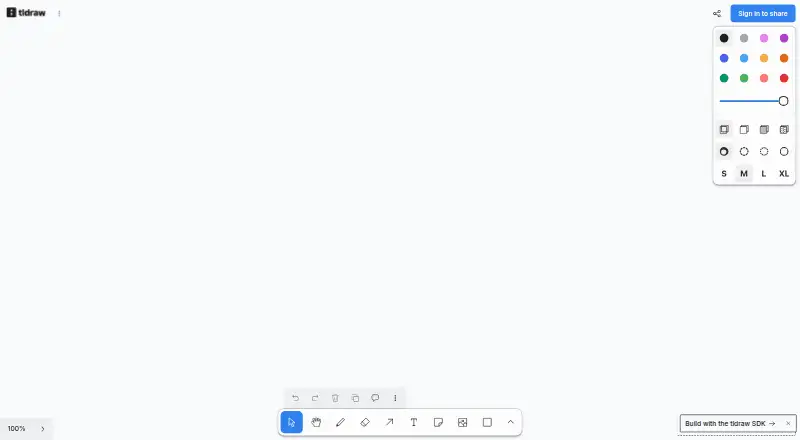
tldraw is a browser-based collaborative whiteboard for sketching, diagramming, brainstorming, and visual planning. Its free infinite canvas suits developers and teams that need a shared visual workspace without a paid hosted plan. The toolkit covers freehand drawing, highlighters, geometric shapes, sticky notes, arrows, rich text, and media, while real-time multiplayer adds live cursors and presence for collaborative work.
The published product offering is free, with the flagship whiteboard available on the web. Its ecosystem fit is practical rather than broad: tldraw supports YouTube, Figma, and Google Maps, along with images, video, GIFs, and embedded content. Navigation features—including zoom, pan, alignment guides, grid, rulers, and a minimap—help users move around large canvases. Readonly viewing also supports presentations and shared previews, giving teams a straightforward way to distribute work without exposing the canvas to edits.
Its strongest use case is open-ended visual work where flexible drawing and multiplayer collaboration matter more than structured facilitation. Developers can sketch interfaces, map ideas, organize diagrams, and share previews in one canvas. The trade-off is a narrower workshop feature set: dedicated voting and workshop workflows are not part of the listed whiteboard capabilities, and presentation support centers on readonly viewing. Teams seeking those facilitation tools should consider an alternative built around workshops and voting. Developers who want a free, web-based collaborative canvas with rich media and navigation aids should find tldraw a focused fit.
Your product? Our editors can test tldraw in depth and publish a review, labelled as paid · from $149/mo →
tldraw pricing
tldraw fact sheet
| Free plan | Yes |
|---|---|
| Paid from | Free |
| Infinite canvas | Yes |
| Diagramming tools | Yes |
| Workshop templates | Not verified |
| Guest collaboration | Not verified |
| Presentation mode | Not verified |
| Board limit | Not verified |
| Voting tools | Not verified |
| Deployment | Cloud, Desktop |
| Platforms | Web |
| Support | Community, Docs |
| Built for | Solo, Small business, Mid-market, Enterprise (editorial estimate) |
| Pricing | Free plan |
| Website | tldraw.com |
| Facts checked | 20 Sep 2026 |
Alternatives to tldraw
- MiroA broad whiteboard suite for teams that need collaboration, workshops, diagrams, and presentations.9.4
- MURALA facilitation-focused whiteboard with strong workshop controls and enterprise options.9.2
- FigJamAn affordable collaborative whiteboard with strong workshop tools and a focused ecosystem.9.0



Also Ranked In
tldraw is ranked in 3 of our directories.
Used tldraw? Be the first to review it
The editor score above is our own research. What this page doesn't have yet is a reader's view — what you used tldraw for, what worked and what didn't. No stars are seeded and no review is paid for; an editor reads every one before it appears.
Write a reviewTwo minutes · verified accounts only · read by an editor before it appears
Featured on iTechGuides

tldraw is listed in our Online Whiteboard Tools directory. Add the badge to your site — it links back to this page.
<a href="https://www.itechguides.com/products/tldraw/"><img src="https://www.itechguides.com/best/badge/tldraw.svg" alt="Featured on iTechGuides" width="230" height="46"></a>
Reviewed by iTechGuides Editors · Editorial team · Updated Oct 2026
Advertiser disclosure: iTechGuides is reader-supported. Vendors can pay for top positions in our rankings and for a place on other products' pages, and we may earn a commission when you click some links. Bought places stand at the number bought; this page and our disclosure say so. Paying vendors may get a fuller, more detailed review from our editors, and that review can change their score. How we rank.
Last updated · How we research and update