
TinyCAD
TinyCAD: A focused, free schematic editor for electronics—not general-purpose 2D CAD. Ranked #40 of 41 in 2D CAD Software by our editors (4.7/10); pricing: Free plan; best for free open-source electronics schematic workflows.
At a glance
- Editor score4.7 / 10
- PricingFree plan
- Best forFree open-source electronics schematic workflows
- Free planYes
- Paid fromFree
- Primary platformBoth
- Facts checked20 Sep 2026
Where it wins
- Multi-sheet schematics with custom symbol library editing
- Design Rules Check flags wiring and pin-type errors
- Netlists, SPICE output, VHDL output, PDF and SVG export
Where it doesn't
- Focused on electronics rather than mechanical or architectural CAD
- Core DWG/DXF workflows are not part of its positioning
- No verified PDF underlays, parametric constraints, or batch printing
Our verdict on TinyCAD
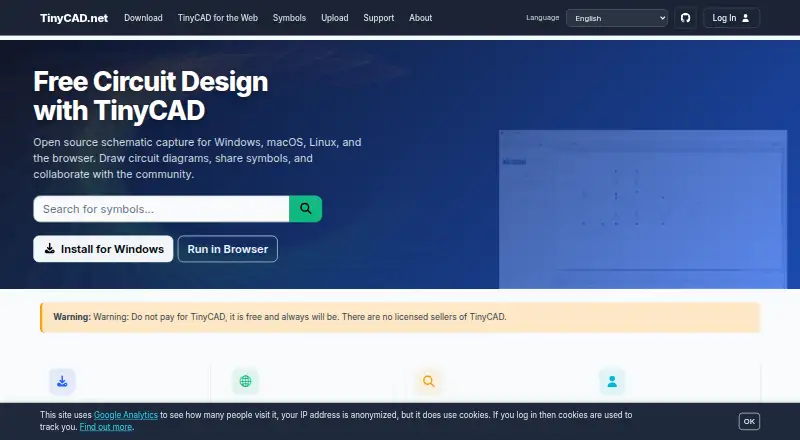
TinyCAD is a free, open-source schematic capture tool for electronic circuit diagrams. It is aimed at electronics hobbyists, students, educators, makers, and engineers who need to represent circuits rather than create conventional mechanical, architectural, or general-purpose 2D CAD drawings. TinyCAD v4 is available as a browser-based application and as a desktop app for Windows, macOS, and Linux, with offline mode listed among its category specifications.
Its strongest area is schematic depth. The feature set covers symbol libraries, custom library editing, wires, buses, labels, annotations, and multi-sheet drawings. Design Rules Check can identify wiring and pin-type errors, while netlist generation and SPICE simulation file output support downstream electronics workflows. The desktop app also provides VHDL file output. PDF and SVG export cover common diagram-sharing needs, and KiCad .kicad_sym symbol import connects the tool to KiCad symbol libraries. Google Drive is listed as an integration.
TinyCAD makes the clearest fit for users who want open-source access to electronics schematics across desktop and browser environments. It should appeal to learners, educators, makers, and engineers whose work centers on circuit diagrams, symbol management, validation, and design-file output. Users choosing a conventional mechanical or architectural 2D CAD package should look elsewhere: TinyCAD is not positioned around core DWG/DXF workflows, PDF underlays, parametric constraints, or batch printing. Its narrow electronics focus is an advantage for schematic work, but a limitation for broader drafting requirements.
Your product? Our editors can test TinyCAD in depth and publish a review, labelled as paid · from $149/mo →
TinyCAD pricing
TinyCAD fact sheet
| Free plan | Yes |
|---|---|
| Paid from | Free |
| Native DWG support | Not verified |
| DXF support | Not verified |
| PDF underlay | Not verified |
| Parametric constraints | Not verified |
| Batch printing | Not verified |
| Primary platform | Both |
| Offline mode | Yes |
| Deployment | Cloud, Desktop |
| Platforms | Web, Windows, macOS, Linux |
| Support | Community, Docs |
| Built for | Solo, Small business (editorial estimate) |
| Integrations | 2 integrations: Google Drive, KiCad symbol libraries |
| Pricing | Free plan |
| Website | tinycad.net |
| Facts checked | 20 Sep 2026 |
TinyCAD integrations
TinyCAD lists 2 integrations on its own site.
- Google Drive
- KiCad symbol libraries
Alternatives to TinyCAD
- AutoCADA broad CAD suite for precise DWG-based design across desktop, web, and mobile.9.4
- MicroStationA broad infrastructure CAD system with strong BIM, geospatial, and interoperability tools.9.1
- Solid EdgeA broad mechanical CAD suite with free access, a trial, and deep modeling tools.8.8


See all TinyCAD alternatives →
Used TinyCAD? Be the first to review it
The editor score above is our own research. What this page doesn't have yet is a reader's view — what you used TinyCAD for, what worked and what didn't. No stars are seeded and no review is paid for; an editor reads every one before it appears.
Write a reviewTwo minutes · verified accounts only · read by an editor before it appears
Featured on iTechGuides

TinyCAD is listed in our 2D CAD Software directory. Add the badge to your site — it links back to this page.
<a href="https://www.itechguides.com/products/tinycad/"><img src="https://www.itechguides.com/best/badge/tinycad.svg" alt="Featured on iTechGuides" width="230" height="46"></a>
Reviewed by iTechGuides Editors · Editorial team · Updated Sep 2026
Advertiser disclosure: iTechGuides is reader-supported. Vendors can pay for top positions in our rankings and for a place on other products' pages, and we may earn a commission when you click some links. Bought places stand at the number bought; this page and our disclosure say so. Paying vendors may get a fuller, more detailed review from our editors, and that review can change their score. How we rank.
Last updated · How we research and update