
AutoCAD
AutoCAD: A broad CAD suite for precise DWG-based design across desktop, web, and mobile. Ranked #1 of 41 in 2D CAD Software by our editors (9.4/10); pricing: Paid; best for professional teams needing comprehensive CAD coverage.
At a glance
- Editor score9.4 / 10
- PricingPaid
- Best forProfessional teams needing comprehensive CAD coverage
- Free planNo
- Primary platformBoth
- Founded1982 · San Francisco, California
- Facts checked20 Sep 2026
Where it wins
- Native DWG workflows with DXF export and PDF underlays
- Seven specialized toolsets across desktop, web, and mobile access
- Parametric constraints, batch publishing, and extensive developer APIs
Where it doesn't
- No free plan; access is subscription-based
- Desktop use requires periodic internet verification
- Pricing and availability can vary by region
Our verdict on AutoCAD
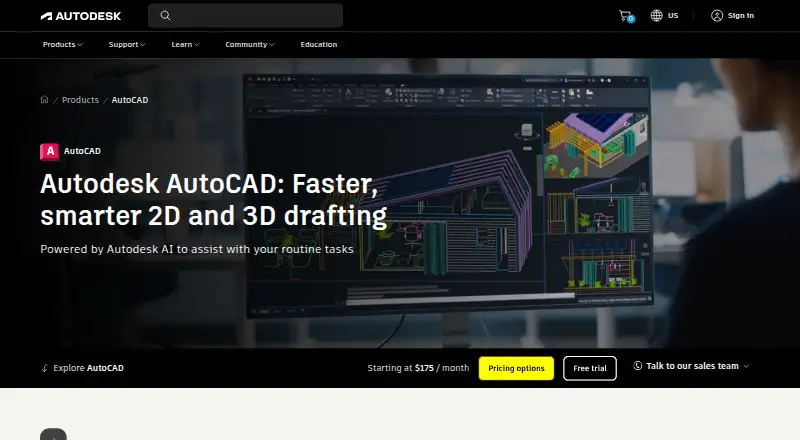
AutoCAD is Autodesk’s computer-aided design software for creating, editing, documenting, and sharing precise 2D and 3D drawings. It is aimed at architects, engineers, designers, construction professionals, project managers, students, and other technical users. The subscription includes Windows and macOS desktop applications, web access, mobile apps for iOS and Android, and seven industry-specific toolsets. Its broad coverage suits professional teams that need drafting, design, documentation, and collaboration in one product.
The core feature set is centered on established CAD workflows. AutoCAD supports native DWG drawing workflows, DXF export, PDF underlay attachment and snapping, geometric and dimensional parametric constraints, and batch plotting and publishing for multiple sheets. Web and mobile access support editing, viewing, sharing, and offline mobile access. Developers and technical teams can extend the software through AutoLISP, ObjectARX, .NET, ActiveX, and VBA interfaces. These capabilities make it a practical fit for organizations with standardized drawing processes, specialized discipline requirements, or custom CAD automation.
AutoCAD is offered through Monthly, Annual, and 3-Year plans, each including desktop, web, and mobile access plus the seven specialized toolsets. It connects with Autodesk Drive, Autodesk Docs, Microsoft OneDrive, Box, Dropbox, and Google Drive. The main trade-offs are its paid subscription model, the absence of a free plan, and periodic internet verification for desktop use. Teams that need comprehensive DWG-based CAD coverage, parametric controls, batch publishing, and multiple platform options should consider AutoCAD. Users seeking a free tool or a narrower, simpler drafting workflow should look elsewhere.
Your product? Our editors can test AutoCAD in depth and publish a review, labelled as paid · from $149/mo →
AutoCAD pricing
All 3 AutoCAD plans and prices →
AutoCAD fact sheet
| Free plan | No |
|---|---|
| Paid from | Not verified |
| Native DWG support | Yes |
| DXF support | Yes |
| PDF underlay | Yes |
| Parametric constraints | Yes |
| Batch printing | Yes |
| Primary platform | Both |
| Offline mode | Yes |
| Money-back guarantee | 30 days |
| Deployment | Cloud, Desktop, Mobile |
| Platforms | Web, Windows, macOS, iOS, Android |
| Support | Live chat, Community, Docs |
| Built for | Small business, Mid-market, Enterprise (editorial estimate) |
| Integrations | 6 integrations: Autodesk Drive, Autodesk Docs, Microsoft OneDrive, Box, Dropbox, Google Drive See all → |
| Pricing | Paid (source) |
| Website | autodesk.com |
| Facts checked | 20 Sep 2026 |
AutoCAD integrations
AutoCAD lists 6 integrations on its own site.
- Autodesk Drive
- Autodesk Docs
- Microsoft OneDrive
- Box
- Dropbox
- Google Drive
See all AutoCAD integrations →
Alternatives to AutoCAD
- MicroStationA broad infrastructure CAD system with strong BIM, geospatial, and interoperability tools.9.1
- Solid EdgeA broad mechanical CAD suite with free access, a trial, and deep modeling tools.8.8
- DraftSightA focused desktop CAD choice for DWG teams that need drafting, automation, and PDF workflows.8.7


See all AutoCAD alternatives →
AutoCAD vs the competition
- AutoCAD vs MicroStation
- AutoCAD vs Solid Edge
- AutoCAD vs DraftSight
- AutoCAD vs ARES Commander
- AutoCAD vs GstarCAD
- AutoCAD vs ZWCAD Professional


Compare AutoCAD with any tool side by side →
Also Ranked In
AutoCAD is ranked in 11 of our directories; the 6 strongest besides 2D CAD Software.
Used AutoCAD? Be the first to review it
The editor score above is our own research. What this page doesn't have yet is a reader's view — what you used AutoCAD for, what worked and what didn't. No stars are seeded and no review is paid for; an editor reads every one before it appears.
Write a reviewTwo minutes · verified accounts only · read by an editor before it appears
Featured on iTechGuides

AutoCAD is listed in our 2D CAD Software directory. Add the badge to your site — it links back to this page.
<a href="https://www.itechguides.com/products/autocad/"><img src="https://www.itechguides.com/best/badge/autocad.svg" alt="Featured on iTechGuides" width="230" height="46"></a>
Reviewed by iTechGuides Editors · Editorial team · Updated Sep 2026
Advertiser disclosure: iTechGuides is reader-supported. Vendors can pay for top positions in our rankings and for a place on other products' pages, and we may earn a commission when you click some links. Bought places stand at the number bought; this page and our disclosure say so. Paying vendors may get a fuller, more detailed review from our editors, and that review can change their score. How we rank.
Last updated · How we research and update