Timeshift
Timeshift: A free, open-source Linux utility for scheduled system snapshots and rollback. Ranked #122 of 150 in Backup Software by our editors (3.0/10); pricing: Free plan; best for linux users needing system snapshots and rollback.
At a glance
- Editor score3.0 / 10
- PricingFree plan
- Best forLinux users needing system snapshots and rollback
- Free planYes
- Paid fromFree
- Facts checked20 Sep 2026
Where it wins
- Free and open source with scheduled snapshot levels
- Supports rsync, hard links, and native BTRFS snapshots
- Restores from running systems or Linux live media
Where it doesn't
- Linux-only, with no mobile backup support
- User home-directory data is excluded by default
- Designed for system restore rather than general data backup
Our verdict on Timeshift
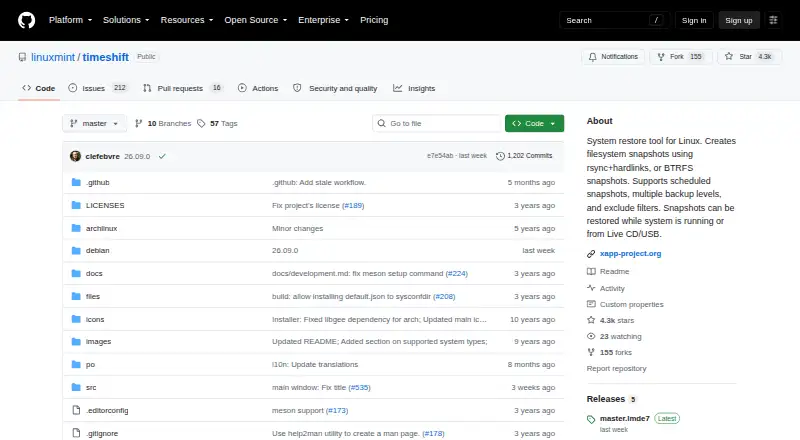
Timeshift is a free, open-source Linux system restore utility maintained as part of the Linux Mint Xapp project. It is intended for Linux users who want recoverable snapshots of operating-system files and settings, rather than a broad backup service for personal files or mobile devices. The tool supports two snapshot approaches: incremental snapshots using rsync and hard links, or native snapshots on BTRFS filesystems. User home-directory data is excluded by default, keeping the primary focus on system state and configuration.
Scheduling is a central strength. Timeshift supports hourly, daily, weekly, monthly, and boot snapshot levels, along with configurable retention controls and manual on-demand snapshots. That gives users control over how often system states are captured and how many are retained. Exclude filters and selective inclusion of hidden home items provide additional scope control. For users choosing between filesystem approaches, rsync support offers one path, while BTRFS support provides a native option for compatible systems.
Restore flexibility also shapes where Timeshift fits. Snapshots can be restored from a running system, another installed system, or a Linux live CD or USB environment, and the product supports cross-distribution system restoration. These offline and live-media options suit rollback and recovery scenarios when the installed environment is not usable. Timeshift is a strong fit for Linux users prioritizing system rollback, scheduled snapshots, and recovery access. It is less suitable for anyone seeking a general user-data backup tool, mobile backup, or a multi-platform backup product.
Your product? Our editors can test Timeshift in depth and publish a review, labelled as paid · from $149/mo →
Timeshift pricing
Timeshift fact sheet
| Free plan | Yes |
|---|---|
| Paid from | Free |
| Computer backup | Yes |
| Mobile backup | Not verified |
| Server backup | Not verified |
| Backup scope | Mixed |
| Restore modes | Mixed |
| Ransomware protection | Not verified |
| Supported platforms | linux |
| Deployment | Desktop |
| Platforms | Linux |
| Built for | Solo, Small business (editorial estimate) |
| Pricing | Free plan |
| Website | github.com |
| Facts checked | 20 Sep 2026 |
Alternatives to Timeshift
- Veeam Backup & ReplicationA wide-ranging backup platform for enterprise virtual and hybrid environments.9.4
- Rubrik Security CloudA cyber-recovery platform built around immutable backup, threat investigation, and clean-state recovery.9.2
- NAKIVO Backup & ReplicationA broad VM backup platform with recovery, replication, and disaster-recovery workflows.8.8

See all Timeshift alternatives →
Also Ranked In
Timeshift is ranked in 3 of our directories.
Used Timeshift? Be the first to review it
The editor score above is our own research. What this page doesn't have yet is a reader's view — what you used Timeshift for, what worked and what didn't. No stars are seeded and no review is paid for; an editor reads every one before it appears.
Write a reviewTwo minutes · verified accounts only · read by an editor before it appears
Featured on iTechGuides

Timeshift is listed in our Backup Software directory. Add the badge to your site — it links back to this page.
<a href="https://www.itechguides.com/products/timeshift/"><img src="https://www.itechguides.com/best/badge/timeshift.svg" alt="Featured on iTechGuides" width="230" height="46"></a>
Reviewed by iTechGuides Editors · Editorial team · Updated Oct 2026
Advertiser disclosure: iTechGuides is reader-supported. Vendors can pay for top positions in our rankings and for a place on other products' pages, and we may earn a commission when you click some links. Bought places stand at the number bought; this page and our disclosure say so. Paying vendors may get a fuller, more detailed review from our editors, and that review can change their score. How we rank.
Last updated · How we research and update