Tabbles
Tabbles: A capable Windows tagging system for files, emails, bookmarks, and shared team organization. Ranked #11 of 47 in Desktop Organization Software by our editors (8.4/10); pricing: Free plan · 90-day trial; best for windows users needing tagged file organization.
At a glance
- Editor score8.4 / 10
- PricingFree plan · 90-day trial
- Best forWindows users needing tagged file organization
- Free planYes
- Paid from€3/mo
- Platform supportWindows_only
- Founded2009
- Facts checked21 Sep 2026
Where it wins
- Automatic tagging rules use content, paths, names, types, and regular expressions.
- Unified search covers files, tags, comments, paths, and content.
- Virtual folders, Outlook tagging, browser support, and shared tags extend its reach.
Where it doesn't
- Windows-only coverage limits use across other desktop operating systems.
- Team sharing is reserved for Corporate plans.
- The product centers on tagging and virtual folders rather than desktop layouts.
Our verdict on Tabbles
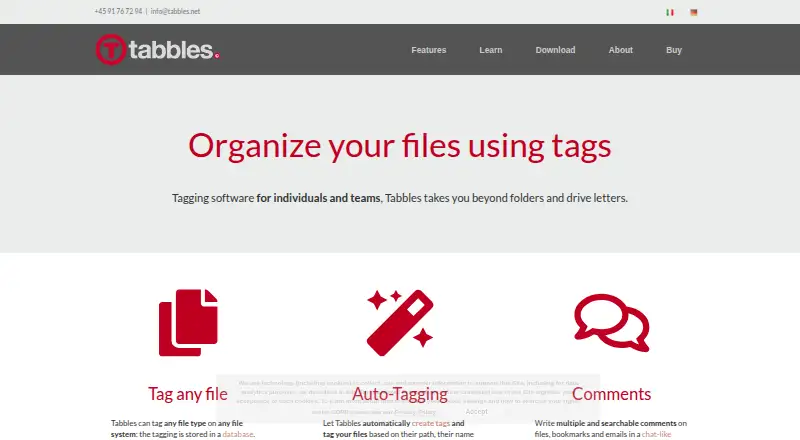
Tabbles is a Windows desktop application for organizing files, folders, Outlook emails, and bookmarks through tags that also function as virtual folders. It is aimed at individual users and organizations managing documents across local, network, and cloud storage. Users can tag files and folders of any type, add comments, search across tags and content, and apply tags through Windows Explorer integration. Browser support and Outlook email tagging broaden the system beyond local files, while shared tagging supports users, groups, and permissions.
Its strongest capability is automated organization. Rules can use file content, path, name, type, and regular expressions, helping users apply tags without relying entirely on manual filing. Unified search spans files, tags, comments, paths, and content, and combinable tags create virtual folders for flexible retrieval. Integrations include Google Drive, Dropbox, OneDrive, SharePoint, Microsoft SQL Server, Azure SQL, Active Directory, NAS, Microsoft Outlook, and web browsers. Cloud mode synchronizes tags across up to three PCs, which suits Windows workflows spread across multiple machines.
The pricing structure covers personal, individual, student, and team use. Free is available for personal use, while Basic costs €3 per month and Pro costs €5 per month when billed annually. Student costs €36 per year, with the same features as Pro. Corporate costs €6 per user per month annually or €9 per user per month monthly, and is designed for teams sharing tags. Tabbles fits Windows users who want structured, searchable tagging across files and related content. It is less suitable for people who need cross-platform desktop coverage or a conventional desktop-layout manager.
Your product? Our editors can test Tabbles in depth and publish a review, labelled as paid · from $149/mo →
Tabbles pricing
All 5 Tabbles plans and prices →
Tabbles fact sheet
| Free plan | Yes |
|---|---|
| Paid from | €3/mo |
| Platform support | Windows_only |
| Organization model | Virtual_containers |
| Automatic sorting | Yes |
| Maximum containers | Not verified |
| Saved layouts | Not verified |
| Multi-monitor support | Not verified |
| Free trial | 90 days |
| Money-back guarantee | 30 days |
| Deployment | Cloud, Desktop, Browser extension |
| Platforms | Windows, Chrome extension |
| Support | Email, Phone, Community, Docs |
| Built for | Solo, Small business, Enterprise (editorial estimate) |
| Integrations | 10 integrations: Microsoft Outlook, Google Drive, Dropbox, OneDrive, SharePoint, Microsoft SQL Server … |
| Pricing | Free plan · 90-day trial (source) |
| Website | tabbles.net |
| Facts checked | 21 Sep 2026 |
Tabbles integrations
Tabbles lists 10 integrations on its own site.
- Microsoft Outlook
- Google Drive
- Dropbox
- OneDrive
- SharePoint
- Microsoft SQL Server
- Azure SQL
- Active Directory
- NAS
- Web browsers
Alternatives to Tabbles
- AutoShelfDeep automated file sorting for Mac users who want precise control.9.4
- Desktop Frames+A flexible Windows desktop organizer with frames, profiles, rules, and search.9.3
- DeskBoxDeskBox combines automatic desktop organization with search, widgets, todos, and recovery tools.9.2


See all Tabbles alternatives →
Used Tabbles? Be the first to review it
The editor score above is our own research. What this page doesn't have yet is a reader's view — what you used Tabbles for, what worked and what didn't. No stars are seeded and no review is paid for; an editor reads every one before it appears.
Write a reviewTwo minutes · verified accounts only · read by an editor before it appears
Featured on iTechGuides

Tabbles is listed in our Desktop Organization Software directory. Add the badge to your site — it links back to this page.
<a href="https://www.itechguides.com/products/tabbles/"><img src="https://www.itechguides.com/best/badge/tabbles.svg" alt="Featured on iTechGuides" width="230" height="46"></a>
Reviewed by iTechGuides Editors · Editorial team · Updated Oct 2026
Advertiser disclosure: iTechGuides is reader-supported. Vendors can pay for top positions in our rankings and for a place on other products' pages, and we may earn a commission when you click some links. Bought places stand at the number bought; this page and our disclosure say so. Paying vendors may get a fuller, more detailed review from our editors, and that review can change their score. How we rank.
Last updated · How we research and update