systemd-boot
systemd-boot: A focused, open-source choice for managing UEFI boot entries across multiple platforms. Ranked #7 of 29 in Boot Manager Software by our editors (7.9/10); pricing: Open source; best for minimal UEFI Linux boot management.
At a glance
- Editor score7.9 / 10
- PricingOpen source
- Best forMinimal UEFI Linux boot management
- Paid fromFree
- Operating systemsMultiplatform
- Facts checked21 Sep 2026
Where it wins
- Loads Linux kernels, initrds, EFI images, and other boot entries
- Supports configurable entries, menus, defaults, timeouts, and command-line editing
- Offers boot counting and automatic rollback for supported boot entries
Where it doesn't
- UEFI only; BIOS support is not provided
- Configuration relies on loader and entry files on the EFI System Partition
- Its focus is boot selection and launching rather than broader system management
Our verdict on systemd-boot
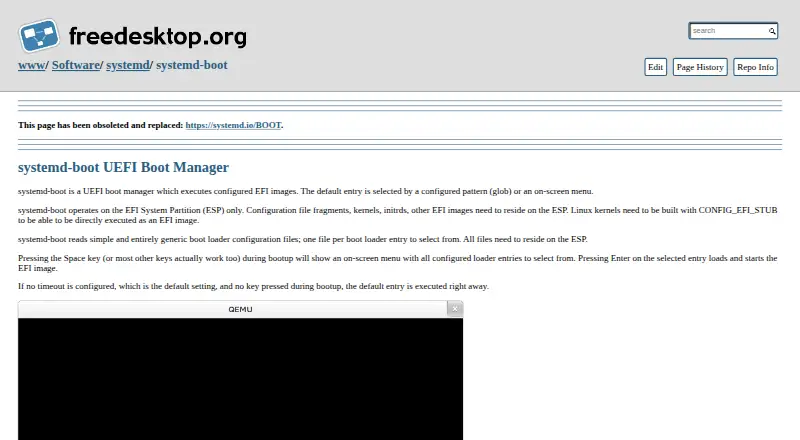
systemd-boot is a lightweight, open-source UEFI boot manager included in the systemd project. It runs from the EFI System Partition and launches configured EFI images, Linux kernels with EFI stubs, initrds, and other boot entries. Its published capabilities cover Linux, Windows, macOS, and other EFI targets, making it a fit for users who want focused boot management across multiple operating systems without a broader graphical administration layer.
The core feature set is centered on clear, file-based control. Loader and entry files stored on the EFI System Partition define boot choices, while the on-screen menu can select a default entry, apply timeout settings, and pass kernel or EFI options. Users can also edit the kernel command line from the menu. For Linux-oriented systems, boot counting and automatic rollback add a way to handle supported boot entries that do not complete a successful boot cycle. These controls make systemd-boot particularly suitable for minimal UEFI Linux setups and multiboot configurations where predictable entry management matters.
The main boundary is firmware support: systemd-boot supports UEFI but not BIOS. That makes it a poor fit for systems that require legacy firmware compatibility. Its configuration model also favors users comfortable managing loader and entry files on the EFI System Partition rather than those seeking a general-purpose visual setup experience. Choose systemd-boot when UEFI boot selection, Linux kernel and initrd loading, configurable entries, and rollback are the priorities. Choose another boot manager when BIOS support or a wider administrative scope is essential.
Your product? Our editors can test systemd-boot in depth and publish a review, labelled as paid · from $149/mo →
systemd-boot pricing
systemd-boot fact sheet
| Free plan | Not verified |
|---|---|
| Paid from | Free |
| Operating systems | Multiplatform |
| UEFI support | Yes |
| BIOS support | No |
| Multiboot support | Yes |
| Boot-entry editing | Yes |
| Boot repair | Not verified |
| Boot-menu customization | Yes |
| Deployment | Self-hosted |
| Platforms | Linux, Windows, macOS |
| Support | Docs |
| Built for | Solo, Small business, Mid-market, Enterprise (editorial estimate) |
| Pricing | Open source |
| Website | freedesktop.org |
| Facts checked | 21 Sep 2026 |
Alternatives to systemd-boot
- EasyUEFIA focused Windows utility for UEFI boot management and EFI-partition repair.8.9
- Clover BootloaderA free, highly configurable boot manager for multiboot systems.8.8
- EasyBCDA capable Windows boot manager for editing entries, repairing BCD, and creating multiboot setups.8.3

See all systemd-boot alternatives →
systemd-boot vs the competition
- systemd-boot vs EasyUEFI
- systemd-boot vs Clover Bootloader
- systemd-boot vs EasyBCD
- systemd-boot vs GitHub CodeQL
- systemd-boot vs GNU GRUB
- systemd-boot vs Boot-Repair

Compare systemd-boot with any tool side by side →
Used systemd-boot? Be the first to review it
The editor score above is our own research. What this page doesn't have yet is a reader's view — what you used systemd-boot for, what worked and what didn't. No stars are seeded and no review is paid for; an editor reads every one before it appears.
Write a reviewTwo minutes · verified accounts only · read by an editor before it appears
Featured on iTechGuides

systemd-boot is listed in our Boot Manager Software directory. Add the badge to your site — it links back to this page.
<a href="https://www.itechguides.com/products/systemd-boot/"><img src="https://www.itechguides.com/best/badge/systemd-boot.svg" alt="Featured on iTechGuides" width="230" height="46"></a>
Reviewed by iTechGuides Editors · Editorial team · Updated Oct 2026
Advertiser disclosure: iTechGuides is reader-supported. Vendors can pay for top positions in our rankings and for a place on other products' pages, and we may earn a commission when you click some links. Bought places stand at the number bought; this page and our disclosure say so. Paying vendors may get a fuller, more detailed review from our editors, and that review can change their score. How we rank.
Last updated · How we research and update