
System Center Operations Manager
System Center Operations Manager: Infrastructure monitoring for IT teams, not backup or disaster recovery. Ranked #36 of 36 in Backup and Disaster Recovery Software by our editors (5.2/10); pricing: Pricing on request; best for IT teams monitoring services and workloads.
At a glance
- Editor score5.2 / 10
- PricingPricing on request
- Best forIT teams monitoring services and workloads
- Free planNo
- Facts checked24 Sep 2026
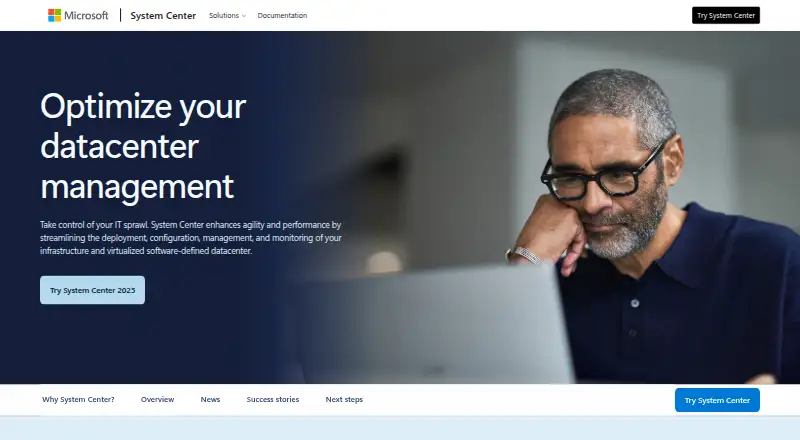
Where it wins
- Central console for health, performance, and availability monitoring
- Supports agent-based and proxy-based agentless Windows monitoring
- Management packs, alerts, and scheduled custom reports
Where it doesn't
- Does not provide backup or disaster recovery capabilities
- Self-hosted deployment requires operation in your environment
- Sold as a System Center component, not as a standalone product
Our verdict on System Center Operations Manager
System Center Operations Manager (SCOM) is infrastructure monitoring software for IT teams managing services, devices, and workloads across computers. Its central console surfaces the health, performance, and availability of monitored objects, with alerts and views for operational, security, performance, and configuration issues. It is a fit for mid-market and enterprise organizations that need to monitor their environment; it is not a backup or disaster recovery product, so teams seeking data protection or recovery should choose a product focused on those needs.
Monitoring coverage combines agent-based monitoring, agent deployment and management, and agentless monitoring of Windows computers through a proxy agent. Management packs extend monitoring to systems and workloads, while operations and web consoles provide access to monitoring. SCOM also includes reports, custom report creation, and scheduled distribution. These capabilities make it relevant where teams need a managed, self-hosted view across computers rather than a backup workflow. Its Windows-focused agentless option is specifically described for Windows computers.
Microsoft sells Operations Manager as a component of System Center rather than publishing a standalone SCOM price; the product is priced through contact with sales, and there is no free plan. The self-hosted deployment means it runs in an organization's environment. Support channels include documentation. Consider SCOM when infrastructure health and availability monitoring are the priority and the organization can manage an in-environment deployment. If the requirement is backup, disaster recovery, or a standalone product with a published SCOM price, this is not the right fit.
Your product? Our editors can test System Center Operations Manager in depth and publish a review, labelled as paid · from $149/mo →
System Center Operations Manager pricing
System Center Operations Manager fact sheet
| Free plan | No |
|---|---|
| Paid from | Not verified |
| Deployment model | Not verified |
| Protected workloads | Not verified |
| Maximum retention | Not verified |
| Immutable backups | Not verified |
| Recovery orchestration | Not verified |
| Ransomware recovery | Not verified |
| Deployment | Self-hosted |
| Platforms | Windows, Web |
| Support | Docs |
| Built for | Mid-market, Enterprise (editorial estimate) |
| Pricing | Pricing on request (source) |
| Website | microsoft.com |
| Facts checked | 24 Sep 2026 |
Alternatives to System Center Operations Manager
- Veeam Backup & ReplicationA broad backup and recovery platform with a free option and strong recovery controls.9.4
- Acronis Cyber ProtectA broad hybrid platform for backup, ransomware protection, and workload recovery.9.3
- Commvault Cloud Backup & RecoveryEnterprise recovery with immutable copies, cleanroom recovery, and hybrid workload coverage.9.2



See all System Center Operations Manager alternatives →
Also Ranked In
System Center Operations Manager is ranked in 3 of our directories.
Used System Center Operations Manager? Be the first to review it
The editor score above is our own research. What this page doesn't have yet is a reader's view — what you used System Center Operations Manager for, what worked and what didn't. No stars are seeded and no review is paid for; an editor reads every one before it appears.
Write a reviewTwo minutes · verified accounts only · read by an editor before it appears
Featured on iTechGuides

System Center Operations Manager is listed in our Backup and Disaster Recovery Software directory. Add the badge to your site — it links back to this page.
<a href="https://www.itechguides.com/products/system-center-operations-manager/"><img src="https://www.itechguides.com/best/badge/system-center-operations-manager.svg" alt="Featured on iTechGuides" width="230" height="46"></a>
Reviewed by iTechGuides Editors · Editorial team · Updated Oct 2026
Advertiser disclosure: iTechGuides is reader-supported. Vendors can pay for top positions in our rankings and for a place on other products' pages, and we may earn a commission when you click some links. Bought places stand at the number bought; this page and our disclosure say so. Paying vendors may get a fuller, more detailed review from our editors, and that review can change their score. How we rank.
Last updated · How we research and update