SyncShot
SyncShot: A Mac-only backup utility for automating verified, multi-destination file transfers. Ranked #10 of 25 in Photo Backup Software by our editors (6.6/10); pricing: From $49/yr · 14-day trial; best for mac photographers needing workflow automation.
At a glance
- Editor score6.6 / 10
- PricingFrom $49/yr · 14-day trial
- Best forMac photographers needing workflow automation
- Free planNo
- Facts checked20 Sep 2026
Where it wins
- Copies files to drives, NAS, cloud, SFTP, and FTP destinations
- Hash verification, resumable transfers, and per-job sync reports
- Flexible workflows with RAW, JPEG, HEIC, video, and date filters
Where it doesn't
- Runs only on macOS
- No free plan; the trial lasts 14 days
- It is not a hosted photo-storage service
Our verdict on SyncShot
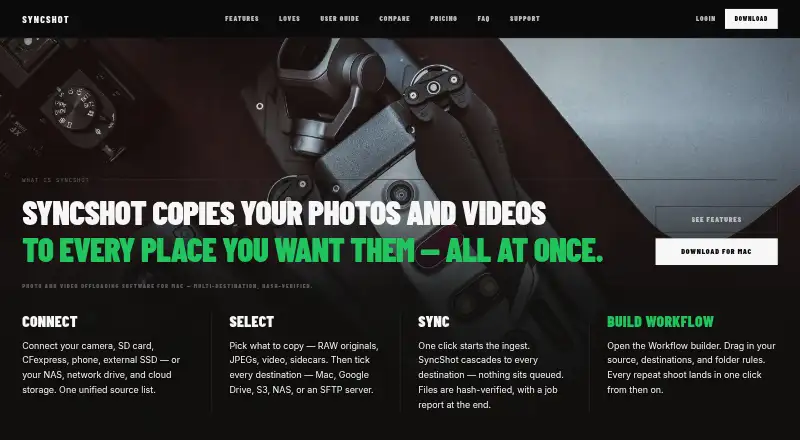
SyncShot is a macOS application for photographers and filmmakers who need to offload camera cards, phones, drives, and other sources to several destinations. It supports local disks, NAS devices, Google Drive, S3-compatible storage, SFTP, and FTP while keeping file contents off SyncShot's own servers. The product fits users who want repeatable backup workflows rather than a hosted photo library or storage subscription.
Pricing is straightforward at the Pro level: $49 per year for one Mac, with unlimited job runs, unlimited workflows, unlimited destinations per workflow, supported local and online destinations, and full-history job reports. The 14-day trial provides a time-limited way to evaluate the application, but there is no free plan. Studio costs $99 per seat per year and adds shared credentials, a shared workflow library, and job-report export; each seat covers one Mac. Studio access is described as contact-based.
The standout capability is workflow control. A workflow can combine source, filter, destination, and post-action nodes, with rules for RAW, JPEG, HEIC, video, and date ranges. SyncShot can copy to destinations in parallel, verify files with hashes, resume transfers byte-accurately, and apply conflict rules such as skip, replace, duplicate, fail, or best-effort. Post-actions include auto-eject and delete-after-verification, while Finder right-click sending provides a quicker route for saved destinations. Choose SyncShot if you work on a Mac and need controlled offloading across drives, NAS, and cloud storage. Choose another option if you need Windows support or hosted photo storage.
SyncShot pricing
All 2 SyncShot plans and prices →
SyncShot fact sheet
| Free plan | No |
|---|---|
| Paid from | Not verified |
| Mobile photo backup | Not verified |
| External drive backup | Yes |
| NAS backup | Yes |
| RAW photo support | Yes |
| Version history | Not verified |
| Storage model | Bring_your_own |
| Included storage | Not verified |
| Free trial | 14 days · no card needed |
| Deployment | Desktop |
| Platforms | macOS |
| Support | Email, Docs |
| Built for | Solo, Small business, Mid-market (editorial estimate) |
| Integrations | 11 integrations: Google Drive, S3, S3-compatible storage, SFTP, FTP, NAS … |
| Pricing | From $49/yr · 14-day trial (source) |
| Website | syncshot.io |
| Facts checked | 20 Sep 2026 |
SyncShot integrations
SyncShot lists 11 integrations on its own site.
- Google Drive
- S3
- S3-compatible storage
- SFTP
- FTP
- NAS
- Synology
- QNAP
- TrueNAS
- Dropbox
- Azure Blob
Alternatives to SyncShot
- PhotoSyncA flexible photo backup tool for users who want control over destinations and protocols.9.6
- SyncDropA flexible cross-platform backup tool for users who bring their own storage.8.8
- ImmichA feature-rich self-hosted library for backing up, organizing, and sharing personal media.7.7



See all SyncShot alternatives →
Used SyncShot? Be the first to review it
The editor score above is our own research. What this page doesn't have yet is a reader's view — what you used SyncShot for, what worked and what didn't. No stars are seeded and no review is paid for; an editor reads every one before it appears.
Write a reviewTwo minutes · verified accounts only · read by an editor before it appears
Featured on iTechGuides

SyncShot is listed in our Photo Backup Software directory. Add the badge to your site — it links back to this page.
<a href="https://www.itechguides.com/products/syncshot/"><img src="https://www.itechguides.com/best/badge/syncshot.svg" alt="Featured on iTechGuides" width="230" height="46"></a>
Guides on photo backup software
Reviewed by iTechGuides Editors · Editorial team · Updated Sep 2026
Advertiser disclosure: iTechGuides is reader-supported. We may earn a commission when you click some links. How we rank.
Last updated · How we research and update