
Syncro Remote Access
Syncro Remote Access: A focused remote access and scripting option for MSPs and internal IT teams. Ranked #32 of 40 in Remote Monitoring and Management Software by our editors (5.9/10); pricing: 14-day trial; best for teams needing secure remote access and scripting.
At a glance
- Editor score5.9 / 10
- Pricing14-day trial
- Best forTeams needing secure remote access and scripting
- Free planNo
- Paid from$129/user/mo
- Multi-tenant managementYes
- Founded2011 · Tampa, Florida, United States
- Facts checked20 Sep 2026
Where it wins
- Unattended access with encrypted sessions and multi-monitor support
- Remote scripting, scheduled scripts, command, registry, and backgrounding tools
- Launch sessions from asset or ticket views across Windows, Mac, and Linux
Where it doesn't
- The Core plan starts at $129 per user per month with annual billing
- Remote Access is presented as a Syncro platform capability, not standalone pricing
- The scope is narrower than a broader RMM and PSA deployment
Our verdict on Syncro Remote Access
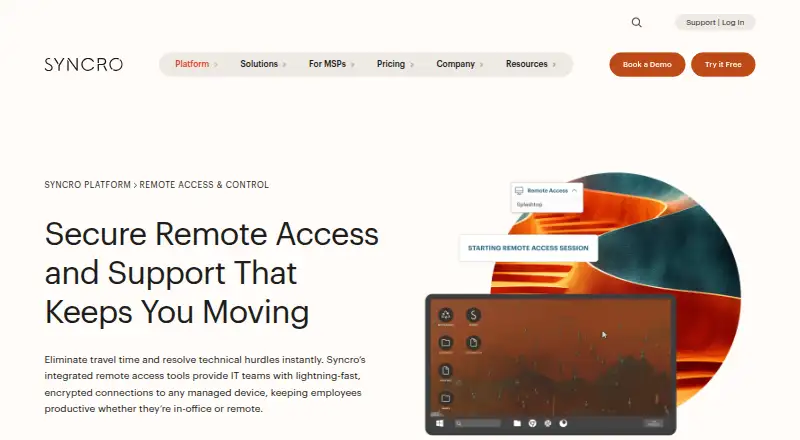
Syncro Remote Access is a cloud-based remote support capability within Syncro’s IT management platform. It is aimed at managed service providers and internal IT teams that need to connect to managed Windows, macOS, and Linux devices. The feature set covers Splashtop-powered remote desktop access, unattended server maintenance, encrypted sessions, multi-monitor support, file transfer, remote command prompt and registry access, and background tools such as Event Viewer, File System, Service Manager, and Task Manager. Sessions can launch from asset and ticket views, with permissions and logging included.
Pricing is the main consideration. The Core plan costs $129 per user per month with annual billing or $159 per user per month with monthly billing. It includes RMM and PSA, unlimited managed endpoints, Windows patch management, an automation and scripting engine, Splashtop remote desktop, and remote backgrounding tools. Team costs $179 per user per month with annual billing or $209 per user per month with monthly billing, adding network discovery, advanced ticket automations, security baselines, Microsoft 365 multi-tenant management, and session recording. Enterprise / Custom adds flexible terms, volume pricing, multi-year terms, and purchase-order billing. A 14-day trial is available.
For teams already working in Syncro, the combination of asset and ticket launching, patch management, scripting, scheduled scripts, and unattended access creates a practical maintenance workflow. Integrations with Splashtop, TeamViewer, and ScreenConnect broaden ecosystem fit, while web, Windows, macOS, and Linux support covers common managed environments. Choose Syncro Remote Access when secure remote control and scripting are central requirements and the per-user pricing fits the budget. Teams seeking a standalone remote access product or a broader RMM scope should compare alternatives before committing.
Your product? Our editors can test Syncro Remote Access in depth and publish a review, labelled as paid · from $149/mo →
Syncro Remote Access pricing
All 3 Syncro Remote Access plans and prices →
Syncro Remote Access fact sheet
| Free plan | No |
|---|---|
| Paid from | $129/user/mo |
| Managed endpoints | Not verified |
| Patch management | Yes |
| Unattended remote access | Yes |
| Script automation | Yes |
| Multi-tenant management | Yes |
| Deployment model | Cloud |
| Supported operating systems | Windows, macOS, Linux |
| Free trial | 14 days · no card needed |
| Deployment | Cloud |
| Platforms | Web, Windows, macOS, Linux |
| Compliance & security | SOC 2 |
| Support | Email, Phone, Tickets, Community, Docs |
| Built for | Small business, Mid-market, Enterprise (editorial estimate) |
| Integrations | 50+ integrations: Splashtop, TeamViewer, ScreenConnect See all → |
| Pricing | 14-day trial (source) |
| Website | syncrosecure.com |
| Facts checked | 20 Sep 2026 |
Syncro Remote Access integrations
Syncro Remote Access lists 50+ integrations on its own site — the 3 named here are the ones its pages call out.
- Splashtop
- TeamViewer
- ScreenConnect
See all Syncro Remote Access integrations →
Alternatives to Syncro Remote Access
- Kaseya VSAA broad hybrid RMM for established IT teams and managed service providers.9.2
- N-able N-sight RMMA broad cloud RMM platform for MSPs that also covers service operations.8.9
- Datto RMMA broad cloud RMM suite for MSPs that need monitoring, automation, and security response.8.9


See all Syncro Remote Access alternatives →
Also Ranked In
Syncro Remote Access is ranked in 3 of our directories.
Used Syncro Remote Access? Be the first to review it
The editor score above is our own research. What this page doesn't have yet is a reader's view — what you used Syncro Remote Access for, what worked and what didn't. No stars are seeded and no review is paid for; an editor reads every one before it appears.
Write a reviewTwo minutes · verified accounts only · read by an editor before it appears
Featured on iTechGuides

Syncro Remote Access is listed in our Remote Monitoring and Management Software directory. Add the badge to your site — it links back to this page.
<a href="https://www.itechguides.com/products/syncro-remote-access/"><img src="https://www.itechguides.com/best/badge/syncro-remote-access.svg" alt="Featured on iTechGuides" width="230" height="46"></a>
Reviewed by iTechGuides Editors · Editorial team · Updated Oct 2026
Advertiser disclosure: iTechGuides is reader-supported. Vendors can pay for top positions in our rankings and for a place on other products' pages, and we may earn a commission when you click some links. Bought places stand at the number bought; this page and our disclosure say so. Paying vendors may get a fuller, more detailed review from our editors, and that review can change their score. How we rank.
Last updated · How we research and update