Surya
Surya: A strong choice for structured OCR when self-hosting on Linux or macOS fits. Ranked #14 of 40 in OCR Software by our editors (7.3/10); pricing: Open source; best for self-hosted structured OCR.
At a glance
- Editor score7.3 / 10
- PricingOpen source
- Best forSelf-hosted structured OCR
- Paid fromFree
- Supported languages91 languages
- Facts checked23 Sep 2026
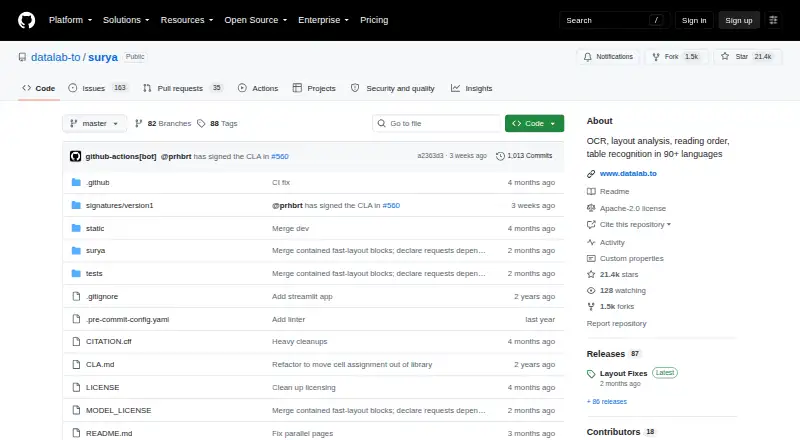
Where it wins
- Full-page OCR with structured HTML output for images and PDFs
- Detects layout, reading order, text lines, tables, and OCR errors
- Free, open source, with Docker, vLLM, llama.cpp, and Streamlit support
Where it doesn't
- Self-hosting is centered on Linux and macOS environments
- Not a conventional hosted SaaS OCR product
- Word export and searchable-PDF workflows are not stated capabilities
Our verdict on Surya
Surya is an open-source OCR model and document-analysis toolkit from Datalab for teams that want to process images and PDFs in their own environment. It combines text recognition with layout analysis, reading-order detection, table recognition, and OCR error detection. The package fits developers, researchers, and document-processing teams that can manage local inference on Linux or macOS, including CPU and Apple Silicon workflows through llama.cpp.
Its strongest distinction is breadth within structured document understanding. Surya can produce structured HTML, identify document regions with bounding boxes, detect text lines, infer reading order, and recognize table rows and columns. The published specifications also include handwriting OCR and support for 91 languages. An interactive Streamlit GUI makes image and PDF processing more accessible, while integrations with Docker, NVIDIA Container Toolkit, vLLM, llama.cpp, and Streamlit support different deployment approaches. Surya 2 uses a roughly 650-million-parameter vision-language model, alongside separate models for text-line detection and OCR-error detection.
Surya itself is free and open source rather than a conventional hosted SaaS product. Local inference can use NVIDIA GPU backends or llama.cpp on CPU and Apple Silicon, giving technical teams control over deployment and processing. It is a good fit when structured extraction, layout fidelity, tables, and self-hosting matter more than a managed workflow. Teams seeking a hosted OCR service, a conventional SaaS buying model, or workflows centered on Word export or searchable-PDF generation should choose a different tool.
Your product? Our editors can test Surya in depth and publish a review, labelled as paid · from $149/mo →
Surya pricing
Surya fact sheet
| Free plan | Not verified |
|---|---|
| Paid from | Free |
| Searchable PDF | Not verified |
| Word export | Not verified |
| Handwriting OCR | Not verified |
| Supported languages | 91 languages |
| Monthly page limit | Not verified |
| Primary platform | Desktop |
| Supported inputs | Both |
| Deployment | Self-hosted, Desktop |
| Platforms | Linux, macOS |
| Support | Community |
| Built for | Solo, Small business, Mid-market (editorial estimate) |
| Pricing | Open source (source) |
| Website | github.com |
| Facts checked | 23 Sep 2026 |
Alternatives to Surya
- PaddleOCRA developer-focused OCR toolkit with multilingual, handwriting, and document parsing workflows.9.3
- Tesseract OCRA mature, developer-focused OCR engine with broad outputs and self-hosting flexibility.9.1
- ABBYY FineReader PDFA broad desktop PDF suite for OCR, editing, conversion, forms, and document control.9.0

Also Ranked In
Surya is ranked in 3 of our directories.
Used Surya? Be the first to review it
The editor score above is our own research. What this page doesn't have yet is a reader's view — what you used Surya for, what worked and what didn't. No stars are seeded and no review is paid for; an editor reads every one before it appears.
Write a reviewTwo minutes · verified accounts only · read by an editor before it appears
Featured on iTechGuides

Surya is listed in our OCR Software directory. Add the badge to your site — it links back to this page.
<a href="https://www.itechguides.com/products/surya/"><img src="https://www.itechguides.com/best/badge/surya.svg" alt="Featured on iTechGuides" width="230" height="46"></a>
Reviewed by iTechGuides Editors · Editorial team · Updated Oct 2026
Advertiser disclosure: iTechGuides is reader-supported. Vendors can pay for top positions in our rankings and for a place on other products' pages, and we may earn a commission when you click some links. Bought places stand at the number bought; this page and our disclosure say so. Paying vendors may get a fuller, more detailed review from our editors, and that review can change their score. How we rank.
Last updated · How we research and update