
StudioSprite
StudioSprite: A focused 2D sprite studio with strong consistency tools and flexible exports. Ranked #11 of 26 in AI Game Asset Generators by our editors (6.8/10); pricing: Free plan; best for consistent pixel-art sprite production.
At a glance
- Editor score6.8 / 10
- PricingFree plan
- Best forConsistent pixel-art sprite production
- Free planYes
- Paid from$182/yr
- Output focus2d
- Facts checked21 Sep 2026
Where it wins
- Project DNA locking keeps visual style consistent across assets.
- Animation, atlas, editor, and utility tools are built into the browser.
- Unity, Godot, Unreal, and other game-tool integrations support varied workflows.
Where it doesn't
- The product focuses on 2D assets rather than 3D generation.
- The Free plan allows only 20 image credits and personal use.
- HD-2D generation, editing, and commercial licensing require a paid plan.
Our verdict on StudioSprite
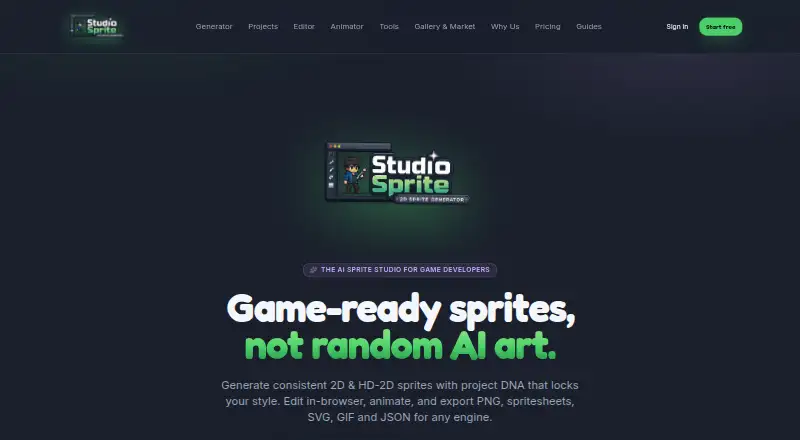
StudioSprite is a browser-based AI sprite studio for indie game developers, RPG Maker creators, and small game teams. It generates pixel-art and HD-2D characters, props, tiles, effects, item icons, and animated sprite sheets. Project DNA locking helps maintain a consistent visual style, while reference images can anchor style and palette choices. The web app also includes editing, animation, atlas, and sprite utility tools for 2D production workflows.
The pricing structure starts with a Free plan that includes pixel art mode, 20 image credits per month, two projects with 20 sprites each, browser asset tools and calculators, and personal use. Pro costs $19 per month or $182 per year and adds pixel and HD-2D generation, 450 image credits per month, 25 projects with 500 sprites each, the Pixel Editor and Animator, and a commercial license. Studio costs $59 per month or $566 per year, with unlimited projects and sprites, 1,500 image credits per month, a priority HD-2D queue, up to five seats, and priority support.
Its strongest fit is a 2D workflow that needs more than image generation alone. StudioSprite can create walk, idle, attack, hurt, and death animations, then export PNG, SVG, GIF, or JSON files, including sprite-sheet and JSON atlas outputs. Browser utilities cover atlas packing and normal-map generation, and integrations include Unity, Godot, Unreal, Phaser, GameMaker, Defold, LÖVE, RPG Maker, Aseprite, and TexturePacker. Choose it for consistent pixel-art production and integrated 2D asset handling; teams requiring 3D generation should choose a 3D-focused alternative.
Your product? Our editors can test StudioSprite in depth and publish a review, labelled as paid · from $149/mo →
StudioSprite pricing
All 3 StudioSprite plans and prices →
StudioSprite fact sheet
| Free plan | Yes |
|---|---|
| Paid from | $182/yr |
| Output focus | 2d |
| Text-to-3D assets | No |
| Texture generation | Not verified |
| Animation generation | Yes |
| Export formats | PNG, SVG, GIF, JSON |
| Commercial use | Yes |
| Free generation limit | 20 credits/mo |
| Deployment | Cloud |
| Platforms | Web |
| Support | Docs |
| Built for | Solo, Small business (editorial estimate) |
| Integrations | 10 integrations: Unity, Godot, Unreal, Phaser, GameMaker, Defold … |
| Pricing | Free plan (source) |
| Website | studiosprite.com |
| Facts checked | 21 Sep 2026 |
StudioSprite integrations
StudioSprite lists 10 integrations on its own site.
- Unity
- Godot
- Unreal
- Phaser
- GameMaker
- Defold
- LÖVE
- RPG Maker
- Aseprite
- TexturePacker
Alternatives to StudioSprite
- MeshyA broad 3D asset generator with text, image, sketch, texturing, rigging, and API workflows.8.9
- Tripo AIA broad AI 3D pipeline for generating, refining, rigging, and exporting game assets.8.7
- KaedimA production-focused 3D generator with strong pipeline depth and a high entry price.7.8



See all StudioSprite alternatives →
Used StudioSprite? Be the first to review it
The editor score above is our own research. What this page doesn't have yet is a reader's view — what you used StudioSprite for, what worked and what didn't. No stars are seeded and no review is paid for; an editor reads every one before it appears.
Write a reviewTwo minutes · verified accounts only · read by an editor before it appears
Featured on iTechGuides

StudioSprite is listed in our AI Game Asset Generators directory. Add the badge to your site — it links back to this page.
<a href="https://www.itechguides.com/products/studiosprite/"><img src="https://www.itechguides.com/best/badge/studiosprite.svg" alt="Featured on iTechGuides" width="230" height="46"></a>
Reviewed by iTechGuides Editors · Editorial team · Updated Oct 2026
Advertiser disclosure: iTechGuides is reader-supported. Vendors can pay for top positions in our rankings and for a place on other products' pages, and we may earn a commission when you click some links. Bought places stand at the number bought; this page and our disclosure say so. Paying vendors may get a fuller, more detailed review from our editors, and that review can change their score. How we rank.
Last updated · How we research and update