
Streamlabs Mobile
Streamlabs Mobile: A capable mobile Twitch app with useful network tools and paid multistreaming. Ranked #15 of 26 in Twitch Streaming Software by our editors (7.4/10); pricing: Free plan; best for mobile Twitch streaming with network tools.
At a glance
- Editor score7.4 / 10
- PricingFree plan
- Best forMobile Twitch streaming with network tools
- Free planYes
- Paid from$189/yr
- Facts checked20 Sep 2026
Where it wins
- Streams mobile games, camera feeds, and screens to Twitch
- Includes scenes, overlays, alerts, widgets, chat, and tipping
- Network Boost and Disconnect Protection support mobile connections
Where it doesn't
- Multistreaming requires the Ultra subscription
- Advanced features and premium themes are tied to Ultra or rewards
- Maximum output quality is 1080p
Our verdict on Streamlabs Mobile
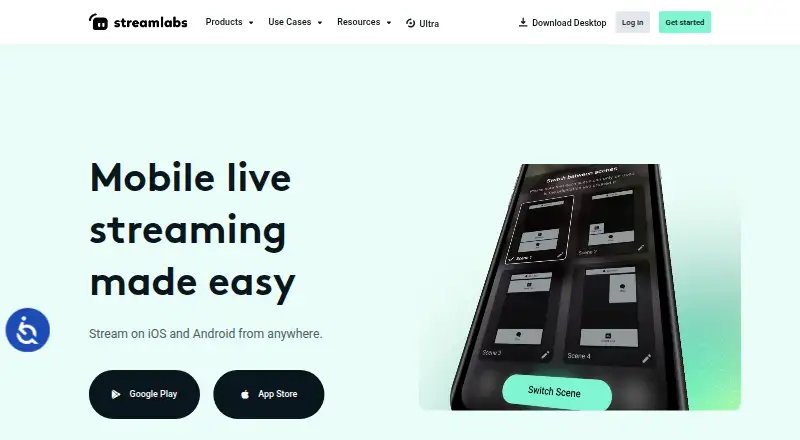
Streamlabs Mobile is a free iOS and Android app for livestreaming mobile games, camera feeds, and real-life content. It is aimed at creators who want to broadcast from a phone rather than a desktop setup, with support for Twitch, YouTube, Facebook, Kick, TikTok, X, and custom RTMP destinations. The app includes mobile gameplay capture, screen sharing, camera streaming, scenes, overlays, alerts, widgets, chat, tipping, and scheduled broadcasts on selected platforms. Android also supports simultaneous screen and camera streaming.
The free plan covers the core mobile workflow, while Ultra adds multistreaming, premium mobile features, and access to Streamlabs creator tools. Ultra is listed at $27 per month or $189 per year, and the starting price is shown as $15.75 per month with annual billing. In-app Ultra subscriptions are also available. The range of supported destinations makes the app suitable for creators who publish beyond Twitch, but multistreaming is reserved for the paid tier. Audio, bitrate, resolution, and frame rate controls provide more control over output, with a maximum quality of 1080p.
Connection-focused tools are a notable part of the product. Network Boost combines connections, while Disconnect Protection is designed for stream continuity. These features fit mobile creators dealing with changing network conditions, although the premium availability of some features affects the free plan’s scope. Streamlabs Mobile is a strong choice for phone-first Twitch streaming, mobile gameplay, camera feeds, and IRL content, especially when platform variety or connection tools matter. Creators who need multistreaming without Ultra, desktop-centered production, or output above 1080p should consider a different option.
Your product? Our editors can test Streamlabs Mobile in depth and publish a review, labelled as paid · from $149/mo →
Streamlabs Mobile pricing
All 1 Streamlabs Mobile plans and prices →
Streamlabs Mobile fact sheet
| Free plan | Yes |
|---|---|
| Paid from | $189/yr |
| Delivery mode | Not verified |
| Multistream destinations | Not verified |
| Maximum output quality | 1080p |
| Stream scheduling | Yes |
| 24/7 rebroadcasting | Not verified |
| Cloud recording | Not verified |
| Supported platforms | iOS, Android |
| Money-back guarantee | 7 days |
| Deployment | Mobile |
| Platforms | iOS, Android |
| Support | Live chat, Community, Docs, Tickets |
| Built for | Solo, Small business (editorial estimate) |
| Integrations | 7 integrations: Twitch, YouTube, Facebook, Kick, TikTok, X … |
| Pricing | Free plan (source) |
| Website | streamlabs.com |
| Facts checked | 20 Sep 2026 |
Streamlabs Mobile integrations
Streamlabs Mobile lists 7 integrations on its own site.
- Twitch
- YouTube
- Kick
- TikTok
- X
- Custom RTMP
Alternatives to Streamlabs Mobile
- OBS StudioA free desktop production suite for creators who want deep control and extensibility.9.4
- Streamlabs DesktopA feature-rich Twitch desktop app with free core tools and paid multistreaming.9.2
- RestreamA flexible multistreaming hub with unified chat, browser production, and encoder support.9.0



See all Streamlabs Mobile alternatives →
Also Ranked In
Streamlabs Mobile is ranked in 4 of our directories.
Used Streamlabs Mobile? Be the first to review it
The editor score above is our own research. What this page doesn't have yet is a reader's view — what you used Streamlabs Mobile for, what worked and what didn't. No stars are seeded and no review is paid for; an editor reads every one before it appears.
Write a reviewTwo minutes · verified accounts only · read by an editor before it appears
Featured on iTechGuides

Streamlabs Mobile is listed in our Twitch Streaming Software directory. Add the badge to your site — it links back to this page.
<a href="https://www.itechguides.com/products/streamlabs-mobile/"><img src="https://www.itechguides.com/best/badge/streamlabs-mobile.svg" alt="Featured on iTechGuides" width="230" height="46"></a>
Reviewed by iTechGuides Editors · Editorial team · Updated Oct 2026
Advertiser disclosure: iTechGuides is reader-supported. Vendors can pay for top positions in our rankings and for a place on other products' pages, and we may earn a commission when you click some links. Bought places stand at the number bought; this page and our disclosure say so. Paying vendors may get a fuller, more detailed review from our editors, and that review can change their score. How we rank.
Last updated · How we research and update