Stilla
Stilla: A broad meeting workspace for teams that want desktop capture and connected follow-up. Ranked #28 of 111 in Meeting Notes Software by our editors (6.4/10); pricing: Free plan · 14-day trial; best for teams wanting collaborative desktop capture.
At a glance
- Editor score6.4 / 10
- PricingFree plan · 14-day trial
- Best forTeams wanting collaborative desktop capture
- Free planYes
- Paid from$40/mo
- AI summariesYes
- Facts checked22 Sep 2026
Where it wins
- Local desktop capture records audio without a meeting bot
- Real-time transcripts include speaker labels and timestamps
- Connects meeting context to tools including Slack, Linear, and Notion
Where it doesn't
- The Free plan provides read-only access to canvases and documents
- Team pricing starts at $40 per organization per month
- SAML SSO, SCIM, audit logs, and custom retention require Enterprise
Our verdict on Stilla
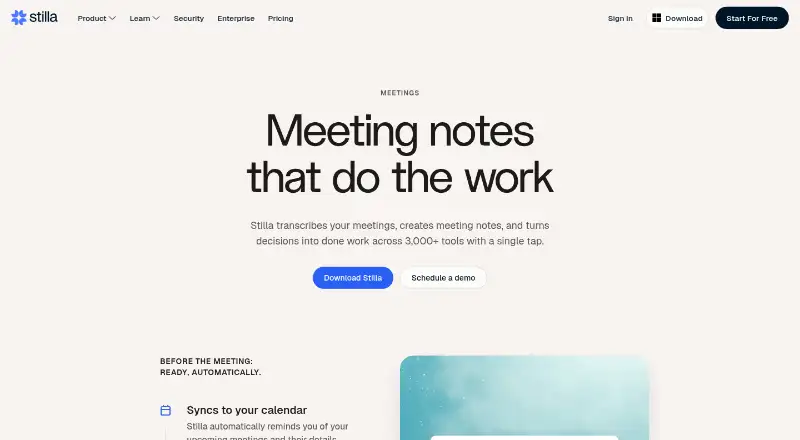
Stilla combines meeting transcription, collaborative AI notes, searchable transcripts, and follow-up workflows for teams that want meeting context to become shared work. Its desktop app captures audio locally without a meeting bot, while real-time transcripts add speaker labels and timestamps. The product also identifies decisions and action items, proposes tasks, synchronizes with calendars, and detects meetings automatically. It suits teams that want collaborative desktop capture across web, Windows, macOS, and API environments rather than a transcript-only tool.
The pricing structure starts with a Free plan that provides read-only access to canvases and documents. The Team plan costs $40 USD per organization per month when billed monthly and adds AI meeting notes, unlimited integrations, search across connected tools, shared memory, and MCP support. Enterprise adds unlimited members, SAML SSO, SCIM provisioning, priority support, audit logs, and custom data retention. A 14-day free trial is also available. Teams should assess whether the Team plan's organization-based price fits their collaboration needs, particularly if they require active creation and editing rather than read-only access.
Stilla's strongest fit is its connection between meeting records and the wider work stack. Integrations include Slack, Microsoft Teams, GitHub, Google Calendar, Outlook Calendar, Zoom, Linear, Google Drive, SharePoint, OneDrive, Gmail, Notion, Discord, Asana, and HubSpot. Search across connected tools and proposed follow-up work can help teams keep decisions linked to tasks, emails, documents, and code changes. Choose Stilla if bot-free desktop capture, collaborative notes, speaker-labeled transcripts, and connected workflows are priorities. Teams seeking a lower paid entry price or only basic note capture may prefer a narrower tool.
Your product? Our editors can test Stilla in depth and publish a review, labelled as paid · from $149/mo →
Stilla pricing
All 3 Stilla plans and prices →
Stilla fact sheet
| Free plan | Yes |
|---|---|
| Paid from | $40/mo |
| Transcription | Yes |
| AI summaries | Yes |
| Action-item tracking | Yes |
| Searchable archive | Yes |
| Meeting recording | Yes |
| Speaker labels | Yes |
| Note templates | Not verified |
| Free trial | 14 days · no card needed |
| Deployment | Cloud, Desktop |
| Platforms | Web, Windows, macOS |
| Compliance & security | SOC 2, SSO/SAML |
| Support | Email, Community, Docs |
| Built for | Small business, Mid-market, Enterprise (editorial estimate) |
| Integrations | 3,000+ integrations: Slack, Microsoft Teams, GitHub, Google Calendar, Outlook Calendar, Zoom … See all → |
| Pricing | Free plan · 14-day trial (source) |
| Website | stilla.ai |
| Facts checked | 22 Sep 2026 |
Stilla integrations
Stilla lists 3,000+ integrations on its own site — the 16 named here are the ones its pages call out.
- Slack
- Microsoft Teams
- GitHub
- Google Calendar
- Outlook Calendar
- Zoom
- Linear
- Google Drive
- SharePoint
- OneDrive
- Gmail
- Notion
- Discord
- Asana
- HubSpot
- MCP
Alternatives to Stilla
- Otter.aiA capable meeting archive with core transcription and summaries at a low paid entry price.9.2
- Krisp AI Meeting AssistantA full-featured meeting capture and follow-up tool with affordable annual pricing.9.0
- Fireflies.aiA broad meeting capture and intelligence suite for teams handling many languages and meeting sources.8.9



Used Stilla? Be the first to review it
The editor score above is our own research. What this page doesn't have yet is a reader's view — what you used Stilla for, what worked and what didn't. No stars are seeded and no review is paid for; an editor reads every one before it appears.
Write a reviewTwo minutes · verified accounts only · read by an editor before it appears
Featured on iTechGuides

Stilla is listed in our Meeting Notes Software directory. Add the badge to your site — it links back to this page.
<a href="https://www.itechguides.com/products/stilla/"><img src="https://www.itechguides.com/best/badge/stilla.svg" alt="Featured on iTechGuides" width="230" height="46"></a>
Reviewed by iTechGuides Editors · Editorial team · Updated Oct 2026
Advertiser disclosure: iTechGuides is reader-supported. Vendors can pay for top positions in our rankings and for a place on other products' pages, and we may earn a commission when you click some links. Bought places stand at the number bought; this page and our disclosure say so. Paying vendors may get a fuller, more detailed review from our editors, and that review can change their score. How we rank.
Last updated · How we research and update