StepShot
StepShot: A focused Mac app for creating annotated procedural guides from screen actions. Ranked #34 of 38 in Documentation Generators by our editors (5.9/10); pricing: Free plan · 30-day trial; best for visual step-by-step procedure guides.
At a glance
- Editor score5.9 / 10
- PricingFree plan · 30-day trial
- Best forVisual step-by-step procedure guides
- Free planYes
- Source inputsscreen captures, screen recordings, mouse clicks, keystrokes
- Facts checked21 Sep 2026
Where it wins
- Captures clicks, keystrokes, and screen actions as editable steps
- Exports self-contained HTML, Markdown, and PDF guides
- Supports annotations, redaction, search, and step-level editing
Where it doesn't
- Requires macOS 14 or later
- Windows support is still in progress
- Cloud planning requires a user-supplied OpenAI-compatible endpoint
Our verdict on StepShot
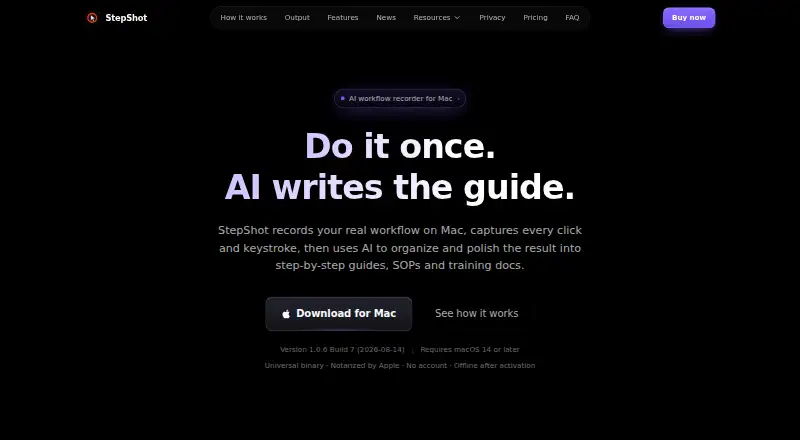
StepShot is a macOS application for turning real software workflows into editable step-by-step guides, standard operating procedures, and training documents. It is designed for people who need to explain on-screen processes visually rather than maintain a general documentation site or API reference. Capture can target an active window, the full screen, or a selected region, while continuous recording uses H.264. The resulting project can include mouse clicks, keystrokes, screen captures, notes, headings, and annotations.
Its strongest area is procedural editing and presentation. Users can reorder, merge, skip, and insert steps, then add frames, arrows, text, badges, or redactions. Projects are organized in a tagged, searchable library. The published plans show Markdown and HTML export on the Free plan, with the first 10 steps available for export. Pro adds unlimited steps, PDF export, branding controls, optional cloud planning, and activation on 2 devices. Team includes those Pro features plus activation on 5 devices, shared brand presets, batch licensing, centralized invoicing, and priority feedback handling.
StepShot keeps capture, editing, and export local by default, which suits workflows where the guide should be produced on the Mac. Optional AI-assisted planning connects through a user-supplied OpenAI-compatible endpoint rather than a built-in endpoint. The product currently requires macOS 14 or later, so it is a poor fit for Windows-based teams or organizations seeking browser-based documentation delivery. Choose StepShot for visually annotated procedures built from screen actions; choose another category tool when the priority is an API reference, a general documentation site, or cross-platform authoring.
Your product? Our editors can test StepShot in depth and publish a review, labelled as paid · from $149/mo →
StepShot pricing
All 3 StepShot plans and prices →
StepShot fact sheet
| Free plan | Yes |
|---|---|
| Paid from | Not verified |
| Source inputs | screen captures, screen recordings, mouse clicks, keystrokes |
| API reference generation | No |
| Versioned documentation | Not verified |
| CI/CD integration | Not verified |
| Output formats | PDF, Markdown, HTML |
| Programming languages | Not verified |
| Free trial | 30 days |
| Money-back guarantee | 14 days |
| Deployment | Desktop |
| Platforms | macOS |
| Support | Email, Live chat, Docs |
| Built for | Solo, Small business, Mid-market (editorial estimate) |
| Integrations | 1 integrations: OpenAI-compatible endpoints |
| Pricing | Free plan · 30-day trial (source) |
| Website | stepshot.app |
| Facts checked | 21 Sep 2026 |
StepShot integrations
StepShot lists 1 integrations on its own site.
- OpenAI-compatible endpoints
Alternatives to StepShot
- SphinxA broad, extensible choice for teams building technical documentation from source files.9.4
- MkDocsA free, open-source choice for building focused Markdown documentation sites.9.2
- DoxygenA free, open-source choice for generating multi-language API documentation locally.9.0

See all StepShot alternatives →
Used StepShot? Be the first to review it
The editor score above is our own research. What this page doesn't have yet is a reader's view — what you used StepShot for, what worked and what didn't. No stars are seeded and no review is paid for; an editor reads every one before it appears.
Write a reviewTwo minutes · verified accounts only · read by an editor before it appears
Featured on iTechGuides

StepShot is listed in our Documentation Generators directory. Add the badge to your site — it links back to this page.
<a href="https://www.itechguides.com/products/stepshot/"><img src="https://www.itechguides.com/best/badge/stepshot.svg" alt="Featured on iTechGuides" width="230" height="46"></a>
Reviewed by iTechGuides Editors · Editorial team · Updated Oct 2026
Advertiser disclosure: iTechGuides is reader-supported. Vendors can pay for top positions in our rankings and for a place on other products' pages, and we may earn a commission when you click some links. Bought places stand at the number bought; this page and our disclosure say so. Paying vendors may get a fuller, more detailed review from our editors, and that review can change their score. How we rank.
Last updated · How we research and update