Stardock Fences
Stardock Fences: A focused Windows organizer with automatic sorting, portals, tabs, and multi-monitor support. Ranked #6 of 47 in Desktop Organization Software by our editors (8.9/10); pricing: 30-day trial; best for established Windows desktop-organization users.
At a glance
- Editor score8.9 / 10
- Pricing30-day trial
- Best forEstablished Windows desktop-organization users
- Free planNo
- Platform supportWindows_only
- Founded1991 · Plymouth, Michigan, United States
- Facts checked20 Sep 2026
Where it wins
- Rule-based sorting organizes items by type, name, time, or location.
- Folder Portals mirror folders directly on the desktop.
- Supports tabs, Peek, customization, and multi-monitor layouts.
Where it doesn't
- Windows-only support excludes macOS and Linux users.
- There is no free plan after the 30-day trial.
- Object Desktop includes extra apps that may exceed a focused organizer’s needs.
Our verdict on Stardock Fences
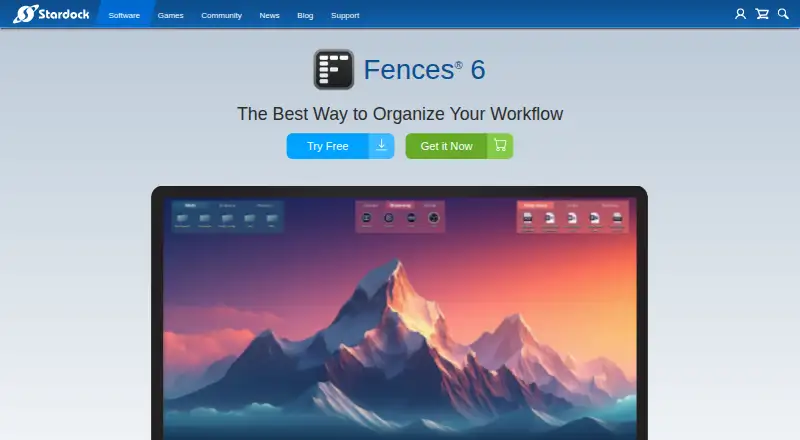
Stardock Fences organizes Windows desktop files, folders, applications, and shortcuts into shaded Fence groups. It is aimed at established Windows users who want a structured desktop without manually arranging every item. The product supports Windows 10 and 11, including ARM systems, and Stardock also positions it for business deployment across managed Windows endpoints. Its organization model centers on fenced areas, with saved layouts and multi-monitor handling included in the published feature set.
The published plans show three subscription choices. Single includes the latest version and supports Windows 10, 11, and ARM. Multi-Device adds five simultaneous activations while retaining the latest version and the same Windows coverage. Object Desktop supports up to five active installs, provides early access to software and updates, includes more than a dozen apps, and supports Windows 10 and 11. A 30-day free trial is available, while access is otherwise paid. Choose Single for one Windows setup, Multi-Device for several activations, or Object Desktop if the broader app collection is relevant.
Fences is strongest when desktop organization needs to go beyond static icon placement. Rules can sort items by file type, name, time, and target location; Folder Portals mirror folders on the desktop; Peek brings fences above open windows; and tabs, icon tinting, Chameleon fading, and multi-monitor layout handling add control over visibility and appearance. Users who want automatic sorting and a configurable Windows workflow should find the feature scope well aligned. Those needing macOS or Linux support, a free plan, or a narrower single-purpose purchase should choose another option.
Your product? Our editors can test Stardock Fences in depth and publish a review, labelled as paid · from $149/mo →
Stardock Fences pricing
All 3 Stardock Fences plans and prices →
Stardock Fences fact sheet
| Free plan | No |
|---|---|
| Paid from | Not verified |
| Platform support | Windows_only |
| Organization model | Fenced_areas |
| Automatic sorting | Yes |
| Maximum containers | Not verified |
| Saved layouts | Yes |
| Multi-monitor support | Yes |
| Free trial | 30 days |
| Deployment | Desktop |
| Platforms | Windows |
| Support | Email, Phone, Tickets, Community, Docs |
| Built for | Solo, Small business, Mid-market, Enterprise (editorial estimate) |
| Pricing | 30-day trial (source) |
| Website | stardock.com |
| Facts checked | 20 Sep 2026 |
Alternatives to Stardock Fences
- AutoShelfDeep automated file sorting for Mac users who want precise control.9.4
- Desktop Frames+A flexible Windows desktop organizer with frames, profiles, rules, and search.9.3
- DeskBoxDeskBox combines automatic desktop organization with search, widgets, todos, and recovery tools.9.2


See all Stardock Fences alternatives →
Stardock Fences vs the competition
- Stardock Fences vs AutoShelf
- Stardock Fences vs Desktop Frames+
- Stardock Fences vs DeskBox
- Stardock Fences vs Deskora
- Stardock Fences vs Desktop Fences+
- Stardock Fences vs iTop Easy Desktop

Compare Stardock Fences with any tool side by side →
Used Stardock Fences? Be the first to review it
The editor score above is our own research. What this page doesn't have yet is a reader's view — what you used Stardock Fences for, what worked and what didn't. No stars are seeded and no review is paid for; an editor reads every one before it appears.
Write a reviewTwo minutes · verified accounts only · read by an editor before it appears
Featured on iTechGuides

Stardock Fences is listed in our Desktop Organization Software directory. Add the badge to your site — it links back to this page.
<a href="https://www.itechguides.com/products/stardock-fences/"><img src="https://www.itechguides.com/best/badge/stardock-fences.svg" alt="Featured on iTechGuides" width="230" height="46"></a>
Reviewed by iTechGuides Editors · Editorial team · Updated Oct 2026
Advertiser disclosure: iTechGuides is reader-supported. Vendors can pay for top positions in our rankings and for a place on other products' pages, and we may earn a commission when you click some links. Bought places stand at the number bought; this page and our disclosure say so. Paying vendors may get a fuller, more detailed review from our editors, and that review can change their score. How we rank.
Last updated · How we research and update