StaffPad
StaffPad: Handwritten score recognition and audio workflows suit tablet-based composers. Ranked #18 of 38 in Music Notation Software by our editors (7.4/10); pricing: Paid; best for tablet composers who write music by hand.
At a glance
- Editor score7.4 / 10
- PricingPaid
- Best forTablet composers who write music by hand
- Free planNo
- DeploymentDesktop
- Facts checked19 Sep 2026
Where it wins
- Converts handwritten notation into typeset scores
- Imports and exports MusicXML and MIDI
- Creates formatted parts and syncs them with StaffPad Reader
Where it doesn't
- A paid product with no free plan
- Handwriting recognition requires a compatible pen-and-touch device
- Collaboration and Reader updates depend on ScoreSync
Our verdict on StaffPad
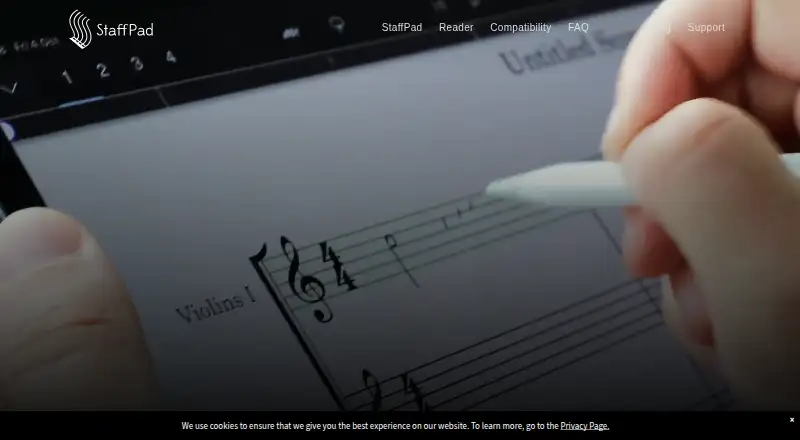
StaffPad is a music notation and composition app for composers, arrangers and musicians who prefer writing music by hand on a tablet. It recognizes handwritten notation and converts it into typeset scores, with support for compatible Windows pen-and-touch devices and iPad models with Apple Pencil. The workflow also accommodates audio: users can record or import audio onto a score, map tempo for free-time or rubato recordings, and capture notes from a piano or MIDI keyboard. Playback uses an included library of more than 55 instruments.
For notation and arranging, the standout depth is the combination of score recognition with practical output tools. StaffPad supports MusicXML and MIDI import and export, automatic formatting, and PDF or printed parts. Divisi staff creation and automatic part formatting help when a score needs to be prepared for individual players. Audio export is also supported. These features make it more than a handwriting-to-score utility, while keeping composition and notation at the center of the product.
The ecosystem centers on pen input, MIDI keyboards and StaffPad Reader rather than a broad list of third-party integrations. ScoreSync shares scores with Reader for real-time updates across connected devices; Reader can display instrumental parts, synchronize playback and page turns, and support rehearsal or performance annotations. StaffPad is paid, with no free plan. Choose it if handwritten input, audio-on-score work and part preparation are central to your process; consider another notation option if you need a free plan or do not work on a compatible pen-and-touch device.
Your product? Our editors can test StaffPad in depth and publish a review, labelled as paid · from $149/mo →
StaffPad pricing
All 1 StaffPad plans and prices →
StaffPad fact sheet
| Free plan | No |
|---|---|
| Paid from | Not verified |
| Deployment | Desktop |
| MusicXML support | Yes |
| MIDI support | Yes |
| Parts extraction | Yes |
| Tablature support | Not verified |
| Collaboration features | Yes |
| Deployment | Desktop, Mobile |
| Platforms | Windows, iOS |
| Integrations | 4 integrations: StaffPad Reader, Apple Pencil, USB/Bluetooth MIDI keyboards, Wi-Fi ScoreSync |
| Pricing | Paid (source) |
| Website | staffpad.net |
| Facts checked | 19 Sep 2026 |
StaffPad integrations
StaffPad lists 4 integrations on its own site.
- StaffPad Reader
- Apple Pencil
- USB/Bluetooth MIDI keyboards
- Wi-Fi ScoreSync
Alternatives to StaffPad
- DoricoA full notation and engraving workflow, with free editions and a 60-day trial.9.3
- SibeliusSibelius combines detailed score creation with browser-based sharing and review.9.2
- MuseScore StudioA capable desktop notation editor with MusicXML, MIDI, parts, playback, and exports at no cost.9.1


See all StaffPad alternatives →
Used StaffPad? Be the first to review it
The editor score above is our own research. What this page doesn't have yet is a reader's view — what you used StaffPad for, what worked and what didn't. No stars are seeded and no review is paid for; an editor reads every one before it appears.
Write a reviewTwo minutes · verified accounts only · read by an editor before it appears
Featured on iTechGuides

StaffPad is listed in our Music Notation Software directory. Add the badge to your site — it links back to this page.
<a href="https://www.itechguides.com/products/staffpad/"><img src="https://www.itechguides.com/best/badge/staffpad.svg" alt="Featured on iTechGuides" width="230" height="46"></a>
Reviewed by iTechGuides Editors · Editorial team · Updated Oct 2026
Advertiser disclosure: iTechGuides is reader-supported. Vendors can pay for top positions in our rankings and for a place on other products' pages, and we may earn a commission when you click some links. Bought places stand at the number bought; this page and our disclosure say so. Paying vendors may get a fuller, more detailed review from our editors, and that review can change their score. How we rank.
Last updated · How we research and update