
MuseScore Studio
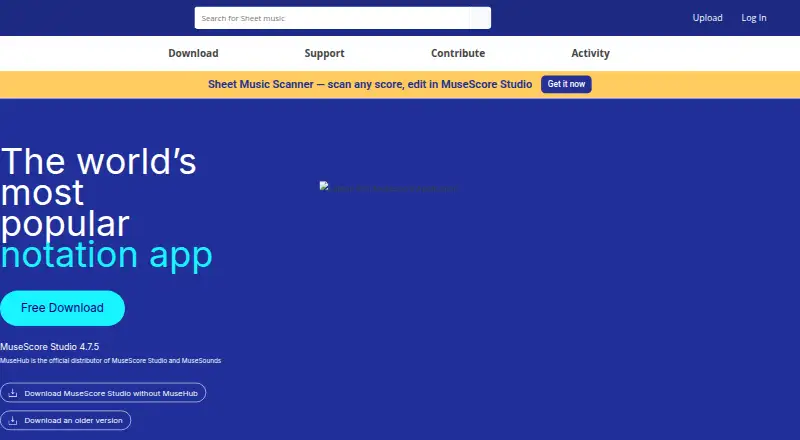
MuseScore Studio: A capable desktop notation editor with MusicXML, MIDI, parts, playback, and exports at no cost. Ranked #3 of 38 in Music Notation Software by our editors (9.1/10); pricing: Free plan; best for free, open-source desktop notation.
At a glance
- Editor score9.1 / 10
- PricingFree plan
- Best forFree, open-source desktop notation
- Free planYes
- Paid fromFree
- DeploymentDesktop
- Facts checked19 Sep 2026
Where it wins
- Edits scores with standard notation, tablature, percussion, lyrics, and chord symbols
- Supports MusicXML and MIDI import and export workflows
- Exports scores and parts to PDF, SVG, PNG, and audio formats
Where it doesn't
- Desktop software rather than a browser-based editor
- No shared editing or commenting workflow is documented
- Playback sound options may require working with SoundFonts or MuseSounds
Our verdict on MuseScore Studio
MuseScore Studio is desktop music notation software for composing, arranging, editing, playback, and score export. It suits musicians, educators, ensembles, and composers who want a free, open-source tool for working with standard notation and tablature, as well as percussion, lyrics, chord symbols, and instrumental parts. Its Windows, macOS, and Linux support gives it a broad desktop footprint, while GNU GPL licensing makes it a fit for people who value open-source software.
The workflow covers both score exchange and performance-oriented tasks. MusicXML import and export supports moving scores between notation tools, and MIDI import, export, and playback workflows help with exchanging or hearing material. Users can create automatic or custom instrumental parts, then work with standard notation or tablature staves. Playback includes a mixer, SoundFonts, and MuseSounds; these options make playback part of the notation workflow rather than limiting the software to static page preparation. Exports include PDF, SVG, PNG, and audio formats, useful when a score needs to be shared, viewed, or rendered in different forms.
MuseScore Studio is especially compelling for those seeking desktop notation without a software charge, particularly composers, teachers, and ensembles handling scores and parts across supported operating systems. It is less suited to buyers who require browser-based collaboration or shared editing and comments: those collaboration features are not established as part of the product here. Choose it for score creation, notation exchange, playback, and export under an open-source license; consider another tool if collaborative editing is central to the workflow.
Your product? Our editors can test MuseScore Studio in depth and publish a review, labelled as paid · from $149/mo →
MuseScore Studio pricing
MuseScore Studio fact sheet
| Free plan | Yes |
|---|---|
| Paid from | Free |
| Deployment | Desktop |
| MusicXML support | Yes |
| MIDI support | Yes |
| Parts extraction | Yes |
| Tablature support | Yes |
| Collaboration features | Not verified |
| Deployment | Desktop |
| Platforms | Windows, macOS, Linux |
| Pricing | Free plan |
| Website | musescore.org |
| Facts checked | 19 Sep 2026 |
Alternatives to MuseScore Studio
- DoricoA full notation and engraving workflow, with free editions and a 60-day trial.9.3
- SibeliusSibelius combines detailed score creation with browser-based sharing and review.9.2
- Fender NotionA free, cross-platform score editor with notation, tablature, playback and file exchange.9.0

See all MuseScore Studio alternatives →
MuseScore Studio vs the competition
- MuseScore Studio vs Dorico
- MuseScore Studio vs Sibelius
- MuseScore Studio vs Fender Notion
- MuseScore Studio vs Flat
- MuseScore Studio vs Noteflight
- MuseScore Studio vs LilyPond


Compare MuseScore Studio with any tool side by side →
Used MuseScore Studio? Be the first to review it
The editor score above is our own research. What this page doesn't have yet is a reader's view — what you used MuseScore Studio for, what worked and what didn't. No stars are seeded and no review is paid for; an editor reads every one before it appears.
Write a reviewTwo minutes · verified accounts only · read by an editor before it appears
Featured on iTechGuides

MuseScore Studio is listed in our Music Notation Software directory. Add the badge to your site — it links back to this page.
<a href="https://www.itechguides.com/products/musescore-studio/"><img src="https://www.itechguides.com/best/badge/musescore-studio.svg" alt="Featured on iTechGuides" width="230" height="46"></a>
Reviewed by iTechGuides Editors · Editorial team · Updated Oct 2026
Advertiser disclosure: iTechGuides is reader-supported. Vendors can pay for top positions in our rankings and for a place on other products' pages, and we may earn a commission when you click some links. Bought places stand at the number bought; this page and our disclosure say so. Paying vendors may get a fuller, more detailed review from our editors, and that review can change their score. How we rank.
Last updated · How we research and update