Sibelius
Sibelius: Sibelius combines detailed score creation with browser-based sharing and review. Ranked #2 of 38 in Music Notation Software by our editors (9.2/10); pricing: Free plan; best for writers needing notation plus score sharing.
At a glance
- Editor score9.2 / 10
- PricingFree plan
- Best forWriters needing notation plus score sharing
- Free planYes
- DeploymentBoth
- Facts checked19 Sep 2026
Where it wins
- Dynamic instrumental parts and guitar tablature support varied scores.
- MIDI and MusicXML workflows support note entry and score exchange.
- Cloud sharing includes browser-based comments, highlights, and annotations.
Where it doesn't
- Artist limits scores to 24 staves and cloud sharing to 20 scores.
- Artist has limited symbols, lines, and text styles.
- Advanced engraving and video sync require an Ultimate edition.
Our verdict on Sibelius
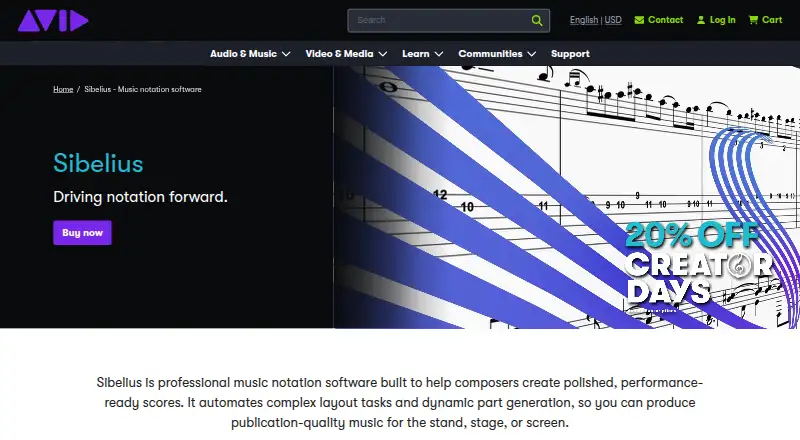
Sibelius is notation software for composers, arrangers, educators, publishers, and performers who need to create, edit, and share scores. Its feature set spans note entry, playback, engraving, instrumental parts, guitar tablature, and browser-based review. A free Sibelius First edition gives newcomers a way to start with notation, while Artist and Ultimate editions address more involved work. The mix of desktop, mobile, and web-related workflows suits writers who want score creation connected to sharing rather than confined to a notation file on one device.
The editions differ most clearly in score capacity and engraving depth. Artist supports desktop and mobile access, up to 24 staves per score, and cloud sharing for 20 scores, with limited symbols, lines, and text styles. Ultimate adds unlimited staves and cloud sharing, complete engraving features, video synchronization and timecode support, and an educational worksheet creator. Ultimate Perpetual Bundle includes the Ultimate capabilities alongside PhotoScore Ultimate and AudioScore Ultimate. The published plans also include Sibelius First as free notation software for users new to the subject. Since verified standard pricing is not established here, the practical comparison is by these feature boundaries rather than a price estimate.
Sibelius stands out for linking score production with review workflows: scores can be shared in web browsers, where collaborators can use comments, highlights, review mode, and annotations. MusicXML import, MIDI entry, import and recording, PDF and audio export, and dynamic parts cover common composition and delivery needs; VST3 and AU are also listed. This breadth makes it a fit for writers who need both notation tools and ways to circulate scores. Those whose work fits Artist's stave and sharing limits may not need Ultimate, while users needing complete engraving, unlimited capacity, or video sync should consider Ultimate. It is less suited to someone seeking only a basic, standalone notation workflow without sharing or advanced score features.
Your product? Our editors can test Sibelius in depth and publish a review, labelled as paid · from $149/mo →
Sibelius pricing
All 4 Sibelius plans and prices →
Sibelius fact sheet
| Free plan | Yes |
|---|---|
| Paid from | Not verified |
| Deployment | Both |
| MusicXML support | Yes |
| MIDI support | Yes |
| Parts extraction | Yes |
| Tablature support | Yes |
| Collaboration features | Yes |
| Deployment | Cloud, Desktop, Mobile |
| Platforms | Web, Windows, macOS, iOS, Android |
| Integrations | 6 integrations: VST3, AU, MIDI, MusicXML, PhotoScore Ultimate, AudioScore Ultimate |
| Pricing | Free plan (source) |
| Website | avid.com |
| Facts checked | 19 Sep 2026 |
Sibelius integrations
Sibelius lists 6 integrations on its own site.
- VST3
- AU
- MIDI
- MusicXML
- PhotoScore Ultimate
- AudioScore Ultimate
Alternatives to Sibelius
- DoricoA full notation and engraving workflow, with free editions and a 60-day trial.9.3
- MuseScore StudioA capable desktop notation editor with MusicXML, MIDI, parts, playback, and exports at no cost.9.1
- Fender NotionA free, cross-platform score editor with notation, tablature, playback and file exchange.9.0


See all Sibelius alternatives →
Sibelius vs the competition
- Sibelius vs Dorico
- Sibelius vs MuseScore Studio
- Sibelius vs Fender Notion
- Sibelius vs Flat
- Sibelius vs Noteflight
- Sibelius vs LilyPond


Compare Sibelius with any tool side by side →
Used Sibelius? Be the first to review it
The editor score above is our own research. What this page doesn't have yet is a reader's view — what you used Sibelius for, what worked and what didn't. No stars are seeded and no review is paid for; an editor reads every one before it appears.
Write a reviewTwo minutes · verified accounts only · read by an editor before it appears
Featured on iTechGuides

Sibelius is listed in our Music Notation Software directory. Add the badge to your site — it links back to this page.
<a href="https://www.itechguides.com/products/sibelius/"><img src="https://www.itechguides.com/best/badge/sibelius.svg" alt="Featured on iTechGuides" width="230" height="46"></a>
Reviewed by iTechGuides Editors · Editorial team · Updated Oct 2026
Advertiser disclosure: iTechGuides is reader-supported. Vendors can pay for top positions in our rankings and for a place on other products' pages, and we may earn a commission when you click some links. Bought places stand at the number bought; this page and our disclosure say so. Paying vendors may get a fuller, more detailed review from our editors, and that review can change their score. How we rank.
Last updated · How we research and update