
SquirrelDisk
SquirrelDisk: A free, visual way to scan drives and organize large files across three desktop platforms. Ranked #81 of 104 in Disk Space Analyzers by our editors (3.0/10); pricing: Free plan; best for free cross-platform visual scanning.
At a glance
- Editor score3.0 / 10
- PricingFree plan
- Best forFree cross-platform visual scanning
- Free planYes
- Paid fromFree
- Desktop platformsWindows, macOS, Linux
- Facts checked23 Sep 2026
Where it wins
- Free and open source on macOS, Windows, and Linux
- Scans internal disks, external USB drives, and selected directories
- Sunburst charts, file inspection, and deletion staging in one workflow
Where it doesn't
- No treemap view for disk-usage comparisons
- No file-type breakdown or app-size view
- No exportable reports for sharing scan results
Our verdict on SquirrelDisk
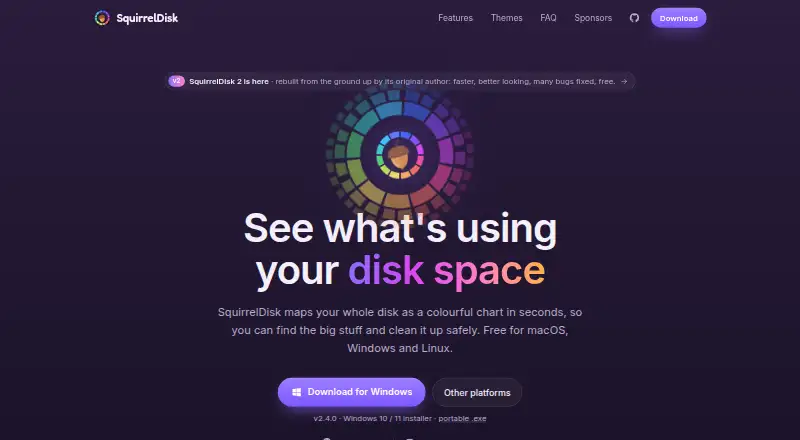
SquirrelDisk is an open-source desktop disk usage analyzer for people who need to locate large files and folders. It runs on macOS, Windows, and Linux, and supports scans of internal hard drives, external USB hard drives, selected disks, and specific directories. Its focus is visual inspection: storage usage appears in a spatial interactive chart, including a sunburst view, while a file inspector helps users navigate through folders and files.
The product’s strongest feature is the way scanning and file review connect. Users can run fast or deep directory scans, select a particular disk or directory, and see attached hard drives detected in real time. From the chart and inspector, files and folders can be opened in the system file explorer or collected by drag and drop for deletion. An automatic updater is also included. Its macOS, Windows, and Linux installers make the same core workflow available across the three listed desktop platforms, while the Rust, React, and Tauri foundation supports its desktop application format.
SquirrelDisk is a strong choice for free, cross-platform visual scanning and practical cleanup work, especially when external USB drives are part of the workflow. Its scope is narrower for users who need reporting or richer classification: the published specifications do not include treemap visualization, app-size views, file-type breakdowns, or report exports. The product is therefore better suited to inspecting storage interactively than documenting usage for later analysis. Choose SquirrelDisk for a straightforward open-source disk scanner with visual navigation; consider another disk analyzer if file-type reporting, application-size analysis, treemaps, or exportable reports are central requirements.
Your product? Our editors can test SquirrelDisk in depth and publish a review, labelled as paid · from $149/mo →
SquirrelDisk pricing
SquirrelDisk fact sheet
| Free plan | Yes |
|---|---|
| Paid from | Free |
| Desktop platforms | Windows, macOS, Linux |
| Treemap view | No |
| Application sizes | Not verified |
| File-type breakdown | Not verified |
| External drive scans | Yes |
| Exportable reports | Not verified |
| Scan scope | Files_folders |
| Deployment | Desktop |
| Platforms | Windows, macOS, Linux |
| Support | Community |
| Built for | Solo, Small business (editorial estimate) |
| Pricing | Free plan |
| Website | squirreldisk.com |
| Facts checked | 23 Sep 2026 |
Alternatives to SquirrelDisk
- TreeSizeA broad Windows analyzer with strong free features and tiered automation tools.9.3
- WinDirStatA classic Windows analyzer with treemaps, file breakdowns, duplicate detection, and CSV export.9.1
- FilelightA free, open-source disk analyzer with strong KDE integrations and ring-based visuals.9.0



See all SquirrelDisk alternatives →
Used SquirrelDisk? Be the first to review it
The editor score above is our own research. What this page doesn't have yet is a reader's view — what you used SquirrelDisk for, what worked and what didn't. No stars are seeded and no review is paid for; an editor reads every one before it appears.
Write a reviewTwo minutes · verified accounts only · read by an editor before it appears
Featured on iTechGuides

SquirrelDisk is listed in our Disk Space Analyzers directory. Add the badge to your site — it links back to this page.
<a href="https://www.itechguides.com/products/squirreldisk/"><img src="https://www.itechguides.com/best/badge/squirreldisk.svg" alt="Featured on iTechGuides" width="230" height="46"></a>
Reviewed by iTechGuides Editors · Editorial team · Updated Oct 2026
Advertiser disclosure: iTechGuides is reader-supported. Vendors can pay for top positions in our rankings and for a place on other products' pages, and we may earn a commission when you click some links. Bought places stand at the number bought; this page and our disclosure say so. Paying vendors may get a fuller, more detailed review from our editors, and that review can change their score. How we rank.
Last updated · How we research and update