SQL Pretty Printer
SQL Pretty Printer: A broad SQL formatter with 30+ dialects, desktop add-ins, and $50 one-time paid versions. Ranked #11 of 25 in SQL Linters and Formatters by our editors (7.5/10); pricing: Free plan; best for buyers needing 30+ dialects and desktop add-ins.
At a glance
- Editor score7.5 / 10
- PricingFree plan
- Best forBuyers needing 30+ dialects and desktop add-ins
- Free planYes
- Paid from$50 one-time
- Supported SQL dialects30+; SQL Server, Oracle, MySQL, PostgreSQL, Snowflake, BigQuery
- Automatic fixesYes
- Founded2002
- Facts checked20 Sep 2026
Where it wins
- Supports more than 30 database dialects
- Offers more than 80 formatting options and batch conversion
- Includes Visual Studio and SSMS add-ins
Where it doesn't
- Paid versions are sold separately at $50 each
- CI coverage is limited
- Desktop and add-in editions are Windows-focused
Our verdict on SQL Pretty Printer
SQL Pretty Printer is a SQL formatting and beautification tool from Gudu Software for developers, database teams, and organizations standardizing SQL across different database systems. Its free online formatter supports more than 30 dialects, including SQL Server, Oracle, MySQL, PostgreSQL, Snowflake, and BigQuery. The product also covers offline formatting, query dataflow visualization, database-object and XML output, and SQL-to-code conversion for Java, C#, PHP, VB, and Delphi.
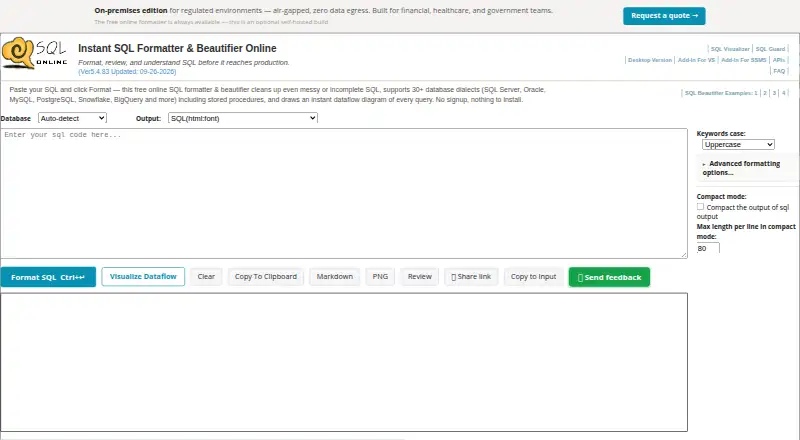
The free online formatter provides a low-commitment way to format SQL and produce plain-text, HTML, or RTF output. Paid options are structured as separate products: the Desktop Version, Visual Studio Add-In, and SSMS Add-In are each priced at $50 one-time. The Desktop Version adds offline formatting, command-line batch conversion, and more than 80 format options. The Visual Studio Add-In formats selected or all SQL, applies predefined layout rules, and supports SQL with C#/VB.NET conversion. The SSMS Add-In offers formatting inside SQL Server Management Studio, predefined layout rules, and more than 80 format options.
Platform fit is the main differentiator. SQL Pretty Printer runs online and on Windows, with integrations for Visual Studio, SQL Server Management Studio, Microsoft Query Analyzer, UltraEditor, and Notepad. That makes it a practical choice for teams working in Microsoft-oriented desktop tools or handling SQL across many dialects. Buyers seeking broad dialect support, command-line conversion, visualization, or desktop editor extensions should consider it. Teams that need deeper CI coverage or a single paid package spanning all desktop add-ins should look for a more automation-focused or consolidated alternative.
Your product? Our editors can test SQL Pretty Printer in depth and publish a review, labelled as paid · from $149/mo →
SQL Pretty Printer pricing
All 3 SQL Pretty Printer plans and prices →
SQL Pretty Printer fact sheet
| Free plan | Yes |
|---|---|
| Paid from | $50 one-time |
| Supported SQL dialects | 30+; SQL Server, Oracle, MySQL, PostgreSQL, Snowflake, BigQuery |
| Automatic fixes | Yes |
| Custom rules | Not verified |
| Editor extensions | Yes |
| CI/CD integration | Not verified |
| Configuration file | Not verified |
| Money-back guarantee | 60 days |
| Deployment | Cloud, Desktop |
| Platforms | Web, Windows |
| Support | Email, Docs |
| Built for | Solo, Small business, Mid-market (editorial estimate) |
| Integrations | 5 integrations: Microsoft Visual Studio, SQL Server Management Studio, Microsoft Query Analyzer, UltraEditor, Notepad |
| Pricing | Free plan (source) |
| Website | dpriver.com |
| Facts checked | 20 Sep 2026 |
SQL Pretty Printer integrations
SQL Pretty Printer lists 5 integrations on its own site.
- Microsoft Visual Studio
- SQL Server Management Studio
- Microsoft Query Analyzer
- UltraEditor
- Notepad
Alternatives to SQL Pretty Printer
- SQLFluffConfigurable SQL linting with autofix, templating, plugins, and CI workflows.9.4
- SqruffA focused open-source choice for dbt teams needing linting, formatting, and CI workflows.9.1
- pgFormatterA configurable, open-source formatter for PostgreSQL-focused SQL workflows.8.8

See all SQL Pretty Printer alternatives →
Used SQL Pretty Printer? Be the first to review it
The editor score above is our own research. What this page doesn't have yet is a reader's view — what you used SQL Pretty Printer for, what worked and what didn't. No stars are seeded and no review is paid for; an editor reads every one before it appears.
Write a reviewTwo minutes · verified accounts only · read by an editor before it appears
Featured on iTechGuides

SQL Pretty Printer is listed in our SQL Linters and Formatters directory. Add the badge to your site — it links back to this page.
<a href="https://www.itechguides.com/products/sql-pretty-printer/"><img src="https://www.itechguides.com/best/badge/sql-pretty-printer.svg" alt="Featured on iTechGuides" width="230" height="46"></a>
Reviewed by iTechGuides Editors · Editorial team · Updated Oct 2026
Advertiser disclosure: iTechGuides is reader-supported. Vendors can pay for top positions in our rankings and for a place on other products' pages, and we may earn a commission when you click some links. Bought places stand at the number bought; this page and our disclosure say so. Paying vendors may get a fuller, more detailed review from our editors, and that review can change their score. How we rank.
Last updated · How we research and update