SQL Formatter VSCode
SQL Formatter VSCode: A flexible open-source formatter for VS Code users working across SQL dialects. Ranked #7 of 25 in SQL Linters and Formatters by our editors (8.1/10); pricing: Open source; best for VS Code users needing highly configurable formatting.
At a glance
- Editor score8.1 / 10
- PricingOpen source
- Best forVS Code users needing highly configurable formatting
- Paid fromFree
- Supported SQL dialectsBigQuery, DB2 for LUW, DB2 for IBM i, DuckDB, Hive, MariaDB, MySQL, N1QL, PL/SQL, PostgreSQL, Amazon Redshift, SingleStoreDB, Snowflake, Spark, SQLite, Trino (Presto), Transact-SQL
- Automatic fixesYes
- Facts checked20 Sep 2026
Where it wins
- Supports a broad range of SQL dialects
- Offers detailed casing, spacing, indentation, and line-break controls
- Formats files and selections directly in VS Code
Where it doesn't
- The underlying SQL Formatter library is in maintenance mode
- Requires VS Code for its editor-based workflow
- Platform and workflow coverage is focused on the VS Code extension
Our verdict on SQL Formatter VSCode
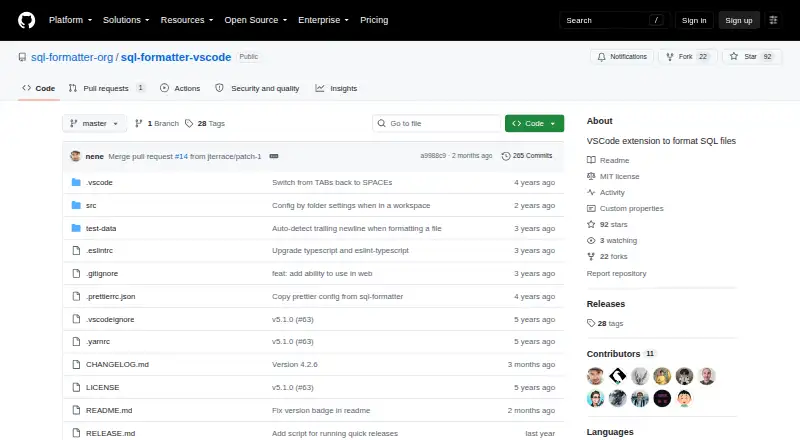
SQL Formatter VSCode is an open-source Visual Studio Code extension for formatting SQL files and selections. It is aimed at developers and data teams who work in VS Code and need formatting rules that can be adjusted to match different SQL styles. Supported dialects include BigQuery, DB2, DuckDB, Hive, MariaDB, MySQL, N1QL, PL/SQL, PostgreSQL, Amazon Redshift, SingleStoreDB, Snowflake, Spark, SQLite, Trino, and Transact-SQL. The extension can also detect a dialect through VS Code when available.
Its main strength is control over formatting behavior. Settings cover keyword, data type, function, and identifier casing, along with indentation style, tab size, spaces, logical-operator line breaks, expression width, operator spacing, semicolon placement, and parameter placeholder types. The published category specifications also identify automatic fixes, editor extensions, and configuration-file support. That combination suits teams or individuals who want consistent SQL presentation without leaving their editor. Users seeking a focused VS Code formatter with broad dialect support should find the configuration range particularly relevant.
The main consideration is scope. SQL Formatter VSCode is centered on formatting within Visual Studio Code rather than presenting a broader database development platform or multi-environment workflow. The underlying SQL Formatter library is described as being in maintenance mode, although the extension remains actively released in 2026. It is therefore a sensible choice for VS Code users who value detailed formatting preferences and open-source availability. Teams looking for wider platform coverage, a larger workflow suite, or a library with a different maintenance direction should consider alternatives in this category.
Your product? Our editors can test SQL Formatter VSCode in depth and publish a review, labelled as paid · from $149/mo →
SQL Formatter VSCode pricing
SQL Formatter VSCode fact sheet
| Free plan | Not verified |
|---|---|
| Paid from | Free |
| Supported SQL dialects | BigQuery, DB2 for LUW, DB2 for IBM i, DuckDB, Hive, MariaDB, MySQL, N1QL, PL/SQL, PostgreSQL, Amazon Redshift, SingleStoreDB, Snowflake, Spark, SQLite, Trino (Presto), Transact-SQL |
| Automatic fixes | Yes |
| Custom rules | Not verified |
| Editor extensions | Yes |
| CI/CD integration | Not verified |
| Configuration file | Yes |
| Deployment | Desktop, Browser extension |
| Support | Community, Docs |
| Built for | Solo, Small business (editorial estimate) |
| Pricing | Open source |
| Website | github.com |
| Facts checked | 20 Sep 2026 |
Alternatives to SQL Formatter VSCode
- SQLFluffConfigurable SQL linting with autofix, templating, plugins, and CI workflows.9.4
- SqruffA focused open-source choice for dbt teams needing linting, formatting, and CI workflows.9.1
- pgFormatterA configurable, open-source formatter for PostgreSQL-focused SQL workflows.8.8

See all SQL Formatter VSCode alternatives →
SQL Formatter VSCode vs the competition
- SQL Formatter VSCode vs SQLFluff
- SQL Formatter VSCode vs Sqruff
- SQL Formatter VSCode vs pgFormatter
- SQL Formatter VSCode vs SQL Enlight
- SQL Formatter VSCode vs TSQLLint
- SQL Formatter VSCode vs SQL Formatter


Compare SQL Formatter VSCode with any tool side by side →
Used SQL Formatter VSCode? Be the first to review it
The editor score above is our own research. What this page doesn't have yet is a reader's view — what you used SQL Formatter VSCode for, what worked and what didn't. No stars are seeded and no review is paid for; an editor reads every one before it appears.
Write a reviewTwo minutes · verified accounts only · read by an editor before it appears
Featured on iTechGuides

SQL Formatter VSCode is listed in our SQL Linters and Formatters directory. Add the badge to your site — it links back to this page.
<a href="https://www.itechguides.com/products/sql-formatter-vscode/"><img src="https://www.itechguides.com/best/badge/sql-formatter-vscode.svg" alt="Featured on iTechGuides" width="230" height="46"></a>
Reviewed by iTechGuides Editors · Editorial team · Updated Oct 2026
Advertiser disclosure: iTechGuides is reader-supported. Vendors can pay for top positions in our rankings and for a place on other products' pages, and we may earn a commission when you click some links. Bought places stand at the number bought; this page and our disclosure say so. Paying vendors may get a fuller, more detailed review from our editors, and that review can change their score. How we rank.
Last updated · How we research and update