
Sprite AI
Sprite AI: A focused pixel-art generator with animation, editing, exports, and API access. Ranked #13 of 26 in AI Game Asset Generators by our editors (6.6/10); pricing: Paid; best for budget pixel-art sprites with API access.
At a glance
- Editor score6.6 / 10
- PricingPaid
- Best forBudget pixel-art sprites with API access
- Free planNo
- Paid from$8/mo
- Output focus2d
- Facts checked21 Sep 2026
Where it wins
- Text-to-pixel-art generation with animation and sprite-sheet export
- API, MCP, and workflows for Unity, Godot, GameMaker, and Aseprite
- Normal maps, rotation, restyling, editing, and multiple export formats
Where it doesn't
- No 3D asset generation
- No recurring free plan
- Monthly tiers limit output by sprite or animation allowance
Our verdict on Sprite AI
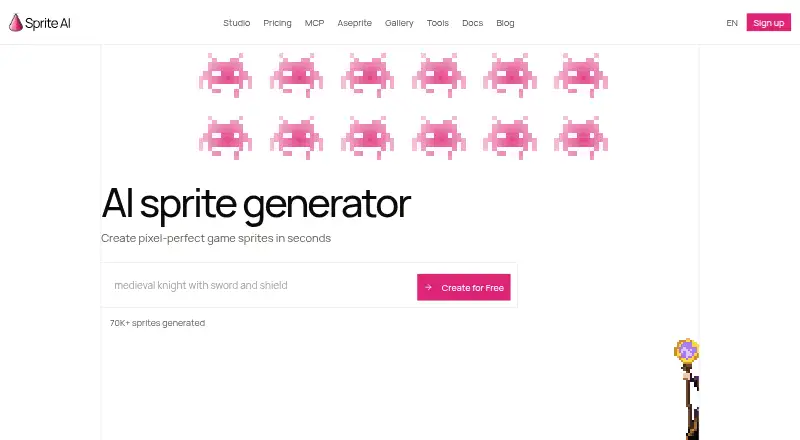
Sprite AI is a web application for generating pixel-art assets from text prompts. It is designed for indie developers, game teams, and studios creating 2D games, with support for characters, props, items, creatures, animations, and sprite sheets. Its browser-based pixel editor adds a way to refine outputs, while background removal, restyling, item combination, and eight-direction rotation cover common asset adjustments. Paid plans include a full commercial license.
Pricing is split between monthly subscriptions and one-time packs. Creator costs $8 per month for 100 sprites or 7 animations, private sprites, and a full commercial license. Studio costs $39 per month for 400 sprites or 28 animations, priority queue access, and everything in Creator. Production costs $81 per month for 900 sprites or 64 animations, the highest-priority queue, and early access to new tools. For projects that do not need a subscription, Game Jam Pack costs $10 for 100 sprites or 7 animations, Character Pack costs $18 for 200 sprites or 14 animations, Full Game Pack costs $30 for 360 sprites or 25 animations, and Studio Pack costs $60 for 760 sprites or 54 animations. Tokens in these packs never expire.
The product’s strongest fit is a pixel-art workflow that needs more than single-image generation. It can create animations, export PNG, SVG, GIF, ZIP, and sprite sheets with JSON atlases, and generate normal maps for dynamic lighting. API and MCP access support programmatic workflows, while integrations and workflows include Unity, Godot, GameMaker, Aseprite, Claude Code, and Cursor. Choose Sprite AI for budget-conscious 2D production and repeatable asset generation; choose an alternative if 3D output or texture generation is central to the project.
Your product? Our editors can test Sprite AI in depth and publish a review, labelled as paid · from $149/mo →
Sprite AI pricing
All 7 Sprite AI plans and prices →
Sprite AI fact sheet
| Free plan | No |
|---|---|
| Paid from | $8/mo |
| Output focus | 2d |
| Text-to-3D assets | No |
| Texture generation | No |
| Animation generation | Yes |
| Export formats | PNG, SVG, GIF, ZIP, sprite sheet with JSON atlas |
| Commercial use | Yes |
| Free generation limit | Not verified |
| Money-back guarantee | 14 days |
| Deployment | Cloud |
| Platforms | Web |
| Support | Community, Docs |
| Built for | Solo, Small business, Mid-market (editorial estimate) |
| Integrations | 6 integrations: Unity, Godot, GameMaker, Aseprite, Claude Code, Cursor |
| Pricing | Paid (source) |
| Website | sprite-ai.art |
| Facts checked | 21 Sep 2026 |
Sprite AI integrations
Sprite AI lists 6 integrations on its own site.
- Unity
- Godot
- GameMaker
- Aseprite
- Claude Code
- Cursor
Alternatives to Sprite AI
- MeshyA broad 3D asset generator with text, image, sketch, texturing, rigging, and API workflows.8.9
- Tripo AIA broad AI 3D pipeline for generating, refining, rigging, and exporting game assets.8.7
- KaedimA production-focused 3D generator with strong pipeline depth and a high entry price.7.8



See all Sprite AI alternatives →
Used Sprite AI? Be the first to review it
The editor score above is our own research. What this page doesn't have yet is a reader's view — what you used Sprite AI for, what worked and what didn't. No stars are seeded and no review is paid for; an editor reads every one before it appears.
Write a reviewTwo minutes · verified accounts only · read by an editor before it appears
Featured on iTechGuides

Sprite AI is listed in our AI Game Asset Generators directory. Add the badge to your site — it links back to this page.
<a href="https://www.itechguides.com/products/sprite-ai/"><img src="https://www.itechguides.com/best/badge/sprite-ai.svg" alt="Featured on iTechGuides" width="230" height="46"></a>
Reviewed by iTechGuides Editors · Editorial team · Updated Oct 2026
Advertiser disclosure: iTechGuides is reader-supported. Vendors can pay for top positions in our rankings and for a place on other products' pages, and we may earn a commission when you click some links. Bought places stand at the number bought; this page and our disclosure say so. Paying vendors may get a fuller, more detailed review from our editors, and that review can change their score. How we rank.
Last updated · How we research and update