
Spresenter
Spresenter: A capable Windows/macOS church presentation tool with layered outputs and automation. Ranked #15 of 35 in Church Presentation Software by our editors (6.5/10); pricing: Free plan · paid from $26/user/mo; best for advanced Windows/macOS production teams.
At a glance
- Editor score6.5 / 10
- PricingFree plan · paid from $26/user/mo
- Best forAdvanced Windows/macOS production teams
- Free planYes
- Lyrics displayYes
- Facts checked20 Sep 2026
Where it wins
- Free plan includes up to 3 independent layers and multiple output types
- Integrated Bible and song search with lyrics, slides, video, and overlays
- Supports OBS, vMix, OSC, NDI, Worshipwide, and projector blending
Where it doesn't
- Free plan is limited to 1 virtual output and 1 stage return
- Projector blending, timecode, NDI, VFX, and alpha channels require Pro
- Available only for Windows and macOS desktop environments
Our verdict on Spresenter
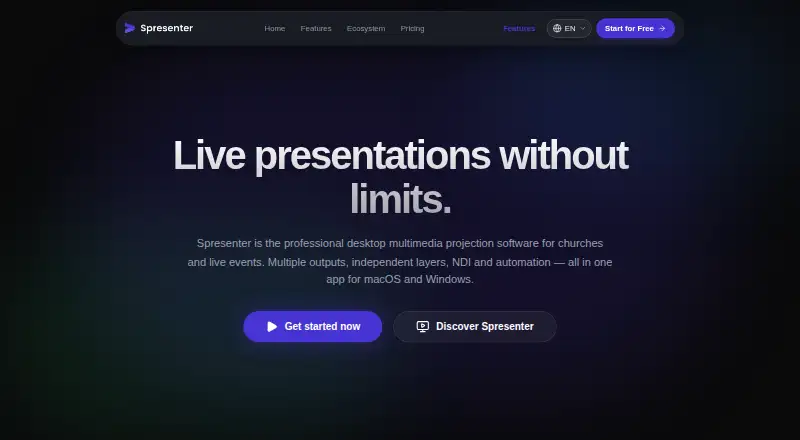
Spresenter is desktop presentation and projection software for churches and live events. It brings song lyrics, Bible search, slides, videos, backgrounds, overlays, automation, and multiple outputs into one application. Production teams can direct different content to main screens, projectors, stage returns, livestreams, and network outputs. With support for Windows and macOS, plus offline core functionality, it fits churches and event teams managing multimedia presentation from desktop workstations.
The Free plan provides up to 3 independent layers, 1 virtual output, 1 stage return, all content types, a simplified theme editor, instant full-text search, and community support. Pro costs $26 per seat per month and adds projector blending for 2 or more projectors, timecode and NDI, VFX, timeline and alpha channel features, and priority specialized support. That structure makes the free tier a useful starting point for smaller production setups, while teams with advanced projection or broadcast requirements will need the paid license.
Spresenter’s strongest differentiator is the breadth of its production workflow. Independent layers can handle lyrics, slides, videos, backgrounds, and overlays, while HTTP web broadcast output supports OBS Browser Source and vMix Web Input. OSC automation, customizable themes with variables and animations, Google Docs, NDI, and Worshipwide integration extend its fit for more involved services and live events. It is a strong choice for teams that need layered, multi-screen production on Windows or macOS. Teams seeking a simpler presentation tool, mobile support, or more than the Free plan’s output limits should consider alternatives aligned with those needs.
Spresenter pricing
All 2 Spresenter plans and prices →
Spresenter fact sheet
| Free plan | Yes |
|---|---|
| Paid from | Not verified |
| Lyrics display | Yes |
| Scripture display | Yes |
| Stage display | Yes |
| Multi-screen output | Yes |
| Media playback | Yes |
| Supported platforms | macOS, Windows |
| Output screen limit | Not verified |
| Deployment | Desktop |
| Platforms | Windows, macOS |
| Support | Email, Community |
| Built for | Small business, Mid-market, Enterprise (editorial estimate) |
| Integrations | 6 integrations: Google Docs, NDI, OSC, Worshipwide, OBS, vMix |
| Pricing | Free plan · paid from $26/user/mo (source) |
| Website | spresenter.com |
| Facts checked | 20 Sep 2026 |
Spresenter integrations
Spresenter lists 6 integrations on its own site.
- Google Docs
- NDI
- OSC
- Worshipwide
- OBS
- vMix
Alternatives to Spresenter
- Church PresenterA free, open-source choice for churches needing broad presentation and broadcast coverage.9.0
- FreeShowA broad, free church presentation tool for lyrics, Scripture, media, and live outputs.9.0
- EasyWorshipA paid church presentation suite with broad production outputs and mobile control.8.2


See all Spresenter alternatives →
Used Spresenter? Be the first to review it
The editor score above is our own research. What this page doesn't have yet is a reader's view — what you used Spresenter for, what worked and what didn't. No stars are seeded and no review is paid for; an editor reads every one before it appears.
Write a reviewTwo minutes · verified accounts only · read by an editor before it appears
Featured on iTechGuides

Spresenter is listed in our Church Presentation Software directory. Add the badge to your site — it links back to this page.
<a href="https://www.itechguides.com/products/spresenter/"><img src="https://www.itechguides.com/best/badge/spresenter.svg" alt="Featured on iTechGuides" width="230" height="46"></a>
Reviewed by iTechGuides Editors · Editorial team · Updated Sep 2026
Advertiser disclosure: iTechGuides is reader-supported. We may earn a commission when you click some links. How we rank.
Last updated · How we research and update