SmartScore
SmartScore: A focused score-recognition and notation editor with one-time pricing and exports for common music workflows. Ranked #15 of 38 in Music Notation Software by our editors (7.7/10); pricing: Paid; best for musicians digitizing and correcting printed scores.
At a glance
- Editor score7.7 / 10
- PricingPaid
- Best forMusicians digitizing and correcting printed scores
- Free planNo
- Paid from$49 one-time
- DeploymentDesktop
- Founded1991 · Ojai, California, United States
- Facts checked19 Sep 2026
Where it wins
- Recognizes printed sheet music and PDF files for notation editing
- Exports scores in MusicXML, MIDI, PDF and MP3 formats
- Supports transposition, playback, tablature and instrumental parts
Where it doesn't
- There is no permanent free plan; editions are paid one-time purchases
- Desktop versions are limited to Windows and macOS
- The demo restricts printing, saving and MusicXML conversions
Our verdict on SmartScore
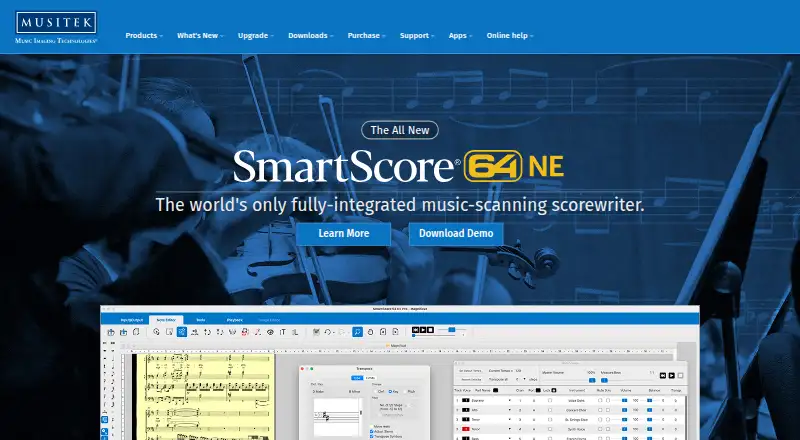
SmartScore is desktop music-scanning and notation software from Musitek for musicians, arrangers, educators, performers and church users. Its central job is turning printed scores and PDF files into editable notation, then helping users correct, arrange, play and export that material. It is a fit for people digitizing existing sheet music or preparing parts from scores, rather than for buyers seeking a general-purpose cloud music workspace. Editions are available for Windows and macOS.
Pricing is a one-time purchase, with editions aimed at different workflows. SmartScore MIDI 64 NE is $49, Piano 64 NE is $79, Guitar 64 NE is $99, Songbook 64 NE is $199 and Pro 64 NE is $399. The Professional edition supports complete arrangements and instrumental parts, while the specialized editions target their named workflows. The functional demo restricts printing, saving and MusicXML conversions, so it is not a permanent free option. Buyers should match the edition to the work they need to do before paying, especially if full arrangement and parts capabilities are important.
The workflow extends beyond recognition: SmartScore edits notation, lyrics, text and articulations; transposes by key, clef or pitch; and offers playback with mixer controls for volume, pan, mute, solo and tempo. It can extract or combine instrumental parts, recognize and edit tablature, and export to MusicXML, MIDI, PDF and MP3. Integrations include MuseScore, Dorico, Sibelius, Finale and Noteflight, giving users routes to continue work in those notation tools. Choose SmartScore if converting, correcting or repurposing scores is central to your work. Look elsewhere if you need a permanent free plan or a platform outside Windows and macOS.
Your product? Our editors can test SmartScore in depth and publish a review, labelled as paid · from $149/mo →
SmartScore pricing
All 5 SmartScore plans and prices →
SmartScore fact sheet
| Free plan | No |
|---|---|
| Paid from | $49 one-time |
| Deployment | Desktop |
| MusicXML support | Yes |
| MIDI support | Yes |
| Parts extraction | Yes |
| Tablature support | Yes |
| Collaboration features | Yes |
| Deployment | Desktop |
| Platforms | Windows, macOS |
| Integrations | 5 integrations: MuseScore, Dorico, Sibelius, Finale, Noteflight |
| Pricing | Paid (source) |
| Website | musitek.com |
| Facts checked | 19 Sep 2026 |
SmartScore integrations
SmartScore lists 5 integrations on its own site.
- MuseScore
- Dorico
- Sibelius
- Finale
- Noteflight
Alternatives to SmartScore
- DoricoA full notation and engraving workflow, with free editions and a 60-day trial.9.3
- SibeliusSibelius combines detailed score creation with browser-based sharing and review.9.2
- MuseScore StudioA capable desktop notation editor with MusicXML, MIDI, parts, playback, and exports at no cost.9.1


See all SmartScore alternatives →
Used SmartScore? Be the first to review it
The editor score above is our own research. What this page doesn't have yet is a reader's view — what you used SmartScore for, what worked and what didn't. No stars are seeded and no review is paid for; an editor reads every one before it appears.
Write a reviewTwo minutes · verified accounts only · read by an editor before it appears
Featured on iTechGuides

SmartScore is listed in our Music Notation Software directory. Add the badge to your site — it links back to this page.
<a href="https://www.itechguides.com/products/smartscore/"><img src="https://www.itechguides.com/best/badge/smartscore.svg" alt="Featured on iTechGuides" width="230" height="46"></a>
Reviewed by iTechGuides Editors · Editorial team · Updated Oct 2026
Advertiser disclosure: iTechGuides is reader-supported. Vendors can pay for top positions in our rankings and for a place on other products' pages, and we may earn a commission when you click some links. Bought places stand at the number bought; this page and our disclosure say so. Paying vendors may get a fuller, more detailed review from our editors, and that review can change their score. How we rank.
Last updated · How we research and update