
SlidesCraft
SlidesCraft: A low-cost web tool for turning documents into editable PowerPoint decks. Ranked #90 of 109 in AI Presentation Makers by our editors (3.0/10); pricing: Free plan; best for budget users making document-based slide decks.
At a glance
- Editor score3.0 / 10
- PricingFree plan
- Best forBudget users making document-based slide decks
- Free planYes
- Paid from$3 one-time
- Document-to-deck generationYes
- Facts checked22 Sep 2026
Where it wins
- Free plan includes AI generation, key-point extraction, and PowerPoint export
- Slide-by-slide generation allows focused editing of selected document content
- Charts, graphs, tables, and detailed style controls support custom layouts
Where it doesn't
- One-slide-at-a-time generation can require manual assembly for longer decks
- Web-only deployment limits the product to browser-based workflows
- Its focus on document-driven decks may not suit broader presentation needs
Our verdict on SlidesCraft
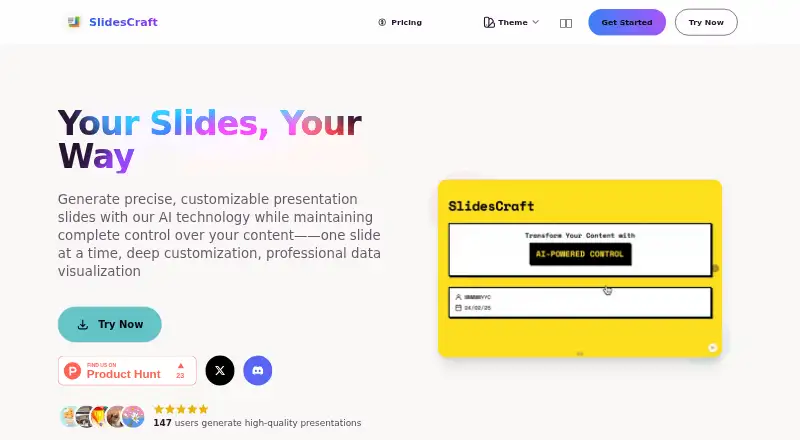
SlidesCraft is a cloud-based, web presentation maker for individuals and small teams that want to turn documents or selected content segments into presentation slides. It extracts key points, generates slides one at a time, and lets users edit text and styles online. Presentations can be delivered in the browser or exported to PowerPoint, while automatic cover and table-of-contents creation helps structure document-based decks.
The published plans show a Free tier at $0 per month and a Basic tier priced at $3 as a one-time payment. Both plans include AI slide generation, PowerPoint export, key-point extraction, style customization, and data visualization. The workflow emphasizes control after generation: users can select which document content to segment, adjust fonts, colors, spacing, and layouts, and create charts, graphs, and tables. Real-time saving supports iterative editing, and a seven-day refund period applies to the paid offer.
SlidesCraft fits a browser-first process, with cloud deployment, browser presentation, and PowerPoint output forming its main ecosystem. Support channels include email, documentation, and a community. Its strongest distinction is depth within document-to-slide conversion rather than breadth across every presentation workflow; one-slide-at-a-time generation gives precise control but can add assembly work for larger decks. Choose it when low cost, document segmentation, and editable PowerPoint output matter. Teams seeking a broader presentation environment or workflows beyond document-driven creation should consider alternatives.
Your product? Our editors can test SlidesCraft in depth and publish a review, labelled as paid · from $149/mo →
SlidesCraft pricing
All 2 SlidesCraft plans and prices →
SlidesCraft fact sheet
| Free plan | Yes |
|---|---|
| Paid from | $3 one-time |
| Prompt-to-deck generation | Not verified |
| Document-to-deck generation | Yes |
| PPTX export | Yes |
| PDF export | Not verified |
| Brand controls | Yes |
| Collaboration level | Not verified |
| Maximum slides | Not verified |
| Money-back guarantee | 7 days |
| Deployment | Cloud |
| Platforms | Web |
| Support | Email, Docs, Community |
| Built for | Solo, Small business (editorial estimate) |
| Pricing | Free plan (source) |
| Website | slidescraft.com |
| Facts checked | 22 Sep 2026 |
Alternatives to SlidesCraft
- GammaA free, collaborative AI creator with broad exports, publishing, and automation options.9.3
- PitchA flexible presentation workspace for teams that need AI, brand control, and collaboration.8.8
- OpenChartsA freemium deck builder with presenter coaching, collaboration, and flexible exports.8.7



See all SlidesCraft alternatives →
Used SlidesCraft? Be the first to review it
The editor score above is our own research. What this page doesn't have yet is a reader's view — what you used SlidesCraft for, what worked and what didn't. No stars are seeded and no review is paid for; an editor reads every one before it appears.
Write a reviewTwo minutes · verified accounts only · read by an editor before it appears
Featured on iTechGuides

SlidesCraft is listed in our AI Presentation Makers directory. Add the badge to your site — it links back to this page.
<a href="https://www.itechguides.com/products/slidescraft/"><img src="https://www.itechguides.com/best/badge/slidescraft.svg" alt="Featured on iTechGuides" width="230" height="46"></a>
Reviewed by iTechGuides Editors · Editorial team · Updated Oct 2026
Advertiser disclosure: iTechGuides is reader-supported. Vendors can pay for top positions in our rankings and for a place on other products' pages, and we may earn a commission when you click some links. Bought places stand at the number bought; this page and our disclosure say so. Paying vendors may get a fuller, more detailed review from our editors, and that review can change their score. How we rank.
Last updated · How we research and update