Slidemason
Slidemason: A developer-focused deck studio for local generation, source uploads, branding, and exports. Ranked #61 of 109 in AI Presentation Makers by our editors (3.0/10); pricing: Free plan; best for developers wanting open-source self-hosted decks.
At a glance
- Editor score3.0 / 10
- PricingFree plan
- Best forDevelopers wanting open-source self-hosted decks
- Free planYes
- Paid fromFree
- Document-to-deck generationYes
- Facts checked22 Sep 2026
Where it wins
- Generates decks from briefs and PDF, Markdown, or text source files
- Exports to both PDF and PPTX with branding controls
- Supports 36 slide primitives plus REST validation for generated decks
Where it doesn't
- Requires Node.js, pnpm, Git, and an AI coding tool
- Collaboration features are limited
- Broader integrations are limited beyond supported AI coding tools
Our verdict on Slidemason
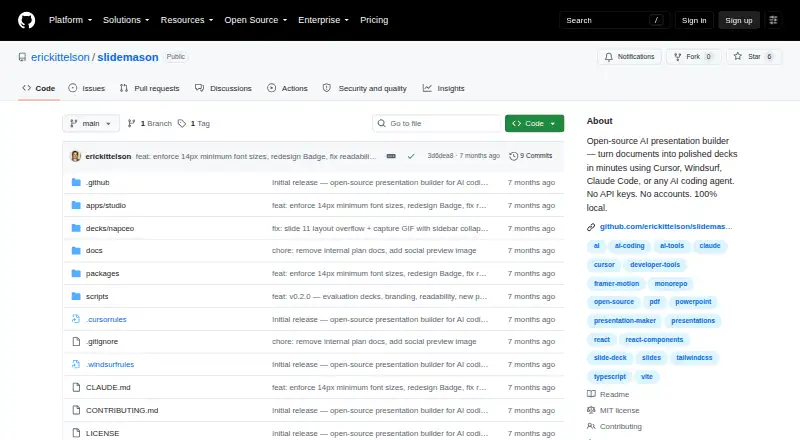
Slidemason is an open-source presentation builder for developers, technical teams, and organizations that want to create decks locally or through a self-hosted setup. Its browser-based local studio provides live preview, while AI coding tools such as Cursor, Windsurf, GitHub Copilot, and Claude Code can generate presentations from a brief and source files. Users can upload PDF, Markdown, and text documents, select themes and Google Fonts, apply logo and footer branding, and export finished decks to PDF or PPTX. It does not require a Slidemason account or API key.
The main appeal is its developer-oriented workflow rather than a broad business presentation suite. Slidemason provides 36 slide primitives covering layouts, data, animation, and interaction, giving technical users a structured foundation for building varied decks. A REST validation endpoint adds a useful quality-control step for generated presentations, particularly when decks are produced as part of an automated or code-based workflow. The API platform, local deployment model, and compatibility with several AI coding tools make it a natural fit for solo developers and small or mid-market teams that prefer control over their working environment.
Setup is more involved than a typical hosted presentation app. The published requirements include Node.js, pnpm, Git, and an AI coding tool, and AI-agent or infrastructure costs may apply through third-party tools. Support is centered on documentation and community, while collaboration and broader integrations are limited. Choose Slidemason when self-hosting, source-driven generation, branding, and developer workflows matter more than a turnkey collaborative editor. Teams seeking extensive integrations or richer collaboration should consider an alternative with those priorities.
Your product? Our editors can test Slidemason in depth and publish a review, labelled as paid · from $149/mo →
Slidemason pricing
Slidemason fact sheet
| Free plan | Yes |
|---|---|
| Paid from | Free |
| Prompt-to-deck generation | Yes |
| Document-to-deck generation | Yes |
| PPTX export | Yes |
| PDF export | Yes |
| Brand controls | Yes |
| Collaboration level | Not verified |
| Maximum slides | Not verified |
| Deployment | Self-hosted, Desktop |
| Platforms | Web |
| Support | Docs, Community |
| Built for | Solo, Small business, Mid-market (editorial estimate) |
| Integrations | 4 integrations: Cursor, Windsurf, GitHub Copilot, Claude Code |
| Pricing | Free plan |
| Website | github.com |
| Facts checked | 22 Sep 2026 |
Slidemason integrations
Slidemason lists 4 integrations on its own site.
- Cursor
- Windsurf
- GitHub Copilot
- Claude Code
Alternatives to Slidemason
- GammaA free, collaborative AI creator with broad exports, publishing, and automation options.9.3
- PitchA flexible presentation workspace for teams that need AI, brand control, and collaboration.8.8
- OpenChartsA freemium deck builder with presenter coaching, collaboration, and flexible exports.8.7



See all Slidemason alternatives →
Used Slidemason? Be the first to review it
The editor score above is our own research. What this page doesn't have yet is a reader's view — what you used Slidemason for, what worked and what didn't. No stars are seeded and no review is paid for; an editor reads every one before it appears.
Write a reviewTwo minutes · verified accounts only · read by an editor before it appears
Featured on iTechGuides

Slidemason is listed in our AI Presentation Makers directory. Add the badge to your site — it links back to this page.
<a href="https://www.itechguides.com/products/slidemason/"><img src="https://www.itechguides.com/best/badge/slidemason.svg" alt="Featured on iTechGuides" width="230" height="46"></a>
Reviewed by iTechGuides Editors · Editorial team · Updated Oct 2026
Advertiser disclosure: iTechGuides is reader-supported. Vendors can pay for top positions in our rankings and for a place on other products' pages, and we may earn a commission when you click some links. Bought places stand at the number bought; this page and our disclosure say so. Paying vendors may get a fuller, more detailed review from our editors, and that review can change their score. How we rank.
Last updated · How we research and update