Slidebook
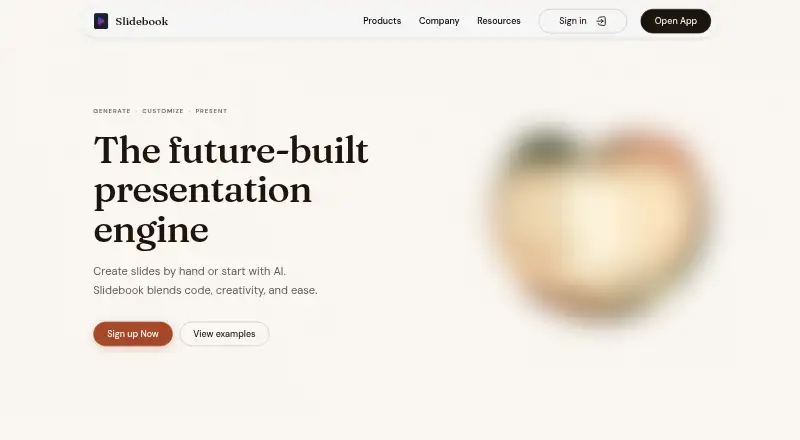
Slidebook: A flexible AI deck maker for people who want to edit and present in code or a browser. Ranked #51 of 109 in AI Presentation Makers by our editors (3.9/10); pricing: Free plan; best for technical users creating and hosting customizable decks.
At a glance
- Editor score3.9 / 10
- PricingFree plan
- Best forTechnical users creating and hosting customizable decks
- Free planYes
- Facts checked24 Sep 2026
Where it wins
- Generate single slides, multiple slides, or full decks from prompts
- Edit text, visuals, layouts, and code in the browser editor
- Export to code, PDF, images, or PPTX; self-host deployments
Where it doesn't
- The workflow may be more technical than a presentation-only editor
- Cloud projects are marked “Soon” on paid plans
- Pro and Premium are marked “Coming Soon”
Our verdict on Slidebook
Slidebook combines an AI presentation generator with an open-source React presentation toolkit. It is aimed at engineers, creators, educators, startups, and teams who want to generate slides from prompts and then shape them in a browser editor or through code. Users can request a single slide, multiple slides, or a complete deck, then modify text, visuals, layouts, and code. The mix of visual editing and React/Next.js authoring makes it more suitable for technical users than for someone seeking only a conventional slide editor.
The tool’s presentation workflow goes beyond generating and exporting a deck. Brand colors, fonts, and style controls support customized themes, while real-time synchronization keeps presentations in sync across devices. Host view includes next-slide preview, speaker notes, and navigation; QR sharing and remote presentation control support presenting to an audience. Exports include open-source code, PDF, images, and PPTX, and deployments can be cloud-based or self-hosted. These options make Slidebook a fit for users who want control over both the deck’s appearance and how it is hosted or presented.
Plans are organized around monthly tokens and parallel threads: Seed includes 20 tokens and 1 parallel thread; Assist has 50 tokens and 4 threads; Pro has 120 tokens and 8 threads; Premium has 300 tokens and 12 threads. Each lists support. Assist also lists 2 cloud projects, Pro 5, and Premium 10, all marked “Soon.” Assist is shown as free under an offer, while Pro and Premium are marked “Coming Soon.” Slidebook is a sensible choice for technical users who value editable code, self-hosting, and presenter controls. Those who want integrations or a proven presence in the category should consider alternatives; integrations are absent from the listed feature set, and presence is unproven.
Your product? Our editors can test Slidebook in depth and publish a review, labelled as paid · from $149/mo →
Slidebook pricing
All 4 Slidebook plans and prices →
Slidebook fact sheet
| Free plan | Yes |
|---|---|
| Paid from | Not verified |
| Prompt-to-deck generation | Yes |
| Document-to-deck generation | Not verified |
| PPTX export | Yes |
| PDF export | Yes |
| Brand controls | Yes |
| Collaboration level | Realtime |
| Maximum slides | Not verified |
| Deployment | Cloud, Self-hosted |
| Platforms | Web |
| Built for | Solo, Small business, Mid-market (editorial estimate) |
| Pricing | Free plan (source) |
| Website | slidebook.dev |
| Facts checked | 24 Sep 2026 |
Alternatives to Slidebook
- GammaA free, collaborative AI creator with broad exports, publishing, and automation options.9.3
- PitchA flexible presentation workspace for teams that need AI, brand control, and collaboration.8.8
- OpenChartsA freemium deck builder with presenter coaching, collaboration, and flexible exports.8.7



See all Slidebook alternatives →
Used Slidebook? Be the first to review it
The editor score above is our own research. What this page doesn't have yet is a reader's view — what you used Slidebook for, what worked and what didn't. No stars are seeded and no review is paid for; an editor reads every one before it appears.
Write a reviewTwo minutes · verified accounts only · read by an editor before it appears
Featured on iTechGuides

Slidebook is listed in our AI Presentation Makers directory. Add the badge to your site — it links back to this page.
<a href="https://www.itechguides.com/products/slidebook/"><img src="https://www.itechguides.com/best/badge/slidebook.svg" alt="Featured on iTechGuides" width="230" height="46"></a>
Reviewed by iTechGuides Editors · Editorial team · Updated Oct 2026
Advertiser disclosure: iTechGuides is reader-supported. Vendors can pay for top positions in our rankings and for a place on other products' pages, and we may earn a commission when you click some links. Bought places stand at the number bought; this page and our disclosure say so. Paying vendors may get a fuller, more detailed review from our editors, and that review can change their score. How we rank.
Last updated · How we research and update