
Simple DNS Plus
Simple DNS Plus: A low-cost Windows DNS server with broad administration and security features. Ranked #6 of 25 in DNS Management Software by our editors (8.5/10); pricing: 14-day trial; best for windows teams managing multiple DNS zones.
At a glance
- Editor score8.5 / 10
- Pricing14-day trial
- Best forWindows teams managing multiple DNS zones
- Free planNo
- Paid from$69/unit one-time
- DNSSEC managementYes
- Facts checked20 Sep 2026
Where it wins
- Authoritative and recursive DNS with caching in one server
- DNSSEC, encrypted DNS, GeoDNS, logging and version control
- REST/JSON API, remote management and Windows Server Core support
Where it doesn't
- Windows-only platform coverage
- No free plan; evaluation is limited to 14 days
- Perpetual licenses include one year of free upgrade protection
Our verdict on Simple DNS Plus
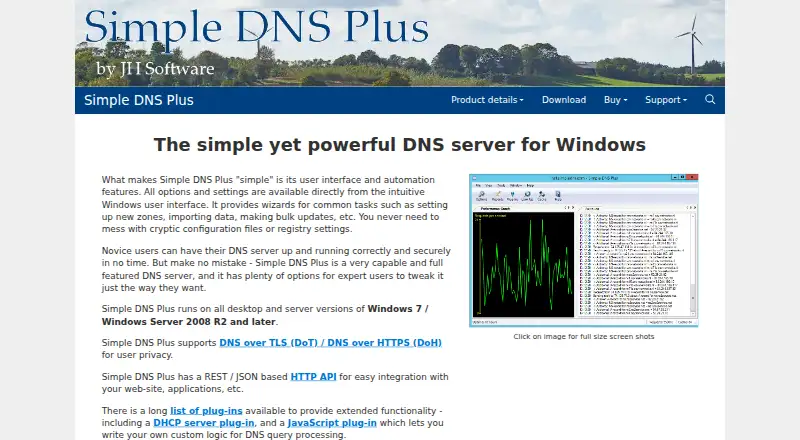
Simple DNS Plus is a self-hosted authoritative and recursive DNS server for Windows. It is designed for administrators who need to host domains, manage zones and records, run primary or secondary DNS servers, or resolve and cache external domains. A Windows interface, remote management, and support for Windows Server Core suit teams managing DNS from Windows environments. The product is positioned for deployments ranging from a few domains to more than 100,000 domains.
Pricing is based on perpetual licenses rather than monthly subscriptions. The 5-zone license costs $79 for a single license or $69 per license with 2 or more licenses. The 25-zone options cost $129 or $99 per license, respectively; 100-zone options cost $189 or $149; and 1000-zone options cost $269 or $219. Each plan includes one year of free upgrade protection. A 14-day evaluation is available, but there is no free plan. The tier structure gives smaller teams a low entry price while providing higher zone limits for larger DNS environments.
Its strongest area is the breadth of DNS administration included in one Windows product. DNSSEC provides signing, key management, automatic re-signing, and key rollover. Zone version control adds comparison, export, and restore, while DNS over TLS and DNS over HTTPS address encrypted DNS requirements. Administrators can use primary, secondary, or automated super-slave operation, plus round-robin, weighted round-robin, and GeoDNS plug-ins. The REST/JSON HTTP API, Swagger/OpenAPI, CORS, Syslog, zone transfers, and plug-ins extend its integration options. Choose Simple DNS Plus if Windows compatibility and a broad self-hosted feature set matter more than cross-platform coverage. Teams requiring a non-Windows deployment should choose an alternative.
Your product? Our editors can test Simple DNS Plus in depth and publish a review, labelled as paid · from $149/mo →
Simple DNS Plus pricing
All 10 Simple DNS Plus plans and prices →
Simple DNS Plus fact sheet
| Free plan | No |
|---|---|
| Paid from | $69/unit one-time |
| Authoritative zones | 5 zones |
| Records per zone | Not verified |
| DNSSEC management | Yes |
| DNS management API | Yes |
| Role-based access | Not verified |
| Audit logs | Not verified |
| Traffic steering | Yes |
| Free trial | 14 days |
| Deployment | Self-hosted, Desktop |
| Platforms | Windows |
| Support | Email, Docs, Community |
| Built for | Small business, Mid-market, Enterprise (editorial estimate) |
| Integrations | 6 integrations: REST/JSON HTTP API, Swagger/OpenAPI, CORS, Syslog, DNS zone transfers, Plug-ins |
| Pricing | 14-day trial (source) |
| Website | simpledns.plus |
| Facts checked | 20 Sep 2026 |
Simple DNS Plus integrations
Simple DNS Plus lists 6 integrations on its own site.
- REST/JSON HTTP API
- Swagger/OpenAPI
- CORS
- Syslog
- DNS zone transfers
- Plug-ins
Alternatives to Simple DNS Plus
- BlueCat MicetroA governance-focused choice for hybrid and multicloud DNS operations.9.4
- PowerDNS-AdminA free, open-source PowerDNS console with access controls, DNSSEC, logs, and SSO.8.9
- PoweradminA governance-focused open-source interface for teams running their own PowerDNS infrastructure.8.8

See all Simple DNS Plus alternatives →
Simple DNS Plus vs the competition
- Simple DNS Plus vs BlueCat Micetro
- Simple DNS Plus vs PowerDNS-Admin
- Simple DNS Plus vs Poweradmin
- Simple DNS Plus vs IBM NS1 Connect
- Simple DNS Plus vs PowerDNS-AuthAdmin
- Simple DNS Plus vs DNSmanager



Compare Simple DNS Plus with any tool side by side →
Also Ranked In
Simple DNS Plus is ranked in 2 of our directories.
Used Simple DNS Plus? Be the first to review it
The editor score above is our own research. What this page doesn't have yet is a reader's view — what you used Simple DNS Plus for, what worked and what didn't. No stars are seeded and no review is paid for; an editor reads every one before it appears.
Write a reviewTwo minutes · verified accounts only · read by an editor before it appears
Featured on iTechGuides

Simple DNS Plus is listed in our DNS Management Software directory. Add the badge to your site — it links back to this page.
<a href="https://www.itechguides.com/products/simple-dns-plus/"><img src="https://www.itechguides.com/best/badge/simple-dns-plus.svg" alt="Featured on iTechGuides" width="230" height="46"></a>
Reviewed by iTechGuides Editors · Editorial team · Updated Oct 2026
Advertiser disclosure: iTechGuides is reader-supported. Vendors can pay for top positions in our rankings and for a place on other products' pages, and we may earn a commission when you click some links. Bought places stand at the number bought; this page and our disclosure say so. Paying vendors may get a fuller, more detailed review from our editors, and that review can change their score. How we rank.
Last updated · How we research and update