
Sharebox
Sharebox: A Gmail-centered shared inbox for assignment and status tracking, with a free plan. Ranked #29 of 30 in Shared Inbox Software by our editors (5.0/10); pricing: Free plan · paid from $79/mo; best for basic Gmail assignment and status tracking.
At a glance
- Editor score5.0 / 10
- PricingFree plan · paid from $79/mo
- Best forBasic Gmail assignment and status tracking
- Free planYes
- Facts checked19 Sep 2026
Where it wins
- Assign emails and track statuses from a Chrome sidebar in Gmail
- Free plan includes up to 2 shared inboxes and unlimited team members
- Pro adds unlimited shared inboxes and custom statuses
Where it doesn't
- Works with Gmail rather than multiple mail platforms
- Pro costs $79 per month
- No mobile apps
Our verdict on Sharebox
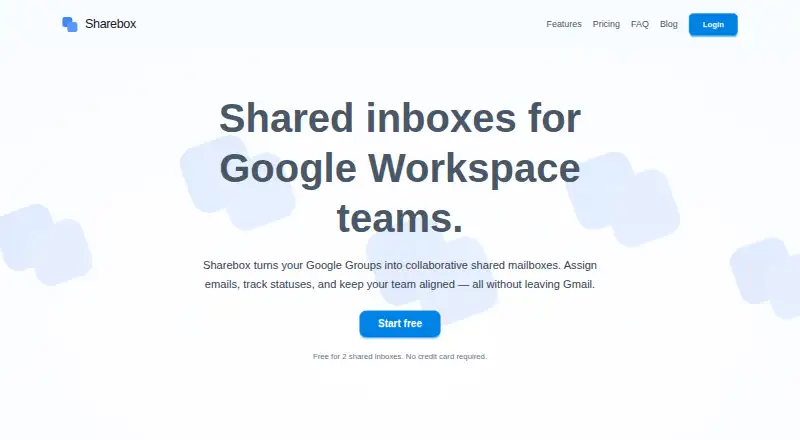
Sharebox turns Google Groups into shared mailboxes managed inside Gmail, where teams can assign incoming emails and track their status. It is aimed at Google Workspace organisations coordinating addresses such as support@, sales@, HR@, or billing@. The Chrome extension sidebar brings the workflow into Gmail, while assignment and state data is stored centrally rather than in Gmail labels or filters. For teams whose shared-mailbox work is primarily about ownership and queue progress, that is a focused fit.
The Free plan costs $0 and includes up to 2 shared inboxes, unlimited team members, email assignment and status tracking, and the Chrome extension sidebar. Pro is $79 per month, billed monthly, and adds unlimited shared inboxes, custom statuses, and priority support. The paid price is a flat subscription, not a per-user charge. Custom statuses with colors let teams represent workflow states beyond basic tracking, while the free plan covers teams that can work within its inbox limit.
The product’s ecosystem is deliberately narrow: it supports Gmail through Google Workspace and Google Groups, with web, Chrome extension, and API platforms. Teams using another mail platform or needing mobile apps should look elsewhere. Sharebox’s core case is coordinating Google Groups mail in Gmail; it should suit teams prioritising assignment, statuses, and a visible queue over broader cross-platform coverage. Choose Pro when unlimited shared inboxes and custom statuses justify the monthly subscription; choose Free for a smaller setup that fits within 2 inboxes.
Sharebox pricing
All 2 Sharebox plans and prices →
Sharebox fact sheet
| Free plan | Yes |
|---|---|
| Paid from | Not verified |
| Shared mailboxes | Not verified |
| Internal comments | Not verified |
| Collision detection | Not verified |
| Assignment automation | Not verified |
| Mail platforms | Gmail |
| Mobile apps | No |
| Deployment | Cloud, Browser extension |
| Platforms | Web, Chrome extension |
| Integrations | 3 integrations: Google Workspace, Gmail, Google Groups |
| Pricing | Free plan · paid from $79/mo (source) |
| Website | getsharebox.io |
| Facts checked | 19 Sep 2026 |
Sharebox integrations
Sharebox lists 3 integrations on its own site.
- Google Workspace
- Gmail
- Google Groups
Alternatives to Sharebox
- FrontA full-service support workspace with shared inboxes, ticketing, and omnichannel tools.9.0
- HiverHiver combines collaborative email, ticketing and helpdesk features, with a free plan and paid tiers.8.4
- Help ScoutA free-to-paid support platform with strong collaboration, automation, and help-center depth.7.9



See all Sharebox alternatives →
Also listed in
Used Sharebox? Be the first to review it
The editor score above is our own research. What this page doesn't have yet is a reader's view — what you used Sharebox for, what worked and what didn't. No stars are seeded and no review is paid for; an editor reads every one before it appears.
Write a reviewTwo minutes · verified accounts only · read by an editor before it appears
Featured on iTechGuides

Sharebox is listed in our Shared Inbox Software directory. Add the badge to your site — it links back to this page.
<a href="https://www.itechguides.com/products/sharebox/"><img src="https://www.itechguides.com/best/badge/sharebox.svg" alt="Featured on iTechGuides" width="230" height="46"></a>
Guides on shared inbox software
Reviewed by iTechGuides Editors · Editorial team · Updated Sep 2026
Advertiser disclosure: iTechGuides is reader-supported. We may earn a commission when you click some links. How we rank.
Last updated · How we research and update