sFlowTrend
sFlowTrend: Free sFlow monitoring with real-time visibility for up to five switches or hosts. Ranked #13 of 33 in Bandwidth Monitoring Software by our editors (7.7/10); pricing: Free plan; best for free sFlow monitoring for small deployments.
At a glance
- Editor score7.7 / 10
- PricingFree plan
- Best forFree sFlow monitoring for small deployments
- Free planYes
- Paid fromFree
- Application monitoringYes
- Founded1999 · San Francisco, California, United States
- Facts checked21 Sep 2026
Where it wins
- Real-time views of top bandwidth users and applications
- Monitors physical and virtual server performance
- Supports SNMP v2c/v3, alerts, and traffic trend reporting
Where it doesn't
- Monitors up to five switches or hosts
- Keeps only one hour of data in memory
- Focused on sFlow-enabled network environments
Our verdict on sFlowTrend
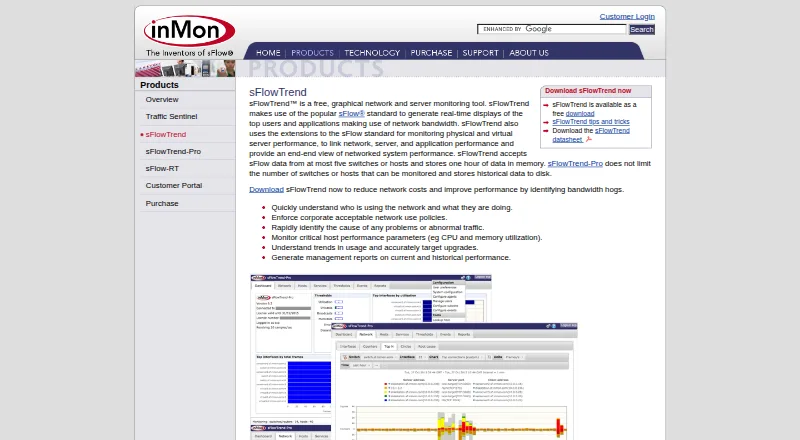
sFlowTrend is a free graphical network and server monitoring tool for small deployments using sFlow-enabled switches or hosts. It shows real-time bandwidth usage by users and applications, monitors physical and virtual server performance, and provides browser-based access through a continuously running server. Windows and Linux distributions are available, along with a Docker image, making it suitable for teams that want a self-hosted monitoring setup without a subscription cost.
Its core strength is focused visibility into current network activity. The product can identify top bandwidth users and applications, monitor up to five sFlow-enabled switches or hosts, analyze traffic trends, and produce historical reports. Thresholds and alerts help identify abnormal traffic conditions, while SNMP v2c and SNMP v3 communication adds switch monitoring alongside sFlow data. This combination fits administrators who need practical bandwidth and server signals rather than a broad network management suite.
The main trade-off is scale and retention. The free edition supports only five monitored switches or hosts and keeps one hour of data in memory, which limits longer-term analysis and larger environments. Its reliance on sFlow also makes it a narrower choice than tools designed around wider protocol coverage or bigger infrastructures. Choose sFlowTrend for a small, self-hosted deployment that needs real-time top-user, application, server, and alerting views at no cost. Larger networks or teams requiring extended history should consider a more scalable alternative.
Your product? Our editors can test sFlowTrend in depth and publish a review, labelled as paid · from $149/mo →
sFlowTrend pricing
All 1 sFlowTrend plans and prices →
sFlowTrend fact sheet
| Free plan | Yes |
|---|---|
| Paid from | Free |
| Application monitoring | Yes |
| User monitoring | Yes |
| Flow protocol support | Sflow |
| SNMP monitoring | Yes |
| Monitored device limit | Not verified |
| Historical data retention | Not verified |
| Bandwidth alerts | Yes |
| Deployment | Self-hosted, Desktop, Browser extension |
| Platforms | Web, Windows, Linux |
| Support | Email, Community, Docs |
| Built for | Small business (editorial estimate) |
| Pricing | Free plan (source) |
| Website | inmon.com |
| Facts checked | 21 Sep 2026 |
Alternatives to sFlowTrend
- ntopngA broad self-hosted toolkit for real-time, historical, and infrastructure visibility.9.4
- ManageEngine NetFlow AnalyzerA broad flow-monitoring suite for enterprise networks, with free and scalable paid editions.9.2
- Progress FlowmonA broad hybrid monitoring platform for teams needing flow, topology, performance and security analysis.9.0



See all sFlowTrend alternatives →
Used sFlowTrend? Be the first to review it
The editor score above is our own research. What this page doesn't have yet is a reader's view — what you used sFlowTrend for, what worked and what didn't. No stars are seeded and no review is paid for; an editor reads every one before it appears.
Write a reviewTwo minutes · verified accounts only · read by an editor before it appears
Featured on iTechGuides

sFlowTrend is listed in our Bandwidth Monitoring Software directory. Add the badge to your site — it links back to this page.
<a href="https://www.itechguides.com/products/sflowtrend/"><img src="https://www.itechguides.com/best/badge/sflowtrend.svg" alt="Featured on iTechGuides" width="230" height="46"></a>
Reviewed by iTechGuides Editors · Editorial team · Updated Oct 2026
Advertiser disclosure: iTechGuides is reader-supported. Vendors can pay for top positions in our rankings and for a place on other products' pages, and we may earn a commission when you click some links. Bought places stand at the number bought; this page and our disclosure say so. Paying vendors may get a fuller, more detailed review from our editors, and that review can change their score. How we rank.
Last updated · How we research and update