Serva
Serva: A Windows PXE toolkit for mixed-OS deployment, with Pro features capped at 50 clients. Ranked #20 of 29 in OS Deployment Software by our editors (7.2/10); pricing: Free plan; best for windows administrators needing broad PXE support.
At a glance
- Editor score7.2 / 10
- PricingFree plan
- Best forWindows administrators needing broad PXE support
- Free planYes
- Paid from$92/yr
- Bare-metal deploymentYes
- Facts checked20 Sep 2026
Where it wins
- Supports BIOS, UEFI and ARM UEFI targets
- Combines PXE, DHCP, proxyDHCP and multiple delivery protocols
- Adds image deployment, driver injection and unattended installation
Where it doesn't
- Professional deployment is limited to 50 PXE clients
- Community is restricted to personal, non-commercial use
- The application runs on Windows
Our verdict on Serva
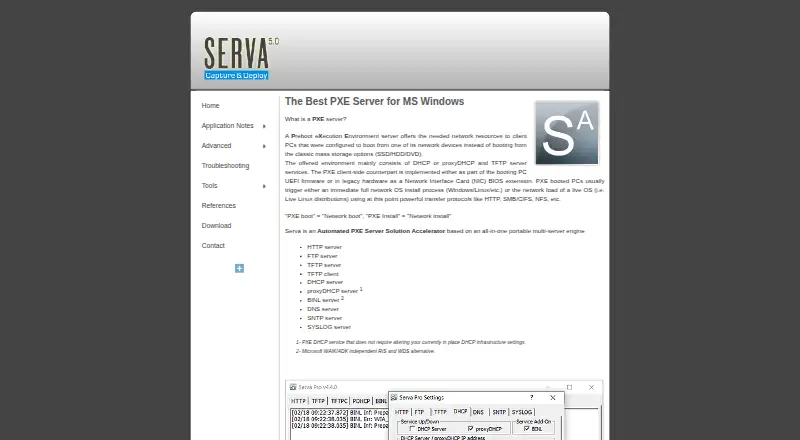
Serva is a portable Windows application for PXE network booting and operating-system installation. It is aimed at Windows administrators who need to deliver Windows and non-Windows assets across BIOS, UEFI and ARM UEFI targets. The product bundles DHCP, proxyDHCP, HTTP, FTP, TFTP, BINL, DNS, SNTP and SYSLOG services, giving it a broad network-deployment scope. Its feature set covers PXE installation, Windows PE booting, image capture and deployment, OEM driver injection, and multi-repository PXE integration.
Pricing separates personal use from commercial deployment. The Community edition is free for personal, non-commercial use and supports Windows and non-Windows boot and installation. The Professional edition costs $92 per year, according to the vendor's pricing information, and adds commercial use, unattended Microsoft OS installation, Windows PE booting and Task Sequence Manager. Professional deployment supports up to 50 PXE clients, so the plan fits defined deployment environments rather than unrestricted device fleets.
Serva also fits teams working alongside established Microsoft and imaging tools: its listed integrations include Microsoft WDS, Microsoft MDT, Microsoft SCCM, Symantec Ghost and Acronis. That makes it relevant where PXE delivery needs to complement existing deployment processes. The main trade-off is scope: it is a Windows application, and the Professional client limit may constrain larger rollouts. Choose Serva for network-based, multi-OS deployment with unattended installation and driver handling; consider another option when commercial deployments require more than 50 PXE clients.
Your product? Our editors can test Serva in depth and publish a review, labelled as paid · from $149/mo →
Serva pricing
All 2 Serva plans and prices →
Serva fact sheet
| Free plan | Yes |
|---|---|
| Paid from | $92/yr |
| Bare-metal deployment | Yes |
| Operating-system support | Multi_os |
| Deployment methods | Network |
| Multicast deployment | Not verified |
| Unattended deployment | Yes |
| Driver injection | Yes |
| Deployment limit | 50 devices |
| Deployment | Cloud, Desktop |
| Platforms | Windows |
| Support | Email, Docs |
| Built for | Small business, Mid-market, Enterprise (editorial estimate) |
| Integrations | 5 integrations: Microsoft WDS, Microsoft MDT, Microsoft SCCM, Symantec Ghost, Acronis |
| Pricing | Free plan (source) |
| Website | vercot.com |
| Facts checked | 20 Sep 2026 |
Serva integrations
Serva lists 5 integrations on its own site.
- Microsoft WDS
- Microsoft MDT
- Microsoft SCCM
- Symantec Ghost
- Acronis
Alternatives to Serva
- ManageEngine OS DeployerA broad Windows deployment toolkit with free coverage and LAN-to-WAN paid tiers.9.1
- KACE Systems Deployment ApplianceA centralized appliance for multi-site OS imaging, provisioning, migration, and recovery.9.0
- Acronis Snap DeployA deep imaging toolkit for centralized, unattended, and hardware-flexible Windows deployment.8.9


Also Ranked In
Serva is ranked in 2 of our directories.
Used Serva? Be the first to review it
The editor score above is our own research. What this page doesn't have yet is a reader's view — what you used Serva for, what worked and what didn't. No stars are seeded and no review is paid for; an editor reads every one before it appears.
Write a reviewTwo minutes · verified accounts only · read by an editor before it appears
Featured on iTechGuides

Serva is listed in our OS Deployment Software directory. Add the badge to your site — it links back to this page.
<a href="https://www.itechguides.com/products/serva/"><img src="https://www.itechguides.com/best/badge/serva.svg" alt="Featured on iTechGuides" width="230" height="46"></a>
Reviewed by iTechGuides Editors · Editorial team · Updated Oct 2026
Advertiser disclosure: iTechGuides is reader-supported. Vendors can pay for top positions in our rankings and for a place on other products' pages, and we may earn a commission when you click some links. Bought places stand at the number bought; this page and our disclosure say so. Paying vendors may get a fuller, more detailed review from our editors, and that review can change their score. How we rank.
Last updated · How we research and update