SelectPdf
SelectPdf: A focused HTML-to-PDF API with asynchronous jobs and self-hosted .NET deployment. Ranked #24 of 29 in Screenshot APIs by our editors (5.4/10); pricing: From $19/mo · 7-day trial; best for self-hosted URL-to-PDF conversion.
At a glance
- Editor score5.4 / 10
- PricingFrom $19/mo · 7-day trial
- Best forSelf-hosted URL-to-PDF conversion
- Free planNo
- Paid from$19/mo
- PDF outputYes
- Facts checked29 Sep 2026
Where it wins
- Accepts webpage URLs or raw HTML for PDF generation
- Controls page layout, headers, footers, numbering, and bookmarks
- Supports asynchronous jobs, merging, text search, and element coordinates
Where it doesn't
- Focused on PDF conversion rather than dedicated screenshot capture
- API concurrency is capped by plan at 2, 4, or 8 requests
- The self-hosted .NET library is licensed separately from API subscriptions
Our verdict on SelectPdf
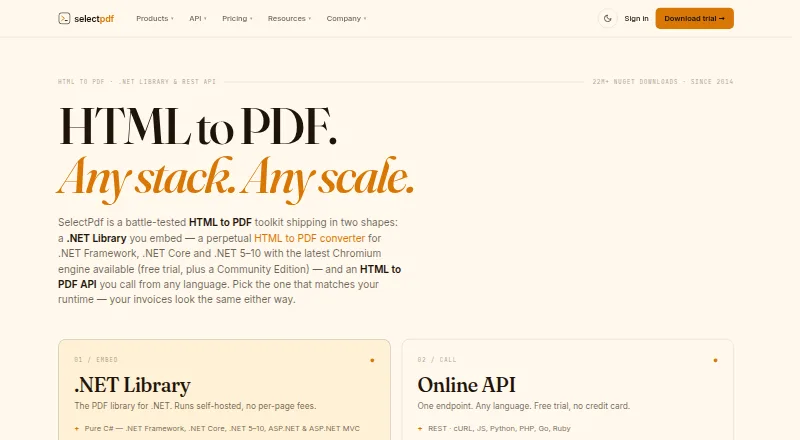
SelectPdf is an HTML-to-PDF toolkit for developers who need to turn webpages or raw HTML into PDF documents. Its hosted REST API accepts requests from any language, while a self-hosted .NET library supports deployment within a .NET environment. The product fits teams building document-generation workflows, reports, invoices, or archival outputs from web content. It runs through web, API, cloud, or self-hosted deployment options, with no AI features or open-source distribution described.
API pricing is organized by conversion allowance and concurrency. Entry Level costs $19 per month or $190 per year for 2,000 conversions monthly and 2 concurrent requests. Standard Level costs $29 per month or $290 per year for 5,000 conversions and 4 concurrent requests. Advanced Level costs $59 per month or $590 per year for 20,000 conversions and 8 concurrent requests. Premium Level costs $119 per month or $1,190 per year for 50,000 conversions and 8 concurrent requests. Each listed API tier includes the hosted HTML-to-PDF REST API, and a seven-day trial is available.
SelectPdf’s strongest differentiator is control over the generated document: callers can set page size, orientation, margins, headers, footers, page numbering, and bookmarks based on HTML selectors. Additional endpoints merge PDFs, extract or search text, return coordinates for selected HTML elements, and support asynchronous conversion with result polling. Choose it when PDF production and deployment control matter more than visual screenshot capture. Teams seeking a dedicated screenshot API should consider a product centered on image capture instead, while API users should match expected volume and concurrency to the published tier limits.
SelectPdf pricing
All 6 SelectPdf plans and prices →
SelectPdf fact sheet
| Free plan | No |
|---|---|
| Paid from | $19/mo |
| HTML input | Yes |
| PDF output | Yes |
| Full-page capture | Not verified |
| Custom viewport | Not verified |
| Wait conditions | Not verified |
| Geo-location | Not verified |
| Free trial | 7 days · no card needed |
| Deployment | Cloud, Self-hosted |
| Platforms | Web |
| Support | |
| Built for | Small business, Mid-market, Enterprise (editorial estimate) |
| Pricing | From $19/mo · 7-day trial (source) |
| Website | selectpdf.com |
| Facts checked | 29 Sep 2026 |
Alternatives to SelectPdf
- UrlboxA configurable rendering API with full-page capture, varied outputs, and storage integrations.9.0
- ScrapingBeeA broad scraping API that adds screenshots to browser rendering and extraction tools.8.0
- AddScreenshotsBroad screenshot automation and delivery options with a free starting tier.7.9


See all SelectPdf alternatives →
Used SelectPdf? Be the first to review it
The editor score above is our own research. What this page doesn't have yet is a reader's view — what you used SelectPdf for, what worked and what didn't. No stars are seeded and no review is paid for; an editor reads every one before it appears.
Write a reviewTwo minutes · verified accounts only · read by an editor before it appears
Featured on iTechGuides

SelectPdf is listed in our Screenshot APIs directory. Add the badge to your site — it links back to this page.
<a href="https://www.itechguides.com/products/selectpdf/"><img src="https://www.itechguides.com/best/badge/selectpdf.svg" alt="Featured on iTechGuides" width="230" height="46"></a>
Reviewed by iTechGuides Editors · Editorial team · Updated Sep 2026
Advertiser disclosure: iTechGuides is reader-supported. We may earn a commission when you click some links. It never changes a score or a verdict. How we rank.
Last updated · How we research and update