Scribe OCR
Scribe OCR: A capable local OCR workspace for searchable PDFs, proofreading, exports, and research workflows. Ranked #17 of 40 in OCR Software by our editors (7.0/10); pricing: Free plan; best for local browser OCR and research workflows.
At a glance
- Editor score7.0 / 10
- PricingFree plan
- Best forLocal browser OCR and research workflows
- Free planYes
- Paid fromFree
- Facts checked23 Sep 2026
Where it wins
- Creates searchable PDFs with editable OCR text overlays
- Exports to DOCX, PDF, TXT, HTML, Markdown, HOCR, and ALTO XML
- Processes documents locally and supports table extraction to XLSX
Where it doesn't
- Platform support is limited to the web
- Its workflow focuses on scanned images and PDFs
- Table extraction is provided as XLSX output rather than a broader spreadsheet workflow
Our verdict on Scribe OCR
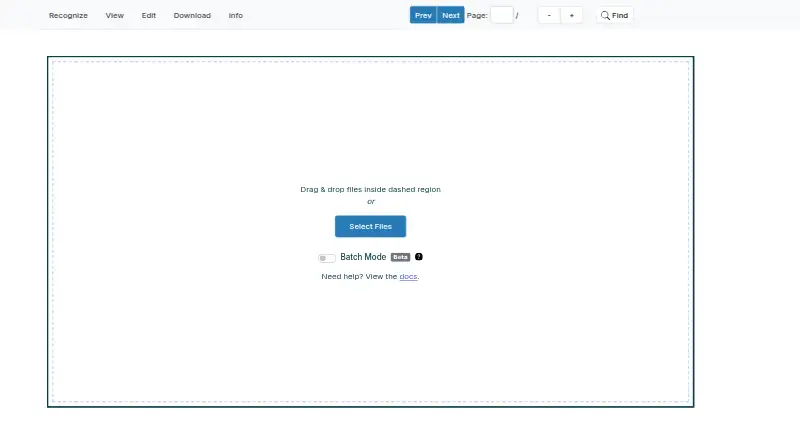
Scribe OCR is a free, open-source web application for recognizing text from scanned images and PDFs, proofreading OCR results, and creating digitized documents. It is suited to individuals and organizations working with printed documents, archival material, and research collections. The browser-based workflow can add searchable text layers to PDFs, display editable OCR text as overlays, and produce outputs for document editing, web publishing, plain-text use, and archival exchange.
Its strongest advantage is the combination of local processing and format coverage. Recognition runs in the browser, while exports include PDF, DOCX, TXT, HTML, Markdown, HOCR, and ALTO XML. Table extraction can produce XLSX files, and OCR accuracy evaluation can compare results against ground truth. Support for Tesseract HOCR and Abbyy XML OCR data also gives the tool a practical place in workflows that already use those OCR ecosystems. Custom overlay-font optimization is relevant when proofreading depends on clear alignment between recognized text and the source image.
Scribe OCR is a good fit for users who want an open-source, no-cost browser tool with more than basic text recognition, particularly when searchable PDFs, proofreading, archival exports, or evaluation matter. Its web-only platform is the main boundary: teams looking for a desktop or mobile application, or a broader document-processing environment, should consider a different type of OCR product. The tool is most compelling when local browser processing and control over exported OCR formats outweigh the need for a wider platform footprint.
Your product? Our editors can test Scribe OCR in depth and publish a review, labelled as paid · from $149/mo →
Scribe OCR pricing
Scribe OCR fact sheet
| Free plan | Yes |
|---|---|
| Paid from | Free |
| Searchable PDF | Yes |
| Word export | Yes |
| Handwriting OCR | Not verified |
| Supported languages | Not verified |
| Monthly page limit | Not verified |
| Primary platform | Web |
| Supported inputs | Both |
| Deployment | Cloud, Browser extension |
| Platforms | Web |
| Support | Community, Email |
| Built for | Solo, Small business (editorial estimate) |
| Pricing | Free plan |
| Website | scribeocr.com |
| Facts checked | 23 Sep 2026 |
Alternatives to Scribe OCR
- PaddleOCRA developer-focused OCR toolkit with multilingual, handwriting, and document parsing workflows.9.3
- Tesseract OCRA mature, developer-focused OCR engine with broad outputs and self-hosting flexibility.9.1
- ABBYY FineReader PDFA broad desktop PDF suite for OCR, editing, conversion, forms, and document control.9.0

See all Scribe OCR alternatives →
Used Scribe OCR? Be the first to review it
The editor score above is our own research. What this page doesn't have yet is a reader's view — what you used Scribe OCR for, what worked and what didn't. No stars are seeded and no review is paid for; an editor reads every one before it appears.
Write a reviewTwo minutes · verified accounts only · read by an editor before it appears
Featured on iTechGuides

Scribe OCR is listed in our OCR Software directory. Add the badge to your site — it links back to this page.
<a href="https://www.itechguides.com/products/scribe-ocr/"><img src="https://www.itechguides.com/best/badge/scribe-ocr.svg" alt="Featured on iTechGuides" width="230" height="46"></a>
Reviewed by iTechGuides Editors · Editorial team · Updated Oct 2026
Advertiser disclosure: iTechGuides is reader-supported. Vendors can pay for top positions in our rankings and for a place on other products' pages, and we may earn a commission when you click some links. Bought places stand at the number bought; this page and our disclosure say so. Paying vendors may get a fuller, more detailed review from our editors, and that review can change their score. How we rank.
Last updated · How we research and update