
ScreenToVideo
ScreenToVideo: A deep Windows recorder-editor with a one-time price and no free plan. Ranked #37 of 131 in Screen Recording Software by our editors (5.3/10); pricing: 15-day trial; best for windows users needing deep tutorial editing.
At a glance
- Editor score5.3 / 10
- Pricing15-day trial
- Best forWindows users needing deep tutorial editing
- Free planNo
- Paid from$79/user one-time
- Webcam recordingYes
- Facts checked22 Sep 2026
Where it wins
- Records screens, windows, webcam, microphone, and system audio
- Adds annotations, cursor effects, captions, zooms, and transitions
- Exports to MP4, WMV, GIF, and an interactive HTML player
Where it doesn't
- Windows-only coverage limits platform flexibility
- No permanent free plan is available
- The regular license costs $119 one time
Our verdict on ScreenToVideo
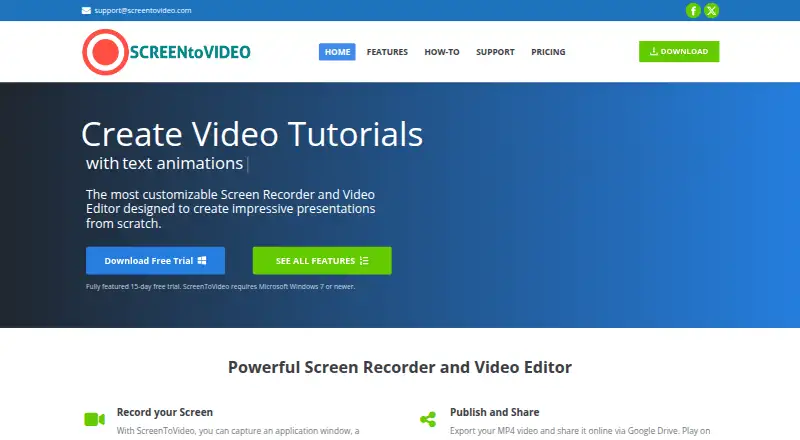
ScreenToVideo is a Windows desktop application for recording screens, application windows, selected areas, webcam video, microphone input, voice-overs, and system audio. It is designed for businesses, students, teachers, hobbyists, and professional editors who need more than a basic capture tool. Its editing workspace includes drawing, annotations, cursor effects, keystrokes, trimming, splitting, zooming, effects, animations, transitions, closed-caption creation, caption import and export, and text-to-speech narration. Webcam recording also supports a virtual background.
Pricing is straightforward by license type. The Regular license costs $119 as a one-time purchase and includes the full-featured recorder and editor, installation on multiple devices, in-app and website support, free lifetime upgrades and support, Windows compatibility, and a 30-day money-back guarantee. The Educational license costs $79 one time for students and teachers and includes the same core recorder, editor, multi-device installation, support, lifetime upgrades, and Windows compatibility. A 15-day evaluation period is available, while the product does not offer a permanent free plan.
ScreenToVideo suits tutorial creators who want detailed control over instructional footage and delivery formats. Projects can be exported to MP4, WMV, GIF, or an interactive HTML player, then shared through Google Drive. Google Cloud Text-to-Speech and Microsoft SAPI support the narration workflow, while Google Drive provides a direct sharing destination. The main trade-off is platform scope: the application is for Windows, so it is not a fit for teams that require macOS or cross-platform coverage. Choose it for deep capture and editing at a one-time price; choose an alternative if broad operating-system support or a permanent free tier matters more.
Your product? Our editors can test ScreenToVideo in depth and publish a review, labelled as paid · from $149/mo →
ScreenToVideo pricing
All 2 ScreenToVideo plans and prices →
ScreenToVideo fact sheet
| Free plan | No |
|---|---|
| Paid from | $79/user one-time |
| Webcam recording | Yes |
| System audio | Yes |
| Microphone recording | Yes |
| Max recording length | Not verified |
| Maximum video quality | Not verified |
| Supported platforms | windows |
| Free trial | 15 days |
| Money-back guarantee | 30 days |
| Deployment | Desktop |
| Platforms | Windows |
| Support | Email, Docs |
| Built for | Solo, Small business, Mid-market (editorial estimate) |
| Integrations | 3 integrations: Google Drive, Google Cloud Text-to-Speech, Microsoft SAPI |
| Pricing | 15-day trial (source) |
| Website | screentovideo.com |
| Facts checked | 22 Sep 2026 |
ScreenToVideo integrations
ScreenToVideo lists 3 integrations on its own site.
- Google Drive
- Google Cloud Text-to-Speech
- Microsoft SAPI
Alternatives to ScreenToVideo
- CamtasiaA deep desktop toolkit for training videos, tutorials, and structured learning content.9.3
- ScreenPalA feature-rich choice for budget-conscious creators who need more than basic recording.9.1
- LoomA broad screen recorder for teams that communicate through polished async video.9.0



See all ScreenToVideo alternatives →
Used ScreenToVideo? Be the first to review it
The editor score above is our own research. What this page doesn't have yet is a reader's view — what you used ScreenToVideo for, what worked and what didn't. No stars are seeded and no review is paid for; an editor reads every one before it appears.
Write a reviewTwo minutes · verified accounts only · read by an editor before it appears
Featured on iTechGuides

ScreenToVideo is listed in our Screen Recording Software directory. Add the badge to your site — it links back to this page.
<a href="https://www.itechguides.com/products/screentovideo/"><img src="https://www.itechguides.com/best/badge/screentovideo.svg" alt="Featured on iTechGuides" width="230" height="46"></a>
Guides on screen recording software
- The Best Screen Recording Software in 2026: Comparison and GuideAug 2026
- 16 Best Paid and Free Screen Recording Software for MacAug 2026
- Best Screen Recording Software for Product DemosOct 2026
Reviewed by iTechGuides Editors · Editorial team · Updated Oct 2026
Advertiser disclosure: iTechGuides is reader-supported. Vendors can pay for top positions in our rankings and for a place on other products' pages, and we may earn a commission when you click some links. Bought places stand at the number bought; this page and our disclosure say so. Paying vendors may get a fuller, more detailed review from our editors, and that review can change their score. How we rank.
Last updated · How we research and update