
Screenshotbot
Screenshotbot: A flexible visual testing platform with usage-based pricing and extensive workflow integrations. Ranked #9 of 26 in Visual Regression Testing Software by our editors (8.3/10); pricing: 30-day trial; best for teams wanting usage-based screenshot pricing.
At a glance
- Editor score8.3 / 10
- Pricing30-day trial
- Best forTeams wanting usage-based screenshot pricing
- Free planNo
- Paid from$495/mo
- Cross-browser captureYes
- Facts checked20 Sep 2026
Where it wins
- Pixel tolerance controls support configurable visual comparisons.
- Pull-request review and build-status updates fit CI workflows.
- History, bisecting, CLI workflows, and managed storage support investigations.
Where it doesn't
- There is no free plan.
- Pay-as-You-Go is limited to 10 users and 3 months of history.
- The Unlimited plan costs $495 per month.
Our verdict on Screenshotbot
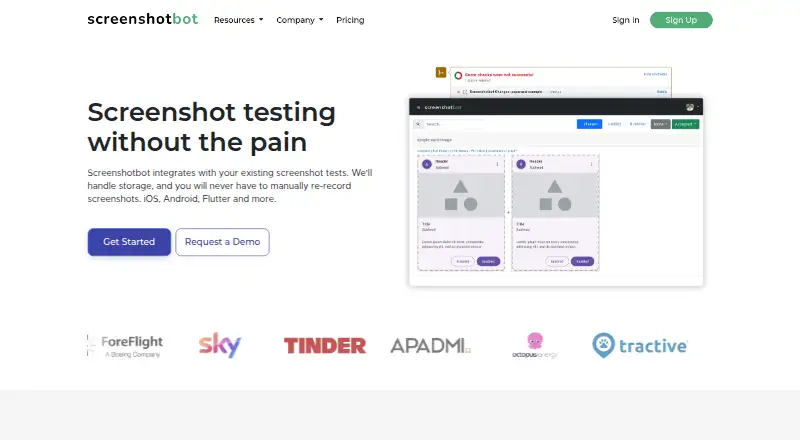
Screenshotbot is a visual regression testing platform for teams building web and mobile applications. It stores screenshots generated by existing tests, compares them across commits, and reports visual changes in pull requests and CI workflows. Teams can review and accept changes before merging, inspect screenshot history, and run local record-and-verify workflows. Support for Android, iOS, Flutter, React Native, Selenium, web projects, and custom screenshot pipelines makes it suitable for teams working across several application types.
Pricing is structured around screenshot volume. Pay-as-You-Go costs $0.006 per screenshot per month and includes 10,000 free screenshots per month, up to 10 users, and 3 months of history. Unlimited costs $495 per month and adds unlimited screenshots, up to 50 users, and history up to 1 year. Enterprise includes unlimited screenshots, dedicated support, Single Sign-On, and on-premise and cloud deployment. A 30-day free trial is available, while the product does not offer a free plan.
Its workflow coverage is a central strength. Screenshotbot connects with GitHub, GitLab, Bitbucket, Azure DevOps, Phabricator, CircleCI, GitHub Actions, GitLab CI, Azure Pipelines, Bitrise, Netlify, Slack, Jira, Trello, and Asana. Browser-based capture supports configurable browser environments for web projects, while CLI and local workflows support existing test pipelines. Teams that want pull-request approvals, pixel-level comparisons, and usage-based billing should consider Screenshotbot. Teams seeking a free plan, built-in AI features, or a lower fixed monthly price at higher screenshot volumes should look elsewhere.
Your product? Our editors can test Screenshotbot in depth and publish a review, labelled as paid · from $149/mo →
Screenshotbot pricing
All 3 Screenshotbot plans and prices →
Screenshotbot fact sheet
| Free plan | No |
|---|---|
| Paid from | $495/mo |
| Visual diff modes | Pixel |
| Cross-browser capture | Yes |
| CI/CD integrations | Yes |
| Approval workflow | Yes |
| Project limit | Not verified |
| Browser count | Not verified |
| Free trial | 30 days |
| Deployment | Cloud, Self-hosted |
| Platforms | Web, Windows, macOS, Linux |
| Compliance & security | SOC 2, ISO 27001, GDPR, SSO/SAML |
| Support | Email, Community, Docs · 24/7 |
| Built for | Solo, Small business, Mid-market, Enterprise (editorial estimate) |
| Integrations | 19 integrations: GitHub, GitLab, Bitbucket, Azure DevOps, Phabricator, CircleCI … |
| Pricing | 30-day trial (source) |
| Website | screenshotbot.io |
| Facts checked | 20 Sep 2026 |
Screenshotbot integrations
Screenshotbot lists 19 integrations on its own site.
- GitHub
- GitLab
- Bitbucket
- Azure DevOps
- Phabricator
- CircleCI
- GitHub Actions
- GitLab CI
- Azure Pipelines
- Bitrise
- Netlify
- Slack
- Jira
- Trello
- Asana
- Jenkins
- Microsoft Teams
- Figma
- Firebase Test Lab
Alternatives to Screenshotbot
- PercyA mature choice for cross-browser visual reviews, CI/CD, and scheduled URL monitoring.9.4
- ChromaticA strong Storybook workflow with CI checks, review tools, and four-browser testing on paid plans.9.2
- Applitools EyesA broad visual testing suite for teams that need AI-assisted analysis and enterprise controls.8.9



See all Screenshotbot alternatives →
Also Ranked In
Screenshotbot is ranked in 2 of our directories.
Used Screenshotbot? Be the first to review it
The editor score above is our own research. What this page doesn't have yet is a reader's view — what you used Screenshotbot for, what worked and what didn't. No stars are seeded and no review is paid for; an editor reads every one before it appears.
Write a reviewTwo minutes · verified accounts only · read by an editor before it appears
Featured on iTechGuides

Screenshotbot is listed in our Visual Regression Testing Software directory. Add the badge to your site — it links back to this page.
<a href="https://www.itechguides.com/products/screenshotbot/"><img src="https://www.itechguides.com/best/badge/screenshotbot.svg" alt="Featured on iTechGuides" width="230" height="46"></a>
Reviewed by iTechGuides Editors · Editorial team · Updated Oct 2026
Advertiser disclosure: iTechGuides is reader-supported. Vendors can pay for top positions in our rankings and for a place on other products' pages, and we may earn a commission when you click some links. Bought places stand at the number bought; this page and our disclosure say so. Paying vendors may get a fuller, more detailed review from our editors, and that review can change their score. How we rank.
Last updated · How we research and update