ScreenshotBee
ScreenshotBee: A flexible screenshot API for teams buying batches of captures as needed. Ranked #13 of 29 in Screenshot APIs by our editors (6.4/10); pricing: From $9; best for pay-as-you-go screenshot batches with video.
At a glance
- Editor score6.4 / 10
- PricingFrom $9
- Best forPay-as-you-go screenshot batches with video
- Free planNo
- PDF outputYes
- Facts checked29 Sep 2026
Where it wins
- Renders URLs or raw HTML as PNG, JPEG, or PDF
- Captures full pages, selected elements, and custom viewports
- Credits are one-time purchases and never expire
Where it doesn't
- No free plan
- Credit packs require an upfront purchase
- Optional dashboard subscriptions have no publicly listed prices
Our verdict on ScreenshotBee
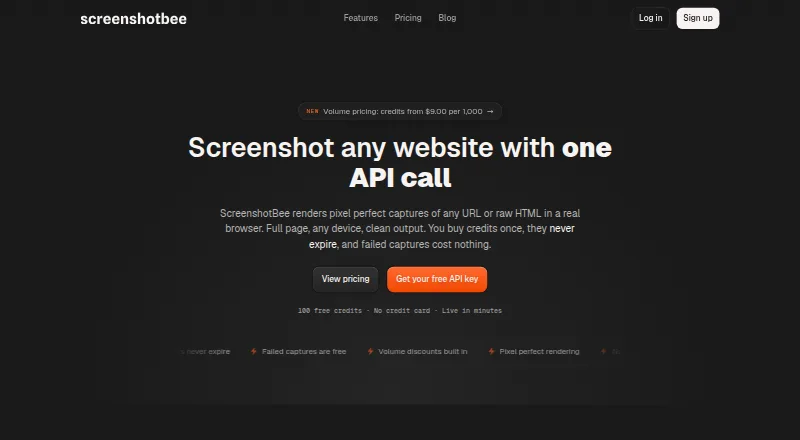
ScreenshotBee is a hosted screenshot API for developers and teams that need to turn URLs or supplied HTML into image or PDF captures. It runs in the cloud and is available through an API and web dashboard. Its capture options cover both routine page snapshots and more specific workflows, including full-page capture, device emulation, custom viewports, CSS-selector element screenshots, and waits for single-page apps. Scheduled screenshots and scrolling video recording extend it beyond one-off static captures, making it a fit for teams automating visual checks or collecting page evidence in batches.
The pricing model is based on one-time credit packs rather than a free tier. According to the vendor's pricing details, 1,000 screenshots cost $9, 2,500 cost $20, 5,000 cost $35, and 10,000 cost $60. Larger packs are 25,000 for $125, 50,000 for $225, 100,000 for $400, and 250,000 for $875. Credits do not expire, and charges apply only to successful captures. That structure suits intermittent work or usage that varies over time; teams preferring a free allowance or a predictable subscription price may want another option. Optional subscriptions are described as available inside the dashboard, but there is no public price to compare.
The API's practical strength is the range of capture controls: input can be a URL or raw HTML, output can be PNG, JPEG, or PDF, and jobs can wait for conditions before capture. Selectors help isolate elements, while schedules and video serve recurring or motion-oriented capture needs. This makes ScreenshotBee broader than a basic URL-to-image endpoint without requiring every job to be a full-page screenshot. It is a sensible candidate for small through enterprise teams with batch-based needs and existing API workflows. Buyers seeking verified integrations, a free plan, or public subscription pricing should compare alternatives before committing.
ScreenshotBee pricing
All 8 ScreenshotBee plans and prices →
ScreenshotBee fact sheet
| Free plan | No |
|---|---|
| Paid from | Not verified |
| HTML input | Yes |
| PDF output | Yes |
| Full-page capture | Yes |
| Custom viewport | Yes |
| Wait conditions | Yes |
| Geo-location | Not verified |
| Deployment | Cloud |
| Platforms | Web |
| Built for | Small business, Mid-market, Enterprise (editorial estimate) |
| Pricing | From $9 (source) |
| Website | screenshotbee.com |
| Facts checked | 29 Sep 2026 |
Alternatives to ScreenshotBee
- UrlboxA configurable rendering API with full-page capture, varied outputs, and storage integrations.9.0
- ScrapingBeeA broad scraping API that adds screenshots to browser rendering and extraction tools.8.0
- AddScreenshotsBroad screenshot automation and delivery options with a free starting tier.7.9


See all ScreenshotBee alternatives →
Used ScreenshotBee? Be the first to review it
The editor score above is our own research. What this page doesn't have yet is a reader's view — what you used ScreenshotBee for, what worked and what didn't. No stars are seeded and no review is paid for; an editor reads every one before it appears.
Write a reviewTwo minutes · verified accounts only · read by an editor before it appears
Featured on iTechGuides

ScreenshotBee is listed in our Screenshot APIs directory. Add the badge to your site — it links back to this page.
<a href="https://www.itechguides.com/products/screenshotbee/"><img src="https://www.itechguides.com/best/badge/screenshotbee.svg" alt="Featured on iTechGuides" width="230" height="46"></a>
Reviewed by iTechGuides Editors · Editorial team · Updated Sep 2026
Advertiser disclosure: iTechGuides is reader-supported. We may earn a commission when you click some links. It never changes a score or a verdict. How we rank.
Last updated · How we research and update