
ScreenScribe
ScreenScribe: A focused browser recorder for AI transcripts, summaries, and content drafts. Ranked #25 of 39 in AI Screen Recorders by our editors (6.4/10); pricing: 7-day trial; best for basic browser recording with AI summaries.
At a glance
- Editor score6.4 / 10
- Pricing7-day trial
- Best forBasic browser recording with AI summaries
- Free planNo
- Paid from$9.95/mo
- AI transcriptionYes
- Facts checked20 Sep 2026
Where it wins
- Captures full screens, tabs, windows, and existing video uploads
- Provides live transcription, AI summaries, and content generation
- Includes cloud history, downloads, and time-ranged blur editing
Where it doesn't
- No free plan; paid access starts at $9.95 per month
- Web-only platform support limits access to browser-based workflows
- No verified integrations are included in the published offering
Our verdict on ScreenScribe
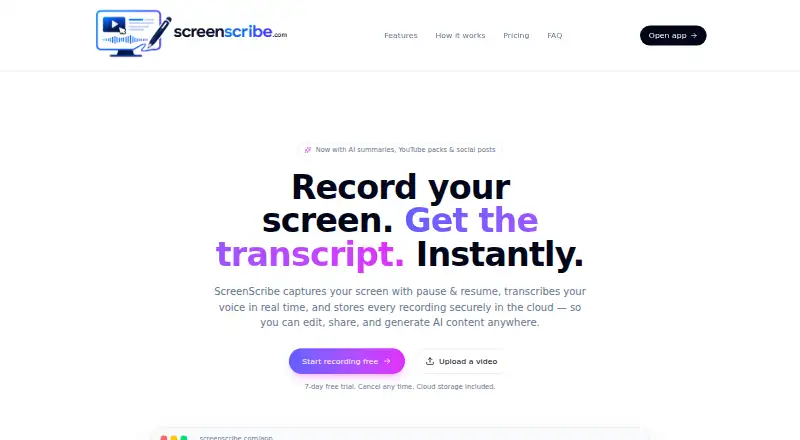
ScreenScribe is a browser-based screen recorder for teachers, engineers, support teams, and creators. It captures a full screen, browser tab, or window, with pause and resume controls for recording. Live speech transcription, cloud recording history, video and transcript downloads, and support for MP4, MOV, and WebM uploads make it suitable for turning recorded explanations or existing videos into reusable content. Its AI features generate summaries, YouTube metadata, social posts, blog drafts, and thumbnail ideas.
Pricing follows three paid monthly plans. Starter costs $9.95 per month and includes AI transcripts and summaries, a YouTube pack and social posts, a blur editor, and cloud storage. Pro costs $19.95 per month and adds priority AI processing plus advanced blur and auto-detect. Unlimited costs $99.95 per month and adds the highest priority processing and early access to new features. A seven-day free trial is available, while the published plans do not include a free tier. The main pricing step-up is processing priority and blur capability rather than a broader recording workflow.
ScreenScribe’s strongest fit is a straightforward browser workflow centered on recording, transcription, cloud storage, and AI-generated follow-up content. The time-ranged blur editor supports privacy-focused editing, while downloadable videos and transcripts help move content beyond the browser. Its scope is narrower than products built around broader platform ecosystems, and no verified integrations are included in the published offering. Choose ScreenScribe for basic browser recording with AI summaries and content drafts; consider an alternative if broader platform support or integrated workflows are central to your requirements.
Your product? Our editors can test ScreenScribe in depth and publish a review, labelled as paid · from $149/mo →
ScreenScribe pricing
All 3 ScreenScribe plans and prices →
ScreenScribe fact sheet
| Free plan | No |
|---|---|
| Paid from | $9.95/mo |
| AI transcription | Yes |
| AI summaries | Yes |
| Documentation output | Yes |
| Speaker identification | Not verified |
| Recording limit | Not verified |
| Platform support | Browser |
| Export formats | .webm, .txt |
| Free trial | 7 days |
| Deployment | Cloud |
| Platforms | Web |
| Built for | Solo, Small business (editorial estimate) |
| Pricing | 7-day trial (source) |
| Website | screenscribe.dev |
| Facts checked | 20 Sep 2026 |
Alternatives to ScreenScribe
- LoomA polished screen recorder with broad integrations, AI options, and a higher paid entry point.9.2
- ZightA broad AI capture and administration tool with a useful free tier.9.0
- ScreenPalA feature-rich freemium recorder with 4K capture, AI tools, and broad device coverage.8.8



See all ScreenScribe alternatives →
Used ScreenScribe? Be the first to review it
The editor score above is our own research. What this page doesn't have yet is a reader's view — what you used ScreenScribe for, what worked and what didn't. No stars are seeded and no review is paid for; an editor reads every one before it appears.
Write a reviewTwo minutes · verified accounts only · read by an editor before it appears
Featured on iTechGuides

ScreenScribe is listed in our AI Screen Recorders directory. Add the badge to your site — it links back to this page.
<a href="https://www.itechguides.com/products/screenscribe/"><img src="https://www.itechguides.com/best/badge/screenscribe.svg" alt="Featured on iTechGuides" width="230" height="46"></a>
Reviewed by iTechGuides Editors · Editorial team · Updated Oct 2026
Advertiser disclosure: iTechGuides is reader-supported. Vendors can pay for top positions in our rankings and for a place on other products' pages, and we may earn a commission when you click some links. Bought places stand at the number bought; this page and our disclosure say so. Paying vendors may get a fuller, more detailed review from our editors, and that review can change their score. How we rank.
Last updated · How we research and update