
SceneRecap
SceneRecap: A Chrome-focused recorder for turning bugs and workflows into usable documentation. Ranked #12 of 39 in AI Screen Recorders by our editors (7.7/10); pricing: Free plan; best for bug reports and tutorial documentation.
At a glance
- Editor score7.7 / 10
- PricingFree plan
- Best forBug reports and tutorial documentation
- Free planYes
- Paid from$13/mo
- AI transcriptionYes
- Facts checked20 Sep 2026
Where it wins
- AI bug reports include reproduction steps and console/network evidence
- Exports documentation to Markdown, HTML, PDF, DOCX and GIF
- Files issues to GitHub, Linear and Jira with API and webhooks
Where it doesn't
- Free recordings are limited to one minute each
- Capture is centered on Chrome tabs rather than broad platform coverage
- SOC 2 is described as a roadmap item, not a current certification
Our verdict on SceneRecap
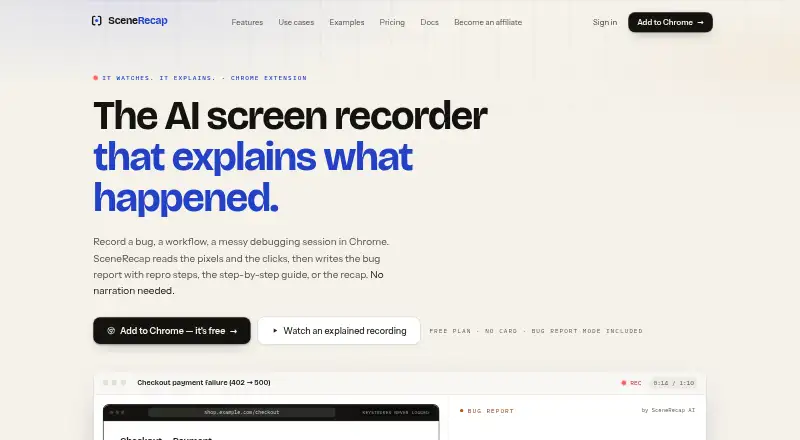
SceneRecap is a Chrome-focused AI screen recorder for bug reports, tutorials, SOPs, debugging sessions and working meetings. It analyzes screen pixels and interaction events to produce bug reports, step-by-step documentation, explanations and recaps. Outputs can include screenshots, reproduction steps, summaries, decisions, action items and timestamp-linked claims. The product supports web access, a Chrome extension and an API, with optional narration, AI voiceover for Explain and Tutorial recordings, and support for uploaded recordings from tools such as QuickTime, OBS and Loom.
Pricing is structured around a free plan and paid tiers. Free includes one recording, recordings up to one minute, 25 AI analyses per month, Explain and Bug Report modes, Markdown and GIF export, and 5 GB of storage. Pro costs $13 per month on annual billing or $16 per month on monthly billing, adding unlimited recordings, 60-minute recordings, 200 AI analyses per month, all four modes, broader exports and 100 GB of storage. Team costs $16 per user per month on annual billing or $20 per user per month on monthly billing, with pooled analyses, workspaces, roles and folders. Enterprise adds 240-minute recordings and unlimited AI analyses. A reporting widget costs $39 per month and includes 200 analysed reports.
Its strongest fit is for teams that need evidence-rich bug reports or reusable documentation rather than simple video capture. Issue filing to GitHub, Linear and Jira, integrations with Slack and Notion, searchable timelines, timestamp-linked claims, HMAC-signed webhooks and headless bug reproduction give it a broad workflow around each recording. The Chrome emphasis makes it more specialized than a general screen recorder, while the reporting widget adds a focused route for visitor bug reports. Choose SceneRecap when AI-generated explanations, reproduction evidence and documentation outputs matter; consider a broader recorder when Chrome-centered capture is not the right fit.
Your product? Our editors can test SceneRecap in depth and publish a review, labelled as paid · from $149/mo →
SceneRecap pricing
All 5 SceneRecap plans and prices →
SceneRecap fact sheet
| Free plan | Yes |
|---|---|
| Paid from | $13/mo |
| AI transcription | Yes |
| AI summaries | Yes |
| Documentation output | Yes |
| Speaker identification | Not verified |
| Recording limit | 60 minutes |
| Platform support | Browser+desktop |
| Export formats | Markdown, HTML, PDF, DOCX, GIF, Notion |
| Deployment | Cloud, Browser extension |
| Platforms | Web, Chrome extension |
| Compliance & security | GDPR, SSO/SAML |
| Support | Email, Docs |
| Built for | Solo, Small business, Mid-market, Enterprise (editorial estimate) |
| Integrations | 5 integrations: Jira, Linear, GitHub, Slack, Notion |
| Pricing | Free plan (source) |
| Website | scenerecap.com |
| Facts checked | 20 Sep 2026 |
SceneRecap integrations
SceneRecap lists 5 integrations on its own site.
- Jira
- Linear
- GitHub
- Slack
- Notion
Alternatives to SceneRecap
- LoomA polished screen recorder with broad integrations, AI options, and a higher paid entry point.9.2
- ZightA broad AI capture and administration tool with a useful free tier.9.0
- ScreenPalA feature-rich freemium recorder with 4K capture, AI tools, and broad device coverage.8.8



See all SceneRecap alternatives →
Used SceneRecap? Be the first to review it
The editor score above is our own research. What this page doesn't have yet is a reader's view — what you used SceneRecap for, what worked and what didn't. No stars are seeded and no review is paid for; an editor reads every one before it appears.
Write a reviewTwo minutes · verified accounts only · read by an editor before it appears
Featured on iTechGuides

SceneRecap is listed in our AI Screen Recorders directory. Add the badge to your site — it links back to this page.
<a href="https://www.itechguides.com/products/scenerecap/"><img src="https://www.itechguides.com/best/badge/scenerecap.svg" alt="Featured on iTechGuides" width="230" height="46"></a>
Reviewed by iTechGuides Editors · Editorial team · Updated Oct 2026
Advertiser disclosure: iTechGuides is reader-supported. Vendors can pay for top positions in our rankings and for a place on other products' pages, and we may earn a commission when you click some links. Bought places stand at the number bought; this page and our disclosure say so. Paying vendors may get a fuller, more detailed review from our editors, and that review can change their score. How we rank.
Last updated · How we research and update