
Samsung Internet
Samsung Internet: A privacy-focused free browser for Samsung and Galaxy-device users. Ranked #20 of 145 in Web Browsers by our editors (7.2/10); pricing: Free plan; best for samsung and Galaxy-device users.
At a glance
- Editor score7.2 / 10
- PricingFree plan
- Best forSamsung and Galaxy-device users
- Free planYes
- Paid fromFree
- Browser engineChromium
- Facts checked21 Sep 2026
Where it wins
- Secret mode, anti-tracking, and malware and phishing warnings
- Syncs open tabs and bookmarks across devices
- Galaxy-device browsing assist provides summaries and translation
Where it doesn't
- Native ad blocking is not clearly documented as built in
- Browsing assist is limited to supported Galaxy devices
- Desktop coverage is more limited than its Android offering
Our verdict on Samsung Internet
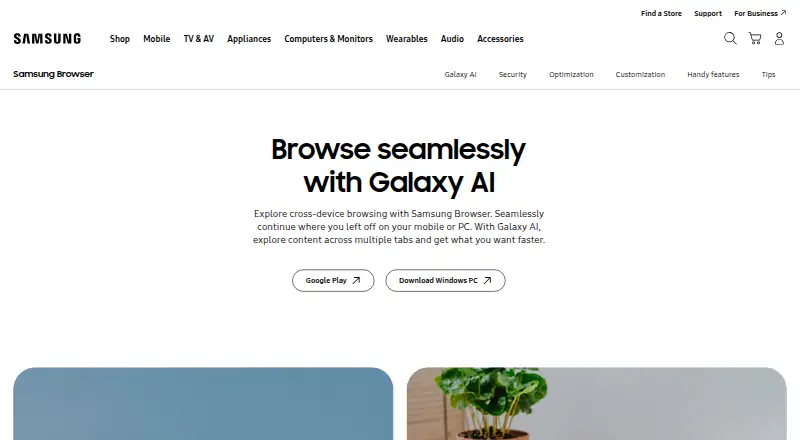
Samsung Internet is a free web browser from Samsung Electronics for Android phones and tablets, Samsung devices, and Windows PCs. It suits Samsung and Galaxy-device users who want private browsing, tracker protection, saved pages, synchronization, and browser tools in one product. Secret mode protects browsing data, while Protected Browsing warns about known malware and phishing sites. The browser uses Chromium and supports dark mode, a customizable menu, Popup Video, video history, and offline access to saved pages.
Privacy and device continuity are the strongest parts of the offering. Smart anti-tracking helps protect against web trackers, and third-party content and ad blocker support provides an additional way to control page content. Open tabs and bookmarks can synchronize across devices, with Samsung account and Firefox account support listed among its integrations. Smart Switch and a Chrome browser extension also extend the product’s fit across supported device and browser workflows. Native ad blocking is not presented as a built-in feature; blocking depends on installable third-party blocker apps.
Samsung Internet’s standout feature set is most relevant within Samsung’s ecosystem. Browsing assist can provide webpage summaries and translation on supported Galaxy devices, adding device-specific assistance that is not positioned as a general Windows feature. The browser is available on Android and Windows, although desktop coverage is limited, and Samsung’s Windows release notes state that the product was renamed Samsung Browser in March 2026. Choose it for a free browser with privacy controls, synchronization, offline pages, and Galaxy-focused assistance. Users seeking a broader desktop-centered browser experience or built-in ad blocking may prefer an alternative.
Your product? Our editors can test Samsung Internet in depth and publish a review, labelled as paid · from $149/mo →
Samsung Internet pricing
Samsung Internet fact sheet
| Free plan | Yes |
|---|---|
| Paid from | Free |
| Supported platforms | Both |
| Browser engine | Chromium |
| Built-in ad blocking | No |
| Tracking protection | Not verified |
| Extension support | Own_store |
| Cross-device sync | Yes |
| Open source | Not verified |
| Deployment | Desktop, Mobile |
| Platforms | Windows, Android |
| Support | Email, Docs |
| Built for | Solo, Small business, Mid-market, Enterprise (editorial estimate) |
| Pricing | Free plan |
| Website | samsung.com |
| Facts checked | 21 Sep 2026 |
Alternatives to Samsung Internet
- Google ChromeA complete free browser with broad platform coverage, sync, extensions, and built-in security.9.3
- Microsoft EdgeA free, cross-platform browser suited to Microsoft users who want broad compatibility.9.2
- Mozilla FirefoxA mature, privacy-focused browser for everyday browsing across desktop and mobile.9.1


See all Samsung Internet alternatives →
Also Ranked In
Samsung Internet is ranked in 2 of our directories.
Used Samsung Internet? Be the first to review it
The editor score above is our own research. What this page doesn't have yet is a reader's view — what you used Samsung Internet for, what worked and what didn't. No stars are seeded and no review is paid for; an editor reads every one before it appears.
Write a reviewTwo minutes · verified accounts only · read by an editor before it appears
Featured on iTechGuides

Samsung Internet is listed in our Web Browsers directory. Add the badge to your site — it links back to this page.
<a href="https://www.itechguides.com/products/samsung-internet/"><img src="https://www.itechguides.com/best/badge/samsung-internet.svg" alt="Featured on iTechGuides" width="230" height="46"></a>
Reviewed by iTechGuides Editors · Editorial team · Updated Oct 2026
Advertiser disclosure: iTechGuides is reader-supported. Vendors can pay for top positions in our rankings and for a place on other products' pages, and we may earn a commission when you click some links. Bought places stand at the number bought; this page and our disclosure say so. Paying vendors may get a fuller, more detailed review from our editors, and that review can change their score. How we rank.
Last updated · How we research and update