rproc
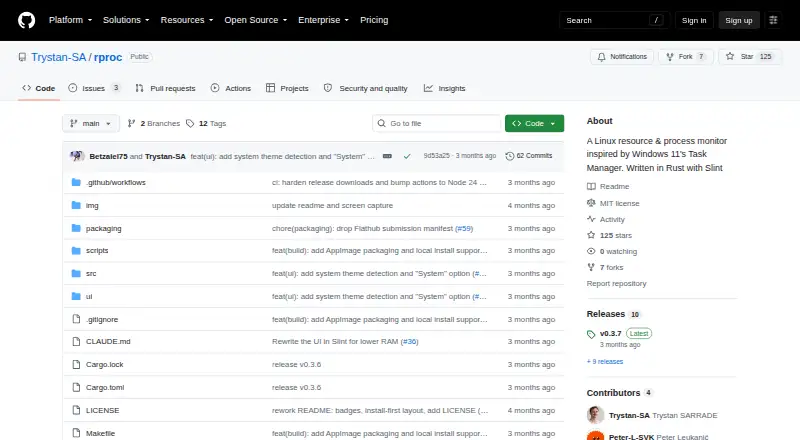
rproc: A focused Linux desktop monitor for processes, resources, charts, and systemd services. Ranked #14 of 26 in Process Monitoring Software by our editors (8.0/10); pricing: Open source; best for linux process and systemd inspection.
At a glance
- Editor score8.0 / 10
- PricingOpen source
- Best forLinux process and systemd inspection
- Paid fromFree
- Facts checked21 Sep 2026
Where it wins
- Detailed CPU, memory, disk I/O, thread, and status views
- Live charts with per-process CPU, RAM, disk, and GPU attribution
- Systemd services, startup entries, and process actions in one tool
Where it doesn't
- Linux-only, with no Windows or macOS coverage
- Service and process inspection stays focused on local system views
- History sampling is optional rather than a core always-on view
Our verdict on rproc
rproc is an open-source desktop resource and process monitor for Linux systems running X11 or Wayland. It is aimed at people who need a graphical view of active processes, system resources, and systemd services in one application. The process table covers CPU, memory, disk I/O, threads, and status, with sorting, filtering, and termination controls. It also includes startup entries and enabled systemd unit views, making it relevant to Linux users inspecting both running work and service configuration.
Platform fit is focused but practical: rproc runs on Linux through X11 or Wayland and is distributed as Linux packages, Flatpak, AppImage, Nix, and source builds. The application is written in Rust with Slint. That range gives Linux users several installation paths, while the Linux-only scope makes it a poor match for teams that need one process-monitoring tool across Windows, macOS, and Linux. Choose rproc when Linux coverage is the priority and a desktop interface matters more than cross-platform reach.
The strongest part of the feature set is the combination of live system charts and per-process attribution. CPU, memory, disk, network, and supported GPU activity can be charted live, while CPU, RAM, disk, and GPU samples can be attributed to individual processes. Optional background history sampling adds a way to retain sampled resource context. Alongside system and user service monitoring through systemctl, this makes rproc a focused Linux inspection tool rather than a broad operations suite. It suits individual Linux troubleshooting and systemd inspection; choose another product if your requirement centers on a wider platform ecosystem or capabilities beyond local process, resource, and service views.
Your product? Our editors can test rproc in depth and publish a review, labelled as paid · from $149/mo →
rproc pricing
rproc fact sheet
| Free plan | Not verified |
|---|---|
| Paid from | Free |
| Supported platforms | Linux (X11 or Wayland) |
| Remote monitoring | Not verified |
| Service monitoring | Yes |
| Process alerting | Not verified |
| History retention | Not verified |
| Process controls | Yes |
| Activity logs | Not verified |
| Deployment | Desktop |
| Platforms | Linux |
| Built for | Solo, Small business (editorial estimate) |
| Pricing | Open source |
| Website | github.com |
| Facts checked | 21 Sep 2026 |
Alternatives to rproc
- GlancesA broad, free monitoring toolkit for cross-platform and self-hosted infrastructure.9.4
- PM2A capable Node.js process manager with deeper monitoring in paid tiers.9.2
- MonitA focused self-hosted monitor for service health, system checks, and automatic recovery.9.1



Used rproc? Be the first to review it
The editor score above is our own research. What this page doesn't have yet is a reader's view — what you used rproc for, what worked and what didn't. No stars are seeded and no review is paid for; an editor reads every one before it appears.
Write a reviewTwo minutes · verified accounts only · read by an editor before it appears
Featured on iTechGuides

rproc is listed in our Process Monitoring Software directory. Add the badge to your site — it links back to this page.
<a href="https://www.itechguides.com/products/rproc/"><img src="https://www.itechguides.com/best/badge/rproc.svg" alt="Featured on iTechGuides" width="230" height="46"></a>
Reviewed by iTechGuides Editors · Editorial team · Updated Oct 2026
Advertiser disclosure: iTechGuides is reader-supported. Vendors can pay for top positions in our rankings and for a place on other products' pages, and we may earn a commission when you click some links. Bought places stand at the number bought; this page and our disclosure say so. Paying vendors may get a fuller, more detailed review from our editors, and that review can change their score. How we rank.
Last updated · How we research and update