
RouteConverter
RouteConverter: A locally run GPS file converter with broad format support and route-editing tools. Ranked #59 of 69 in File Conversion Software by our editors (3.3/10); pricing: Free plan; best for outdoor users working with GPS route files.
At a glance
- Editor score3.3 / 10
- PricingFree plan
- Best forOutdoor users working with GPS route files
- Free planYes
- Paid fromFree
- Founded2007
- Facts checked23 Sep 2026
Where it wins
- Reads 106 file and URL formats, including GPX, KML, FIT, and CSV.
- Edits, cleans, merges, and reroutes route and track data on a map.
- Runs offline on Windows, macOS, and Linux.
Where it doesn't
- Desktop-only deployment means it does not offer cloud conversion.
- Its tools focus on GPS routes, tracks, and waypoints.
- Support channels are community and documentation.
Our verdict on RouteConverter
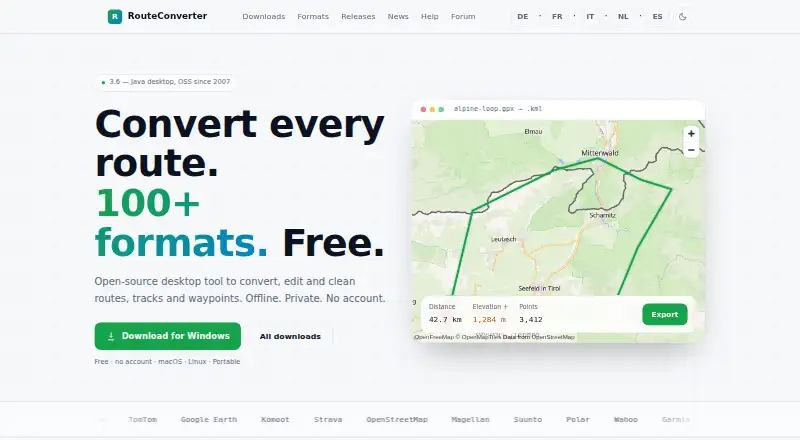
RouteConverter is a free, open-source desktop application for converting, viewing, editing, and cleaning GPS routes, tracks, and waypoints. It is aimed at outdoor users who need to work with route files on a computer, including solo users and small teams. The application runs on Windows, macOS, and Linux, and works locally offline, keeping track data on the user's computer according to the vendor's description.
Its format coverage is a central strength: RouteConverter reads 106 file and URL formats, including GPX, KML, FIT, and CSV, detects input formats automatically, and can export to writable formats. Beyond conversion, it supports editing positions on a map, trimming, simplifying, merging, or reversing route and track data, and planning or rerouting waypoints. It can also fill in missing elevation data. That combination suits users who need to clean or reshape GPS data as well as move it between formats; it is more specialized than a general-purpose document converter.
The trade-off is that RouteConverter is desktop software rather than a cloud conversion service, so its fit is strongest for people who want local offline work on GPS data. The published product details describe community and documentation support. Its free, open-source availability is useful for individuals and small groups, but those seeking conversion across broader file categories or a cloud-based workflow should look elsewhere. Choose RouteConverter for route, track, and waypoint tasks; avoid it if GPS-specific desktop tools do not match the job.
Your product? Our editors can test RouteConverter in depth and publish a review, labelled as paid · from $149/mo →
RouteConverter pricing
RouteConverter fact sheet
| Free plan | Yes |
|---|---|
| Paid from | Free |
| Max file size | Not verified |
| Batch conversion | Not verified |
| Cloud conversion | No |
| API access | Not verified |
| OCR conversion | Not verified |
| Deployment | Desktop |
| Deployment | Desktop |
| Platforms | Windows, macOS, Linux |
| Support | Community, Docs |
| Built for | Solo, Small business (editorial estimate) |
| Pricing | Free plan |
| Website | routeconverter.com |
| Facts checked | 23 Sep 2026 |
Alternatives to RouteConverter
- PandocA broad, programmable converter for technical documents, markup, and publishing workflows.9.3
- ConvertioA broad converter for documents, media, batch jobs, OCR, and automated workflows.9.1
- Zamzar APIA broad, asynchronous conversion API with flexible imports, exports, and extraction workflows.9.0



See all RouteConverter alternatives →
Used RouteConverter? Be the first to review it
The editor score above is our own research. What this page doesn't have yet is a reader's view — what you used RouteConverter for, what worked and what didn't. No stars are seeded and no review is paid for; an editor reads every one before it appears.
Write a reviewTwo minutes · verified accounts only · read by an editor before it appears
Featured on iTechGuides

RouteConverter is listed in our File Conversion Software directory. Add the badge to your site — it links back to this page.
<a href="https://www.itechguides.com/products/routeconverter/"><img src="https://www.itechguides.com/best/badge/routeconverter.svg" alt="Featured on iTechGuides" width="230" height="46"></a>
Reviewed by iTechGuides Editors · Editorial team · Updated Oct 2026
Advertiser disclosure: iTechGuides is reader-supported. Vendors can pay for top positions in our rankings and for a place on other products' pages, and we may earn a commission when you click some links. Bought places stand at the number bought; this page and our disclosure say so. Paying vendors may get a fuller, more detailed review from our editors, and that review can change their score. How we rank.
Last updated · How we research and update