
Rod
Rod: A capable self-hosted choice for Go developers automating browsers locally. Ranked #55 of 62 in Browser Automation Tools by our editors (3.3/10); pricing: Free plan; best for go developers building local browser automation.
At a glance
- Editor score3.3 / 10
- PricingFree plan
- Best forGo developers building local browser automation
- Free planYes
- Paid fromFree
- Facts checked20 Sep 2026
Where it wins
- Free, open-source browser automation for Windows, macOS, and Linux
- Auto-waiting, interception, downloads, screenshots, iframes, and Shadow DOM
- Browser pools support concurrent browser control
Where it doesn't
- Requires developers to build and run workflows in their own environments
- Uses Go as its primary language
- Browser control is centered on the Chrome DevTools Protocol
Our verdict on Rod
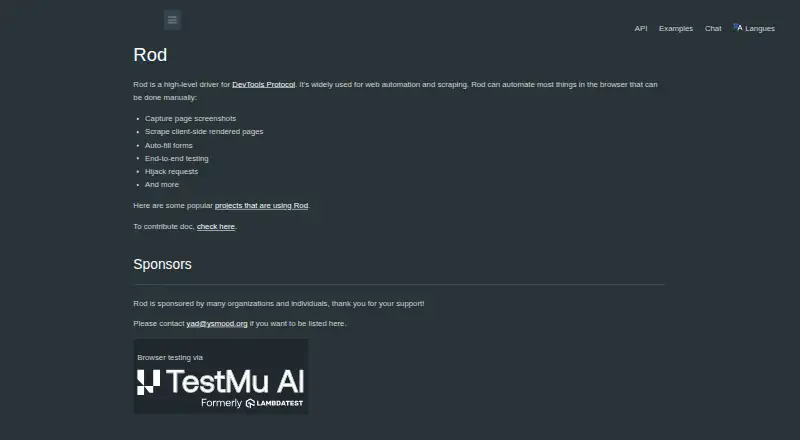
Rod is an open-source Go library for browser automation and scraping. It drives browsers through the Chrome DevTools Protocol and is intended for developers building automation, testing, or scraping workflows in their own environments. The project supports Windows, macOS, and Linux, with high-level helpers alongside lower-level customization. Its free, self-hosted model makes it a practical fit for Go developers who want direct control over local browser processes rather than a hosted execution service.
Its feature set covers many of the implementation details that can complicate browser workflows. Rod includes automatic browser discovery or download, element auto-waiting, request interception, file downloads, screenshots, nested iframe handling, and Shadow DOM handling. Browser pools add concurrent browser control for workloads that need more than one browser session. Together, these capabilities give Rod a broad toolkit for automation and scraping while preserving access to lower-level browser control through CDP. Developers choosing Rod should be comfortable assembling and operating their own workflows.
The main trade-off is its developer-oriented scope. Rod is a library, not a packaged automation workspace, so teams need to write Go code and run the resulting workflows in their own environments. Its primary language is Go, which makes it a focused choice rather than a general option across common automation languages. Choose Rod when open-source licensing, self-hosting, CDP control, and Go support align with your project. Consider an alternative if you need a hosted cloud execution offering or a different primary programming language.
Your product? Our editors can test Rod in depth and publish a review, labelled as paid · from $149/mo →
Rod pricing
Rod fact sheet
| Free plan | Yes |
|---|---|
| Paid from | Free |
| Browser engines | Multiple |
| Language support | Not verified |
| Cloud execution | Not verified |
| Self-hosted option | Yes |
| Parallel runs | Not verified |
| Monthly run limit | Not verified |
| Deployment | Self-hosted |
| Platforms | Windows, macOS, Linux |
| Support | Community, Docs |
| Built for | Solo, Small business, Mid-market, Enterprise (editorial estimate) |
| Pricing | Free plan |
| Website | go-rod.github.io |
| Facts checked | 20 Sep 2026 |
Alternatives to Rod
- PlaywrightA free, open-source framework for cross-browser testing, automation, and API checks.9.4
- SeleniumA mature, standards-based choice for cross-browser web automation at no paid-plan cost.9.2
- BrowserStack AutomateA broad browser and real-device testing platform for enterprise QA teams.9.1



Used Rod? Be the first to review it
The editor score above is our own research. What this page doesn't have yet is a reader's view — what you used Rod for, what worked and what didn't. No stars are seeded and no review is paid for; an editor reads every one before it appears.
Write a reviewTwo minutes · verified accounts only · read by an editor before it appears
Featured on iTechGuides

Rod is listed in our Browser Automation Tools directory. Add the badge to your site — it links back to this page.
<a href="https://www.itechguides.com/products/rod/"><img src="https://www.itechguides.com/best/badge/rod.svg" alt="Featured on iTechGuides" width="230" height="46"></a>
Reviewed by iTechGuides Editors · Editorial team · Updated Oct 2026
Advertiser disclosure: iTechGuides is reader-supported. Vendors can pay for top positions in our rankings and for a place on other products' pages, and we may earn a commission when you click some links. Bought places stand at the number bought; this page and our disclosure say so. Paying vendors may get a fuller, more detailed review from our editors, and that review can change their score. How we rank.
Last updated · How we research and update