Remove.Live
Remove.Live: A private, capable free remover for single images—not batch or API workflows. Ranked #49 of 93 in AI Background Removers by our editors (5.3/10); pricing: Free plan; best for private single-image browser processing.
At a glance
- Editor score5.3 / 10
- PricingFree plan
- Best forPrivate single-image browser processing
- Free planYes
- Paid fromFree
- Replacement backgroundsYes
- Facts checked22 Sep 2026
Where it wins
- Local and offline processing after the model loads
- Full-resolution, watermark-free exports with no account
- Adjustments, hair recovery, and custom background colors
Where it doesn't
- No batch processing for multiple images
- No API access or integrations
- Web-only platform coverage
Our verdict on Remove.Live
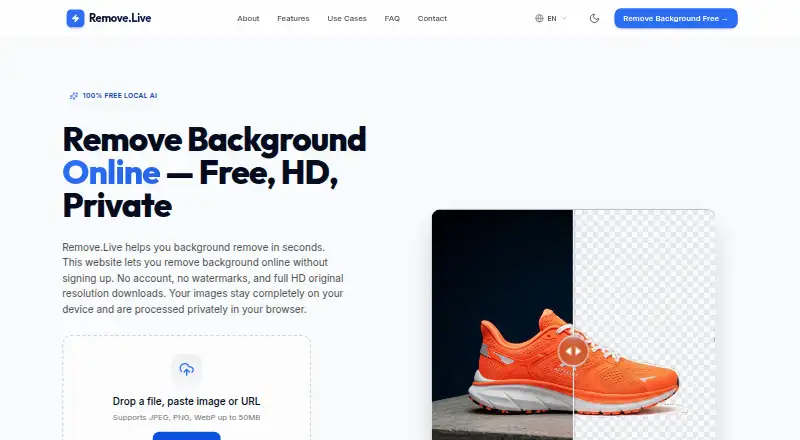
Remove.Live is a free, open-source browser tool for removing image backgrounds on the user’s device. It is suited to online sellers, designers, photographers, job seekers, students, and small businesses that need individual cutouts without creating an account or paying a subscription. JPEG, PNG, and WebP files up to 50MB are supported, and commercial use is included. The tool produces full-resolution results without watermarks, with transparent PNG and white-background JPEG export options.
Its strongest distinction is local processing. The model loads in the browser, after which processing can continue offline, keeping the image workflow on the device. Edge and hair recovery support more demanding cutouts, while brightness, contrast, saturation, blur, and sharpening controls provide basic refinement. Users can also choose a custom background color. This combination gives Remove.Live more control than a simple one-click remover while keeping the workflow focused on single-image editing.
The Free plan costs nothing and includes no account requirement, no subscription fees, no watermarks, and full-resolution downloads. That makes it a practical choice for private, occasional, or small-scale work. The trade-off is a narrow platform and workflow scope: it is available on the web, with no batch processing, API access, or integrations. Choose Remove.Live for local browser processing and straightforward exports; choose another tool when automated pipelines, connected design systems, or high-volume batch work matter more than a focused free editor.
Your product? Our editors can test Remove.Live in depth and publish a review, labelled as paid · from $149/mo →
Remove.Live pricing
All 1 Remove.Live plans and prices →
Remove.Live fact sheet
| Free plan | Yes |
|---|---|
| Paid from | Free |
| Replacement backgrounds | Yes |
| Batch processing | No |
| API access | No |
| Maximum output resolution | Not verified |
| Monthly image allowance | Not verified |
| Export formats | PNG, JPEG |
| Commercial use | Yes |
| Deployment | Cloud |
| Platforms | Web |
| Support | |
| Built for | Solo, Small business (editorial estimate) |
| Pricing | Free plan (source) |
| Website | remove.live |
| Facts checked | 22 Sep 2026 |
Alternatives to Remove.Live
- remove.bgA versatile background remover for teams that need automation, integrations, and high-resolution exports.9.3
- PixelcutA flexible background remover for ecommerce catalogs, creators, and marketing teams.9.1
- PhotoroomA broad image editor that combines background removal with AI, batch, team, and API workflows.9.0



See all Remove.Live alternatives →
Used Remove.Live? Be the first to review it
The editor score above is our own research. What this page doesn't have yet is a reader's view — what you used Remove.Live for, what worked and what didn't. No stars are seeded and no review is paid for; an editor reads every one before it appears.
Write a reviewTwo minutes · verified accounts only · read by an editor before it appears
Featured on iTechGuides

Remove.Live is listed in our AI Background Removers directory. Add the badge to your site — it links back to this page.
<a href="https://www.itechguides.com/products/remove-live/"><img src="https://www.itechguides.com/best/badge/remove-live.svg" alt="Featured on iTechGuides" width="230" height="46"></a>
Reviewed by iTechGuides Editors · Editorial team · Updated Oct 2026
Advertiser disclosure: iTechGuides is reader-supported. Vendors can pay for top positions in our rankings and for a place on other products' pages, and we may earn a commission when you click some links. Bought places stand at the number bought; this page and our disclosure say so. Paying vendors may get a fuller, more detailed review from our editors, and that review can change their score. How we rank.
Last updated · How we research and update