
Reframe
Reframe: A focused Mac and Windows recorder with teleprompter-led editing and strong export options. Ranked #19 of 131 in Screen Recording Software by our editors (7.2/10); pricing: Free plan; best for scripted presentation recording.
At a glance
- Editor score7.2 / 10
- PricingFree plan
- Best forScripted presentation recording
- Free planYes
- Paid from$96/yr
- Webcam recordingYes
- Facts checked22 Sep 2026
Where it wins
- Teleprompter, takes, scripts, and transcript-based editing
- On-device cleanup for noise, breaths, clicks, filler words, and silence
- 4K/60fps MP4 and GIF export with captions and auto-zoom
Where it doesn't
- Desktop-only coverage for macOS and Windows
- Free plan has limited monthly exports
- Lifetime plan includes updates for one year
Our verdict on Reframe
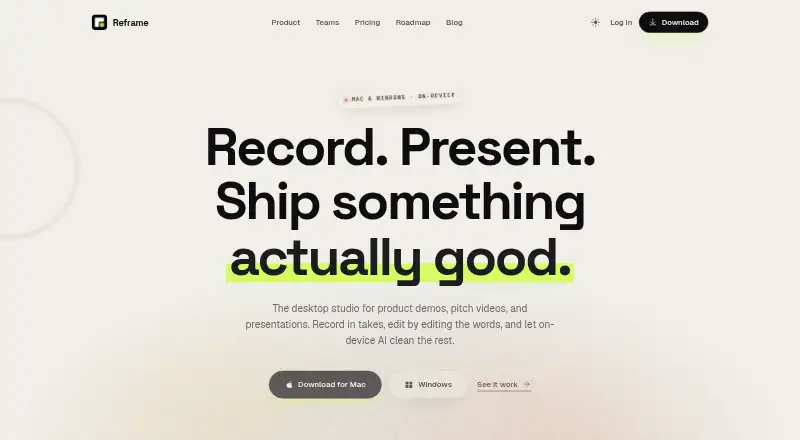
Reframe is a native desktop screen recorder and video editor for Mac and Windows. It combines screen, webcam, and microphone recording with scripted takes, teleprompter guidance, and a script editor, making it suited to product demos, pitch videos, tutorials, and presentations. Its workflow is designed for people who want to plan a delivery, record sections separately, and refine the result without leaving the application.
The Free plan includes screen, webcam, and microphone recording, takes, a teleprompter, a script editor, transcript-based editing, and no watermark, with limited monthly exports. Pro costs $12 per month when billed monthly or $96 per year when billed annually. The paid tier adds unlimited exports, AI cleanup for noise, breaths, and clicks, auto-zoom, backgrounds, captions, and priority support. The Lifetime plan costs $79 one time and includes everything in Pro, one-time ownership, one year of updates, and access across all personal Macs and PCs.
Reframe’s strongest distinction is its presentation-focused editing workflow. Transcript-based editing, filler-word and silence removal, per-section takes, and on-device cleanup target the common friction in scripted recordings, while cursor smoothing, captions, backgrounds, and hardware-accelerated MP4 or GIF export extend the finishing tools. It also supports 4K and 60fps export. Choose Reframe if you record polished, planned presentations on a desktop and value teleprompter and transcript controls. Choose an alternative if you need a broader platform footprint or workflows centered beyond Mac and Windows.
Your product? Our editors can test Reframe in depth and publish a review, labelled as paid · from $149/mo →
Reframe pricing
All 3 Reframe plans and prices →
Reframe fact sheet
| Free plan | Yes |
|---|---|
| Paid from | $96/yr |
| Webcam recording | Yes |
| System audio | Not verified |
| Microphone recording | Yes |
| Max recording length | Not verified |
| Maximum video quality | 4k |
| Supported platforms | macOS, Windows |
| Money-back guarantee | 30 days |
| Deployment | Desktop |
| Platforms | Windows, macOS |
| Built for | Solo, Small business, Mid-market (editorial estimate) |
| Pricing | Free plan (source) |
| Website | reframelab.app |
| Facts checked | 22 Sep 2026 |
Alternatives to Reframe
- CamtasiaA deep desktop toolkit for training videos, tutorials, and structured learning content.9.3
- ScreenPalA feature-rich choice for budget-conscious creators who need more than basic recording.9.1
- LoomA broad screen recorder for teams that communicate through polished async video.9.0



See all Reframe alternatives →
Used Reframe? Be the first to review it
The editor score above is our own research. What this page doesn't have yet is a reader's view — what you used Reframe for, what worked and what didn't. No stars are seeded and no review is paid for; an editor reads every one before it appears.
Write a reviewTwo minutes · verified accounts only · read by an editor before it appears
Featured on iTechGuides

Reframe is listed in our Screen Recording Software directory. Add the badge to your site — it links back to this page.
<a href="https://www.itechguides.com/products/reframe-screen-recording-software/"><img src="https://www.itechguides.com/best/badge/reframe-screen-recording-software.svg" alt="Featured on iTechGuides" width="230" height="46"></a>
Guides on screen recording software
- The Best Screen Recording Software in 2026: Comparison and GuideAug 2026
- 16 Best Paid and Free Screen Recording Software for MacAug 2026
- Best Screen Recording Software for Product DemosOct 2026
Reviewed by iTechGuides Editors · Editorial team · Updated Oct 2026
Advertiser disclosure: iTechGuides is reader-supported. Vendors can pay for top positions in our rankings and for a place on other products' pages, and we may earn a commission when you click some links. Bought places stand at the number bought; this page and our disclosure say so. Paying vendors may get a fuller, more detailed review from our editors, and that review can change their score. How we rank.
Last updated · How we research and update